
WebUI questions
-
Hello,
I have some WebUI on Windows Server(3.8.12) questions, maybe someone can answer me.
My goal is to display some Dashboards to the ""normal" users without allowing the to change anything.-
Anonymous logon
I found this thread: https://www.netxms.org/forum/general-support/webui-anon-access/msg10101/#msg10101
but as it's pretty old I this this method is not working anymore, isn't it? I tried, but can't get it to work.
[UPDATE] I got this working with the following URL syntax: http://<SERVER>:<PORT>/nxmc-clarity?auto&server=<servers>&login=<user>&dashboard=<dashboard> -
Hide WebUI elements
Is it possible to hide the menus and toolbars? I just want to show a dashboard -
Accessrights
What accessrights are required for a dashboard to work?
I created a user for the WebUI and gave it Read and Read Agent Data rights.
After loging on to the WebUI I can open the dashboard, but there are no values displayed -
Use HTTPS on windows server? Is this possible?
Thanks for helping
Best regards
Stefan
-
-
2 - you can use fullscreen-dashboard=name instead of dashboard= in the URL
3 - User should have read permission on the dashboard itself and read on all objects (or some of them - rest will be shown as "error") which are referenced in the dashboard.
Dashboard itself is just a layout configuration for the console.- We use jetty9 as an application server. You can either modify installed server.xml (https://github.com/eclipse/jetty.project/blob/jetty-9.4.x/jetty-server/src/main/config/etc/jetty-https.xml, https://github.com/eclipse/jetty.project/blob/jetty-9.4.x/jetty-server/src/main/config/etc/jetty-ssl.xml, https://www.eclipse.org/jetty/documentation/jetty-9/index.html#configuring-ssl) or install reverse proxy.
I personally think that HTTPS configuration in Jetty/Tomcat is an overcomplicated mess and almost never use it. Instead I do all SSL termination on the nginx / reproxy / traefik which works as reverse proxy.
-
HI,
thanks a lot. I'm a big step further now. The fullscreen-dashboard is a really useful option.
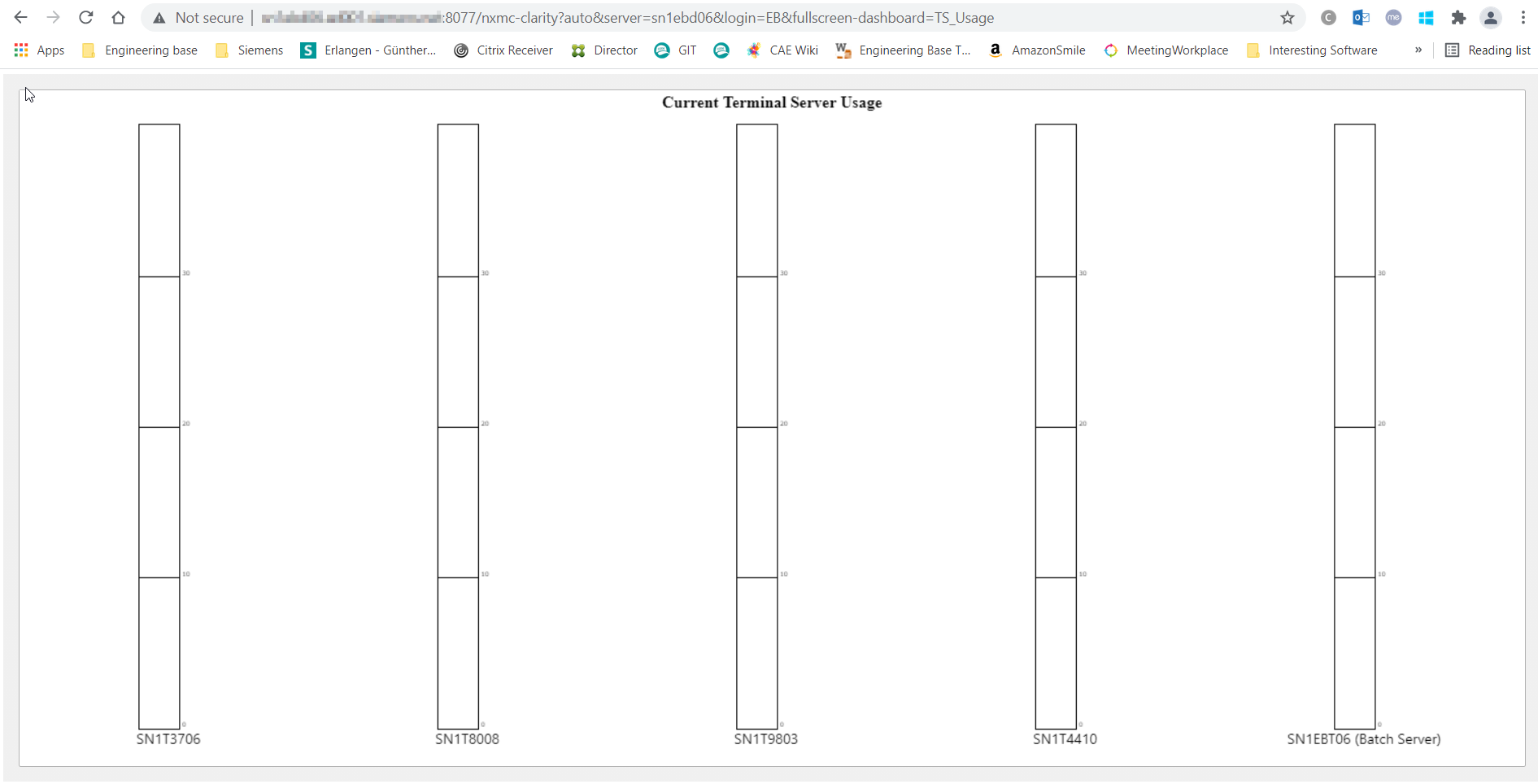
Now there is only one thing I can't get working. I see the Dashboard but its not displaying any values.
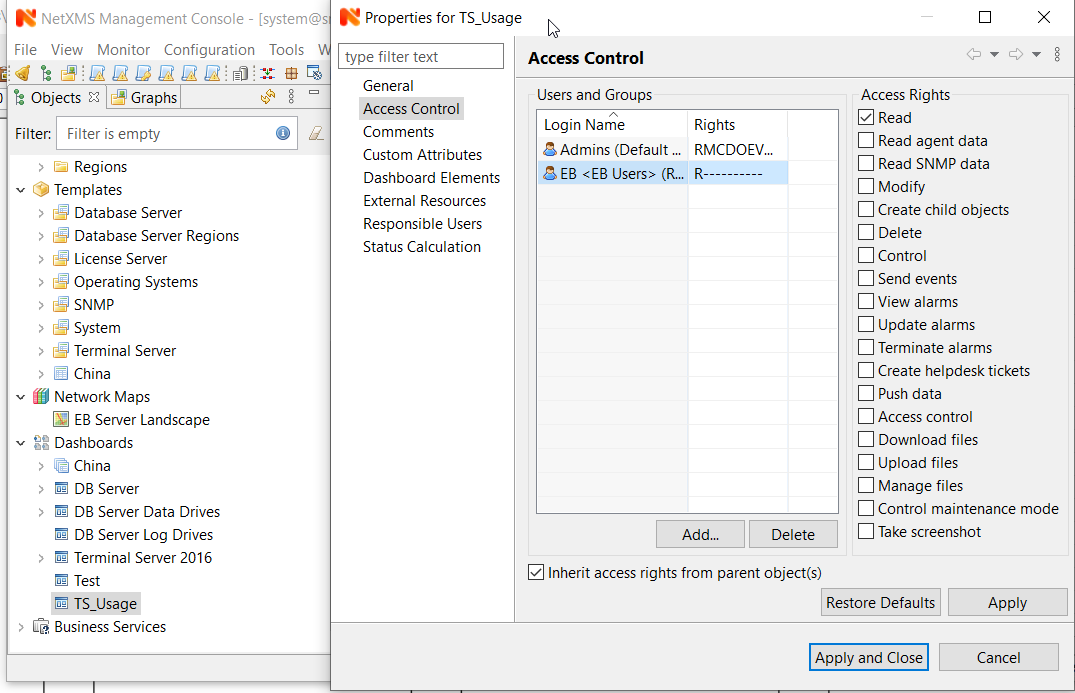
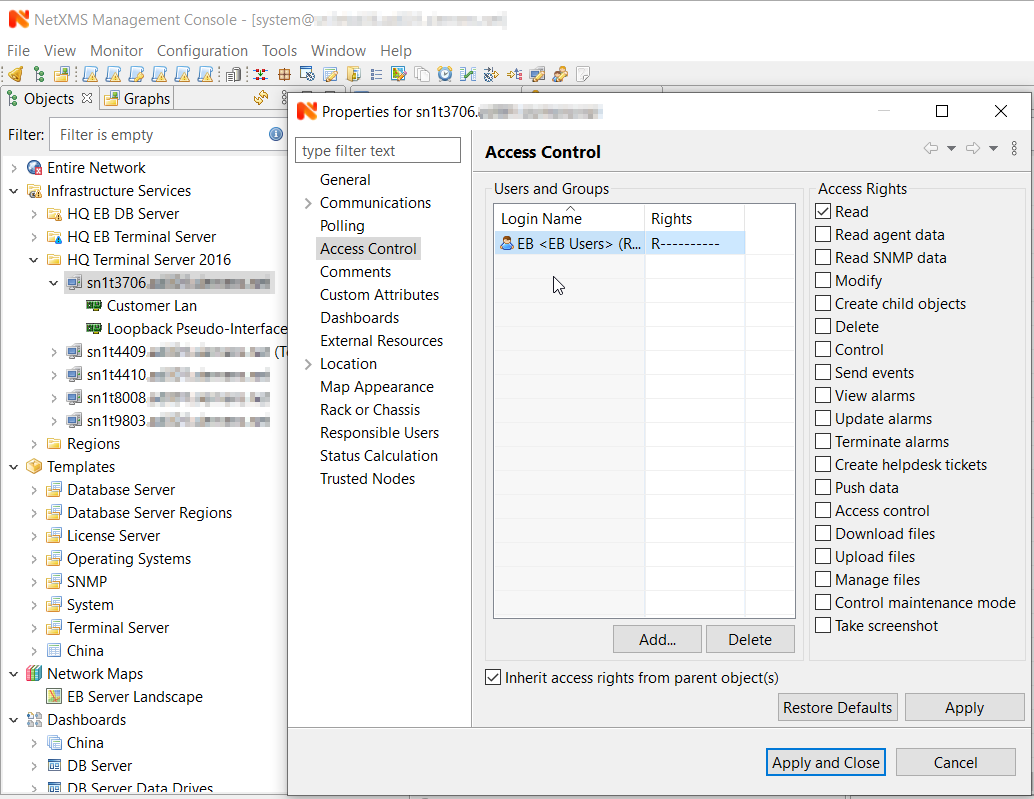
The user 'EB' has read access on the dashboard and on the objects referenced in it.
I attached some screenshots showing the configuration and the result.
As soon as I add the 'EB' user to the admins group it works.Any idea?
-
Hi,
could you please show data source configuration for dashboard elements? Also, could it be that you have access restrictions on DCI level?
Best regards,
Victor
Hello! It looks like you're interested in this conversation, but you don't have an account yet.
Getting fed up of having to scroll through the same posts each visit? When you register for an account, you'll always come back to exactly where you were before, and choose to be notified of new replies (either via email, or push notification). You'll also be able to save bookmarks and upvote posts to show your appreciation to other community members.
With your input, this post could be even better 💗
Register Login