
Free space on / reports wrong data
-
Hi,
I have a Debian server with nxagent on it. There was a trace running that filled the / partition to 100%.
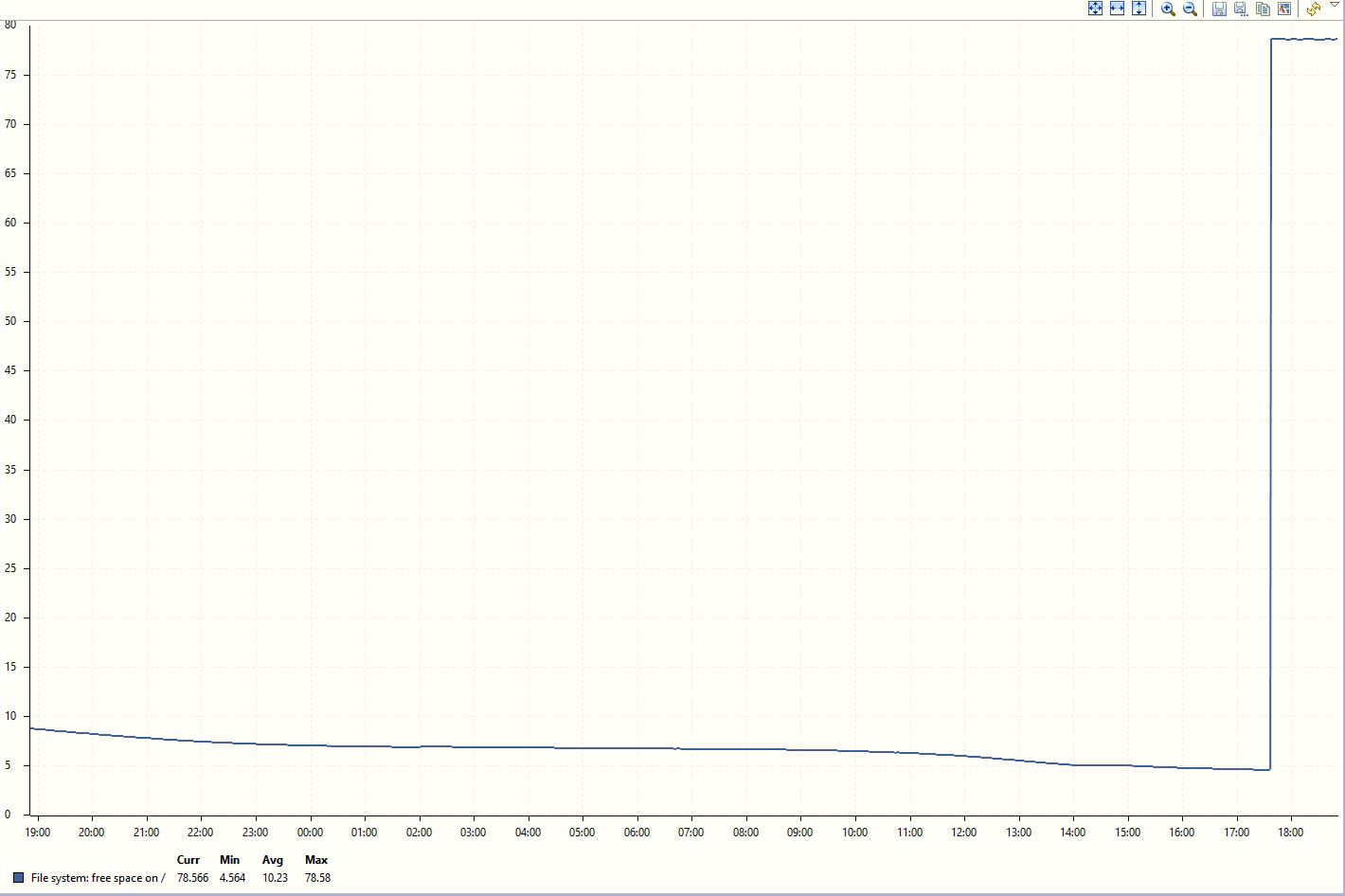
NetXMS was configured to trigger the most important alarm at 1% free space, but it never triggered. When I checked the logged data, the agent never reported the free percentage below 5%, as in the attached graph.
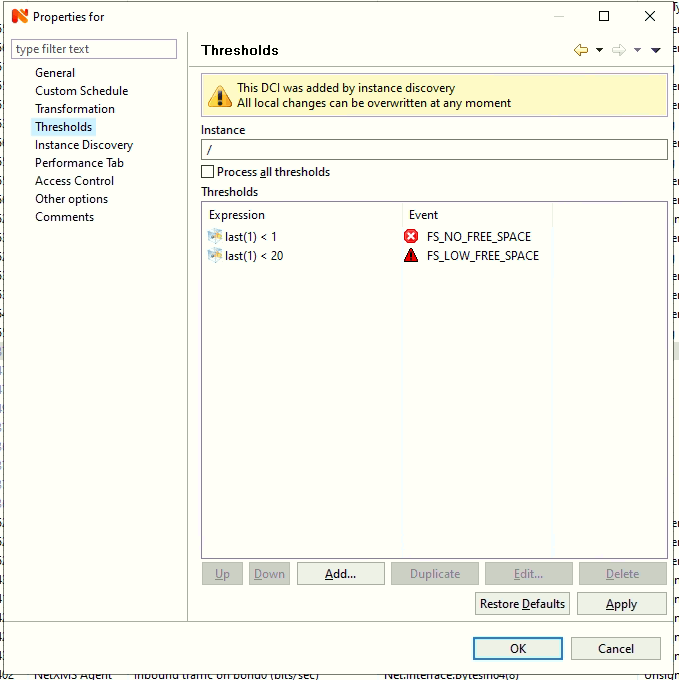
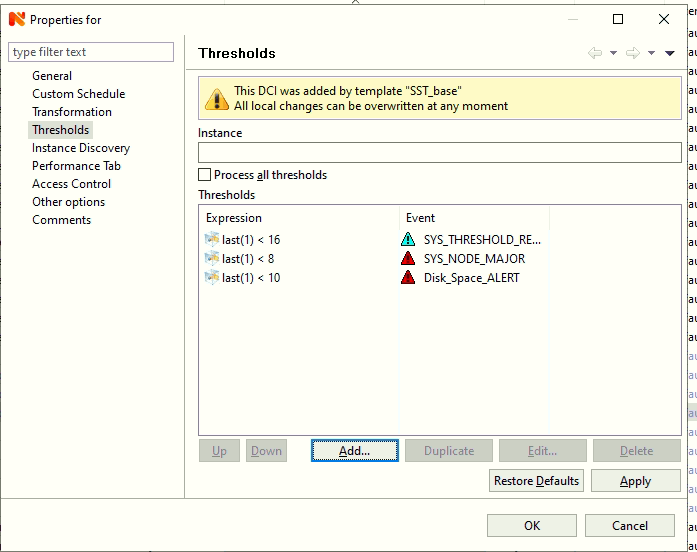
After freeing up space (it has not about 78% free space), nxagent reports it ok. Any idea what can cause this and how to fix it?And I also have a second issue with this: I actually have 2 data collection items for root disk space, and on the other one, there were 3 thresholds: 16%, 10% and 8%. The 16% threshold was reached and got triggered, but the other 2 did not, even though the free space % went a bit below 5% (instead of 0, as mentioned above).
Thank you,
Alex
-
For 5% - could it be that EXT3 file system reserves about 5% of space for it's needs and actually does not allow to write files if it comes to that limit? E.g. some info here: https://linuxaria.com/pills/free-reserved-ext3-ext4-filesystems
About 16% threshold - thresholds are processed from top to bottom. If "process all thresholds" is unchecked, which is the default, thresholds are processes only until first one triggers. So if you have e.g. 4% value it will trigger 16% threshold and won't go any further. So the 16% should go to the bottom of the list.
-
Thank you Filipp!
Wow, I can't believe this is the first time I see the "Process all thresholds" checkbox, and of course, it was unchecked. Time to review all monitored parameters with multiple thresholds.Regarding the reservation, I was aware the OS has a reserved limit, but I always believed that's why I always see a bit less available space than df shows.
Hello! It looks like you're interested in this conversation, but you don't have an account yet.
Getting fed up of having to scroll through the same posts each visit? When you register for an account, you'll always come back to exactly where you were before, and choose to be notified of new replies (either via email, or push notification). You'll also be able to save bookmarks and upvote posts to show your appreciation to other community members.
With your input, this post could be even better 💗
Register Login