
NetXMS 4.0 patch release 4.0.2157
-
@curuser said in NetXMS 4.0 patch release 4.0.2157:
Hi!
I'm facing some problems with package deployment.
For example: msi-Package "A" is successfully deployed to most nodes but for some the message "file transfer failed" appears.
msi-Package "B,C,D" are successfully deployed to nodes where Package "A" fails.Another case: Message "timeout" appears - in fact package has been successfully deployed (not really a problem)
Best regards.
Hi,
could you provide logs from problematic agents (preferably on high debug level, 5 or 6)?
Best regards,
Victor -
@victor said in NetXMS 4.0 patch release 4.0.2157:
@spheron said in NetXMS 4.0 patch release 4.0.2157:
Hello @all,
i fenced a problem too... If i select more then 16x DCI and choose Line Chart from the right click menu, the chart is not display correct. This bug i have in dashboards, too.
Bug is present since V4.0.2157.
Greetings
MarcoHi,
actually charts does not support more than 16 items, and it was like this since very old versions.
Best regards,
VictorHi Victor,
thanks for the info. Until the last NetXMS Update the Dashboard Charts shows Values/Graphs, but perhaps only max 16 Items... At the actual Version the dashboard chart stops working and shows nothing... Anyway, i reduced the DCIs and the dashboard works again...
Greeting
Marco -
@victor said in NetXMS 4.0 patch release 4.0.2157:
@curuser said in NetXMS 4.0 patch release 4.0.2157:
Hi!
I'm facing some problems with package deployment.
For example: msi-Package "A" is successfully deployed to most nodes but for some the message "file transfer failed" appears.
msi-Package "B,C,D" are successfully deployed to nodes where Package "A" fails.Another case: Message "timeout" appears - in fact package has been successfully deployed (not really a problem)
Best regards.
Hi,
could you provide logs from problematic agents (preferably on high debug level, 5 or 6)?
Best regards,
VictorPossibly related: https://www.netxms.org/forum/general-support/agent-upgrade-via-package-manager-fails/
-
@egert143 said in NetXMS 4.0 patch release 4.0.2157:
@victor said in NetXMS 4.0 patch release 4.0.2157:
@curuser said in NetXMS 4.0 patch release 4.0.2157:
Hi!
I'm facing some problems with package deployment.
For example: msi-Package "A" is successfully deployed to most nodes but for some the message "file transfer failed" appears.
msi-Package "B,C,D" are successfully deployed to nodes where Package "A" fails.Another case: Message "timeout" appears - in fact package has been successfully deployed (not really a problem)
Best regards.
Hi,
could you provide logs from problematic agents (preferably on high debug level, 5 or 6)?
Best regards,
VictorPossibly related: https://www.netxms.org/forum/general-support/agent-upgrade-via-package-manager-fails/
Hi!
some additional info- there are no "part-files"
- the files are merged - setup can be started with the transfered file
Regards
-
Ran a standard apt upgrade to get the latest over a 3.9.4xx version. I received the following error during the package installation / database upgrade:
Upgrading from version 40.95 to 40.96
SQL query failed (Row size too large. The maximum row size for the used table type, not counting BLOBs, is 8126. This includes storage overhead, check the manual. You have to change some columns to TEXT or BLOBs):
ALTER TABLE items ADD state_flags integer
This was resolved with the following SQL commands being issued against the NetXMS database:
alter table items ROW_FORMAT=DYNAMIC
alter table items DROP COLUMN state_flags
alter table dc_tables ROW_FORMAT=DYNAMIC
Hope this helps somebody and that this error can be resolved for others upgrading. Thanks!
-
-
-
@hayarm said in NetXMS 4.0 patch release 4.0.2157:
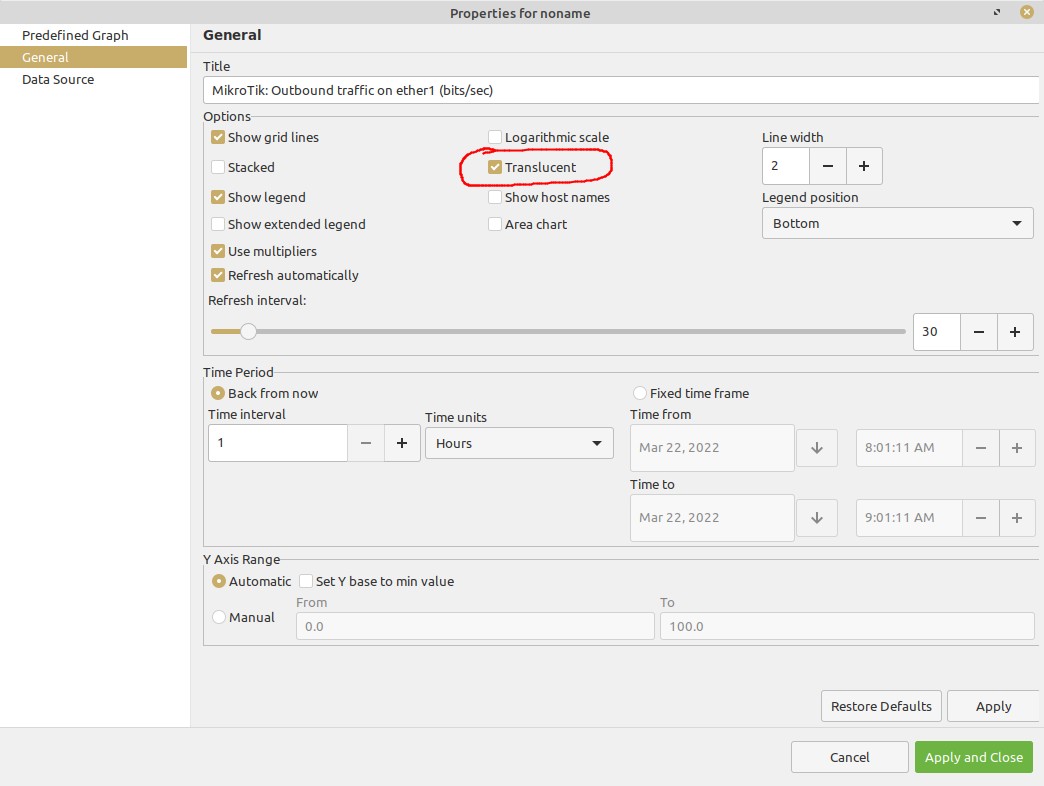
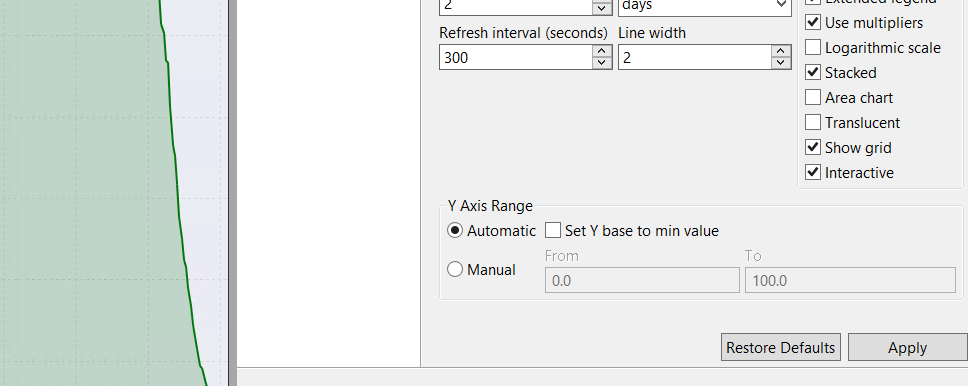
Здравствуйте, поменялись цвета в графах, не совподает с выбранным.
Там полупрозрачная заливка, попробуйте убрать опцию "transparent" в свойствах графика.
-
-
Перепутал немного, называется "translucent":
-
-
Действительно не работает. Только что исправили, в следующем патч релизе будет работать.
-
-
Hi have upgraded our NetXMS from 3.9.298 our alarm summary has changed back to default. However I checked the server configuration and this was set correctly. Checked scheduled tasks - show system tasks and this was set to 0 0 * * * rather than the time we set 10 06 * * * in server coniguration. Maybe a bug?



Hello! It looks like you're interested in this conversation, but you don't have an account yet.
Getting fed up of having to scroll through the same posts each visit? When you register for an account, you'll always come back to exactly where you were before, and choose to be notified of new replies (either via email, or push notification). You'll also be able to save bookmarks and upvote posts to show your appreciation to other community members.
With your input, this post could be even better 💗
Register Login