
How to cancel a timer used to daly email notification via NXSL.
-
Hi all
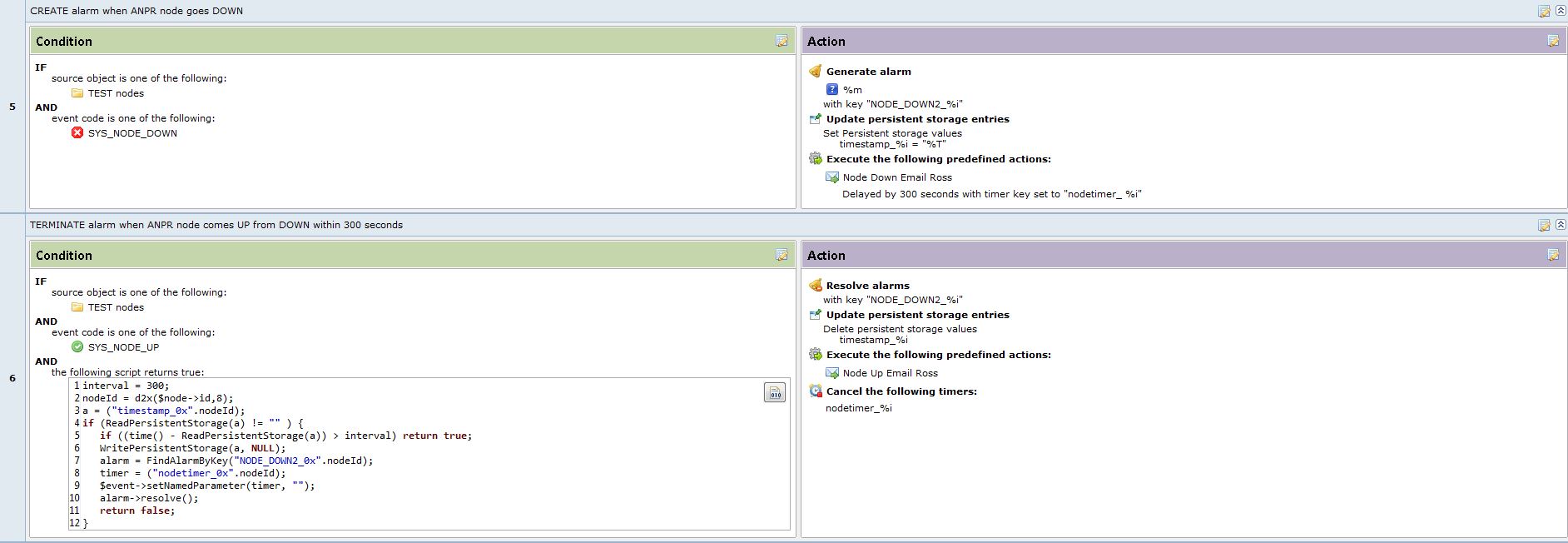
We are currently running 3.8.366 and was wanting to implement a script that would supress node down and node up emails within a specified down time period, e.g., 5 minutes. I've basically sussed things out but have no idea how to cancel the timer, nodetimer_%i, used to delay the node down email. Any advice would be greatly appreciated.
interval = 300;
nodeId = d2x($node->id,8);
a = ("timestamp_0x".nodeId);
if (ReadPersistentStorage(a) != "" ) {
	if ((time() - ReadPersistentStorage(a)) > interval) return true;
	WritePersistentStorage(a, NULL);
	alarm = FindAlarmByKey("NODE_DOWN2_0x".nodeId);
	timer = ("nodetimer_0x".nodeId);
	$event->setNamedParameter(timer, "");
	alarm->resolve();
	return false;
}
-
Hi!
You cannot cancel timer directly from NXSL. However, you can generate special event to cancel timer. For example, in your script you can have something like
PostEvent($object, "CANCEL_TIMER", null, timer); // Variable "timer" contains timer key
and in EPP you create separate rule that handles event CANCEL_TIMER and the only action is "cancel timer" with %1 as key.
Of course you also have to create event CANCEL_TIMER.
Also, if you need macro string expanded within NXSL, you can use function ExpandString. In your example you can do
timer = ExpandString("nodetimer_%i", $node);
That way you are guaranteed to have exactly same string in NXSL as in other EPP places.
Best regards,
Victor -
Hi Victor
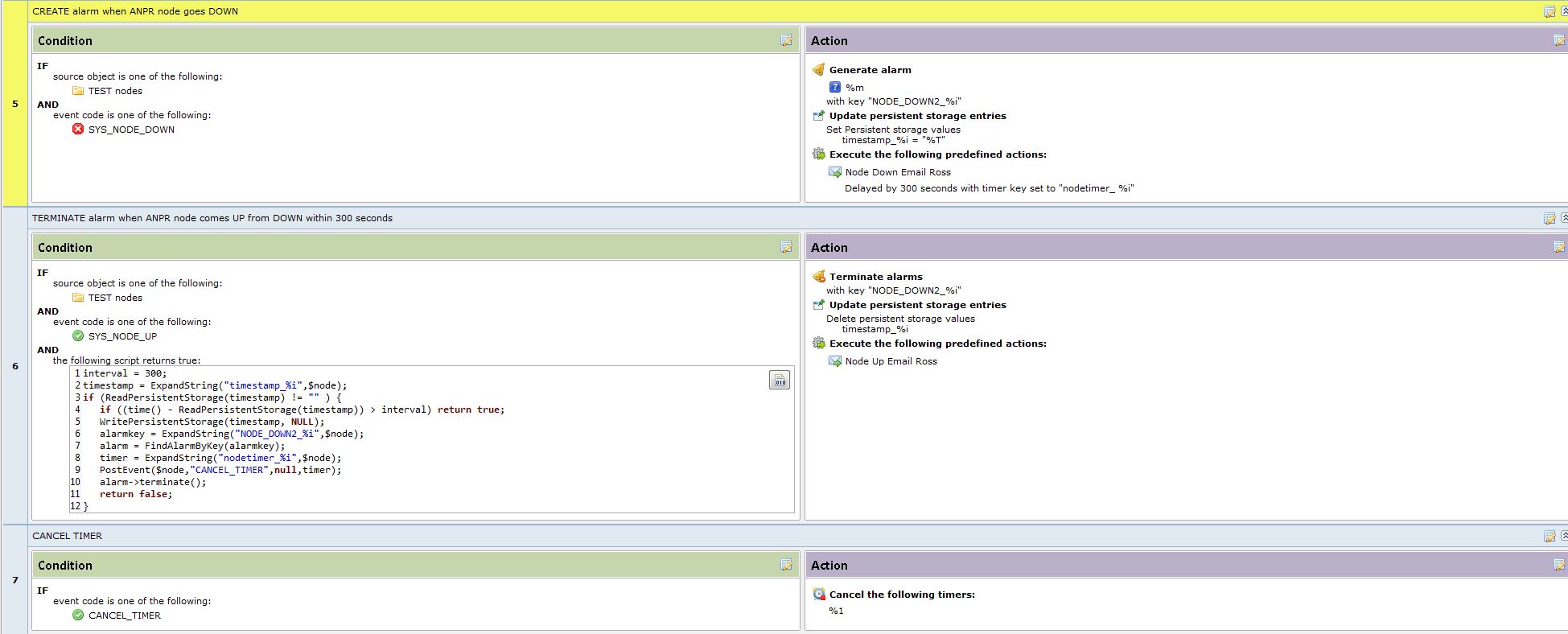
Thanks for the assistance. Modified code and EPP below. For some reason the timer cancellation doesn't get applied though, i.e., Node Down Email is still sent. %1 is expanded and sent correctly as displayed in event log, i.e., nodetimer_0x0000364. Any pointers appreciated.
Regards
Ross
interval = 300;
timestamp = ExpandString("timestamp_%i",$node);
if (ReadPersistentStorage(timestamp) != "" ) {
	if ((time() - ReadPersistentStorage(timestamp)) > interval) return true;
	WritePersistentStorage(timestamp, NULL);
	alarmkey = ExpandString("NODE_DOWN2_%i",$node);
	alarm = FindAlarmByKey(alarmkey);
	timer = ExpandString("nodetimer_%i",$node);
	PostEvent($node,"CANCEL_TIMER",null,timer);
	alarm->terminate();
	return false;
}
-
It looks that there's a space in nodetimer_ %i after _ sign when setting the timer.
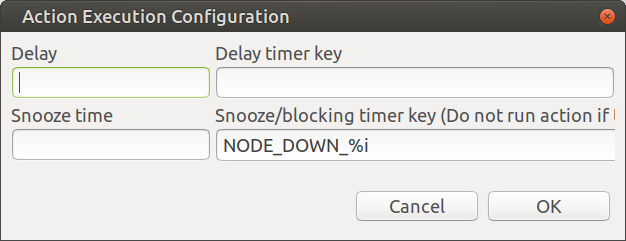
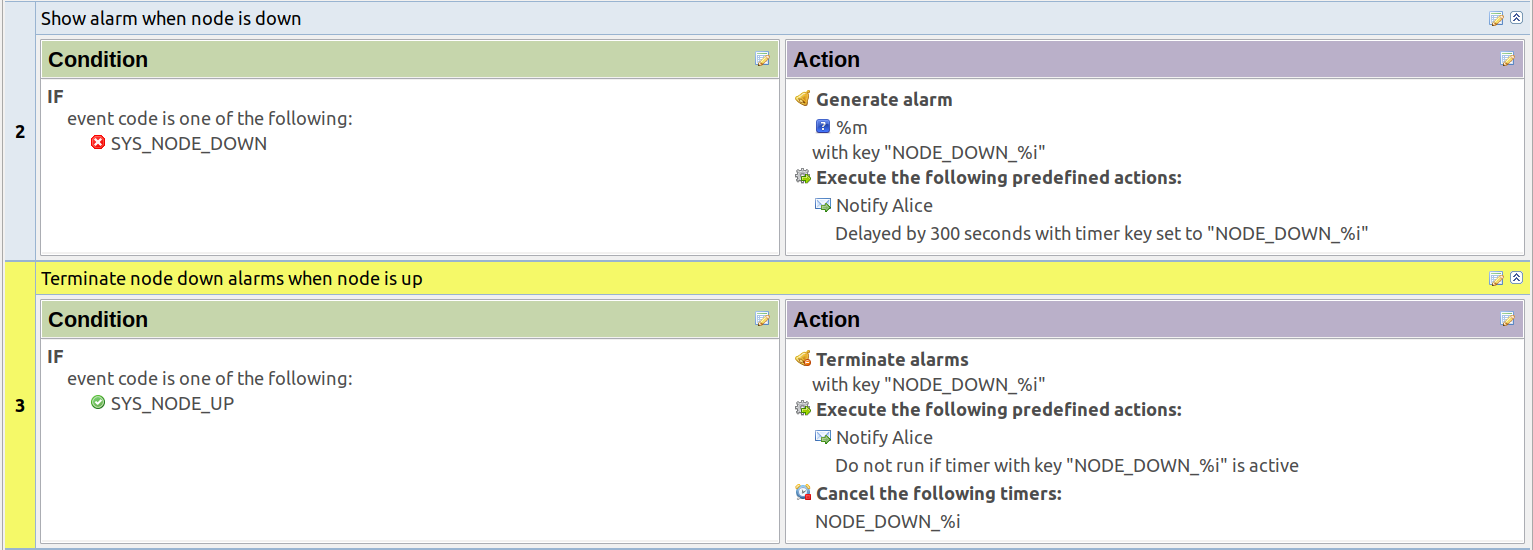
In overall - do I understand correctly, that you want do delay node down notification and send node up notification only if node down notification was sent? If so, currently this can be achieved without scripting, by filling in "Snooze/Blocking timer key" field in recovery notification properties.
-
Hello! It looks like you're interested in this conversation, but you don't have an account yet.
Getting fed up of having to scroll through the same posts each visit? When you register for an account, you'll always come back to exactly where you were before, and choose to be notified of new replies (either via email, or push notification). You'll also be able to save bookmarks and upvote posts to show your appreciation to other community members.
With your input, this post could be even better 💗
Register Login