Skip to content
  • Categories
  • Recent
  • Tags
  • Popular
  • Users
  • Groups
Skins
  • Light
  • Brite
  • Cerulean
  • Cosmo
  • Flatly
  • Journal
  • Litera
  • Lumen
  • Lux
  • Materia
  • Minty
  • Morph
  • Pulse
  • Sandstone
  • Simplex
  • Sketchy
  • Spacelab
  • United
  • Yeti
  • Zephyr
  • Dark
  • Cyborg
  • Darkly
  • Quartz
  • Slate
  • Solar
  • Superhero
  • Vapor

  • Default (Flatly)
  • No Skin
Collapse
Brand Logo

NetXMS Forum

  1. Home
  2. Support
  3. Parsing windows event logs and generating alarms

Parsing windows event logs and generating alarms

Scheduled Pinned Locked Moved Support
12 Posts 2 Posters 173.0k Views
  • Oldest to Newest
  • Newest to Oldest
  • Most Votes
Reply
  • Reply as topic
Log in to reply
This topic has been deleted. Only users with topic management privileges can see it.
  • F
    F
    Filipp Sudanov
    wrote on last edited by
    #2

    As I remember, this information might be present in parameters of that event. If you open Event Log in NetXMS, find such event there and double-click it, a window should open with event details. Please share it here

    1 Reply Last reply
    0
    • E
      E
      Egert143
      wrote on last edited by
      #3

      So far i have the following:

      1 Reply Last reply
      0
      • F
        F
        Filipp Sudanov
        wrote on last edited by
        #4

        Right, looks like you are using Windows Event Log synchronization.

        But how do details of NetXMS event "Win Event - Failed account log on" look in NetXMS event log?

        1 Reply Last reply
        0
        • E
          E
          Egert143
          wrote on last edited by
          #5

          I added image how event log displays it.

          Also i am thinking it needs to be parsed similarly to syslog but since windows event logs are so big, surely there is better way then to include entire log in one line and add "(.)" where required info is.

          1 Reply Last reply
          0
          • F
            F
            Filipp Sudanov
            wrote on last edited by
            #6

            On your screenshot it's Event Monitor (which is updated in real-time). If you find this event in Event Log and double-click on it, you should have something like this:
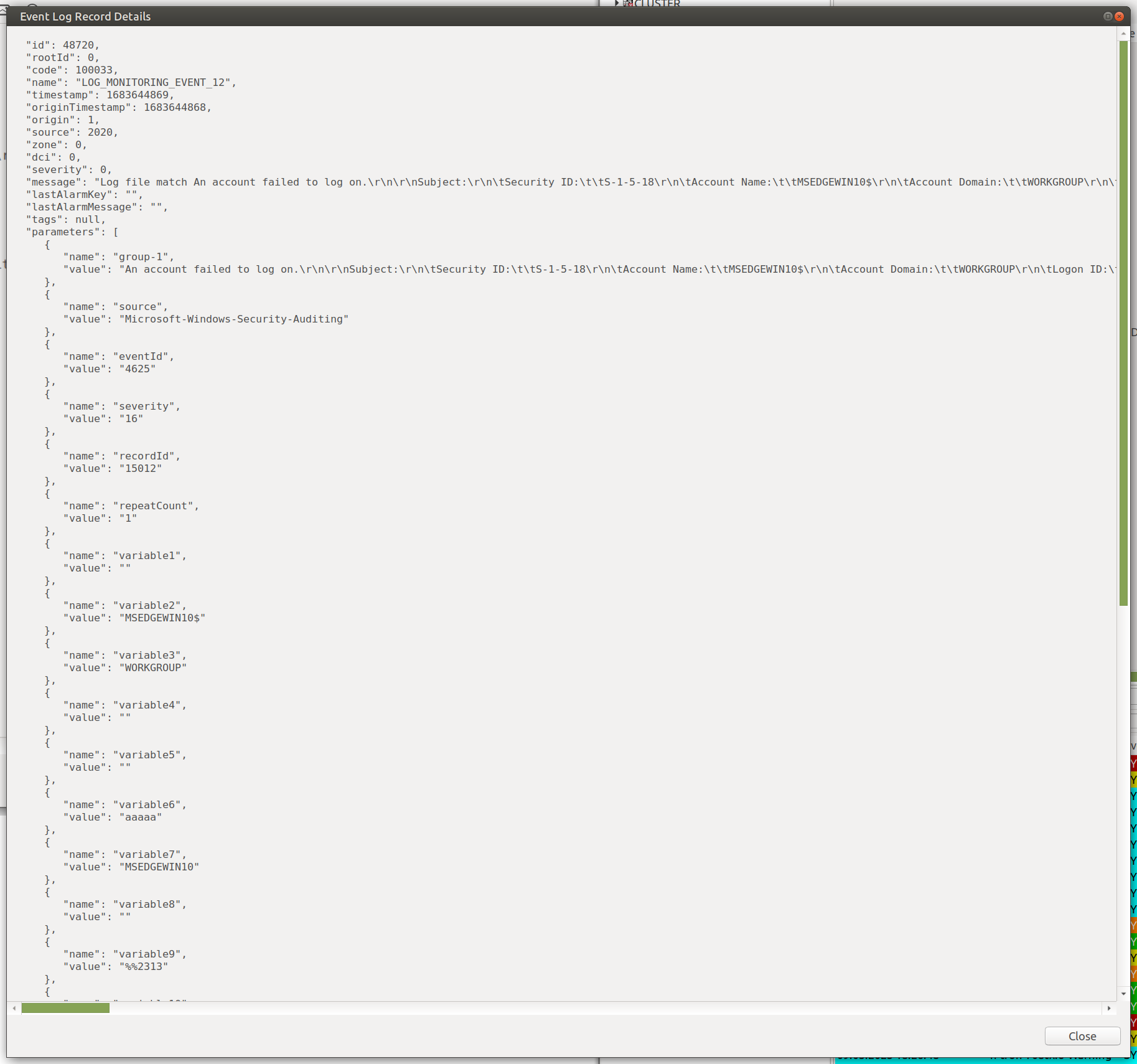

            image001.png

            1 Reply Last reply
            0
            • E
              E
              Egert143
              wrote on last edited by
              #7

              Under Logs -> Events i found the event, but its missing alot of info:

              1 Reply Last reply
              0
              • F
                F
                Filipp Sudanov
                wrote on last edited by
                #8

                In my example event was generated by Event Log Parser on agent, by adding a Log Parser Policy. In case of Win Event Sync there's less information available.

                1 Reply Last reply
                0
                • E
                  E
                  Egert143
                  wrote on last edited by
                  #9

                  Could i get litle demo how to achive the same alerting with Log parser policy? 🙂

                  1 Reply Last reply
                  0
                  • F
                    F
                    Filipp Sudanov
                    wrote on last edited by
                    #10

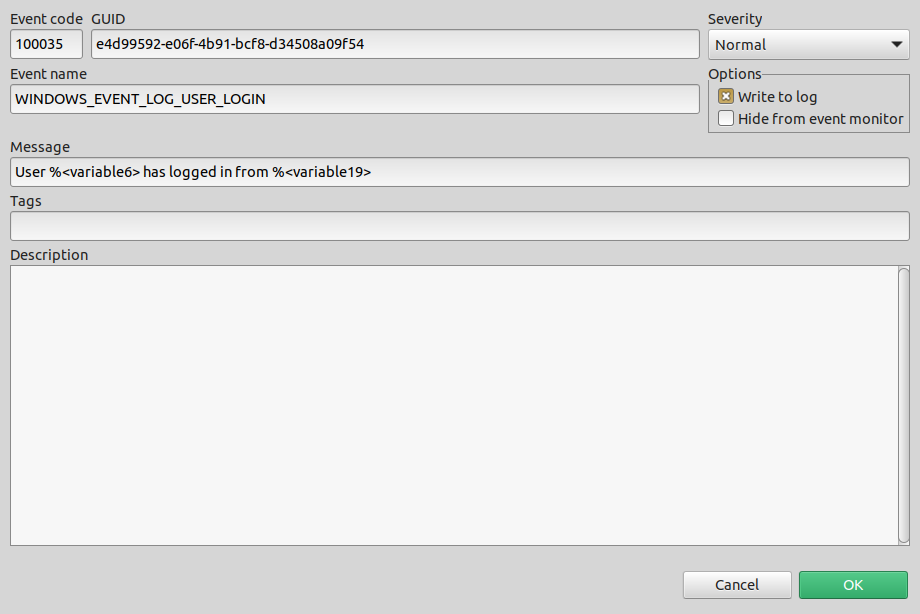
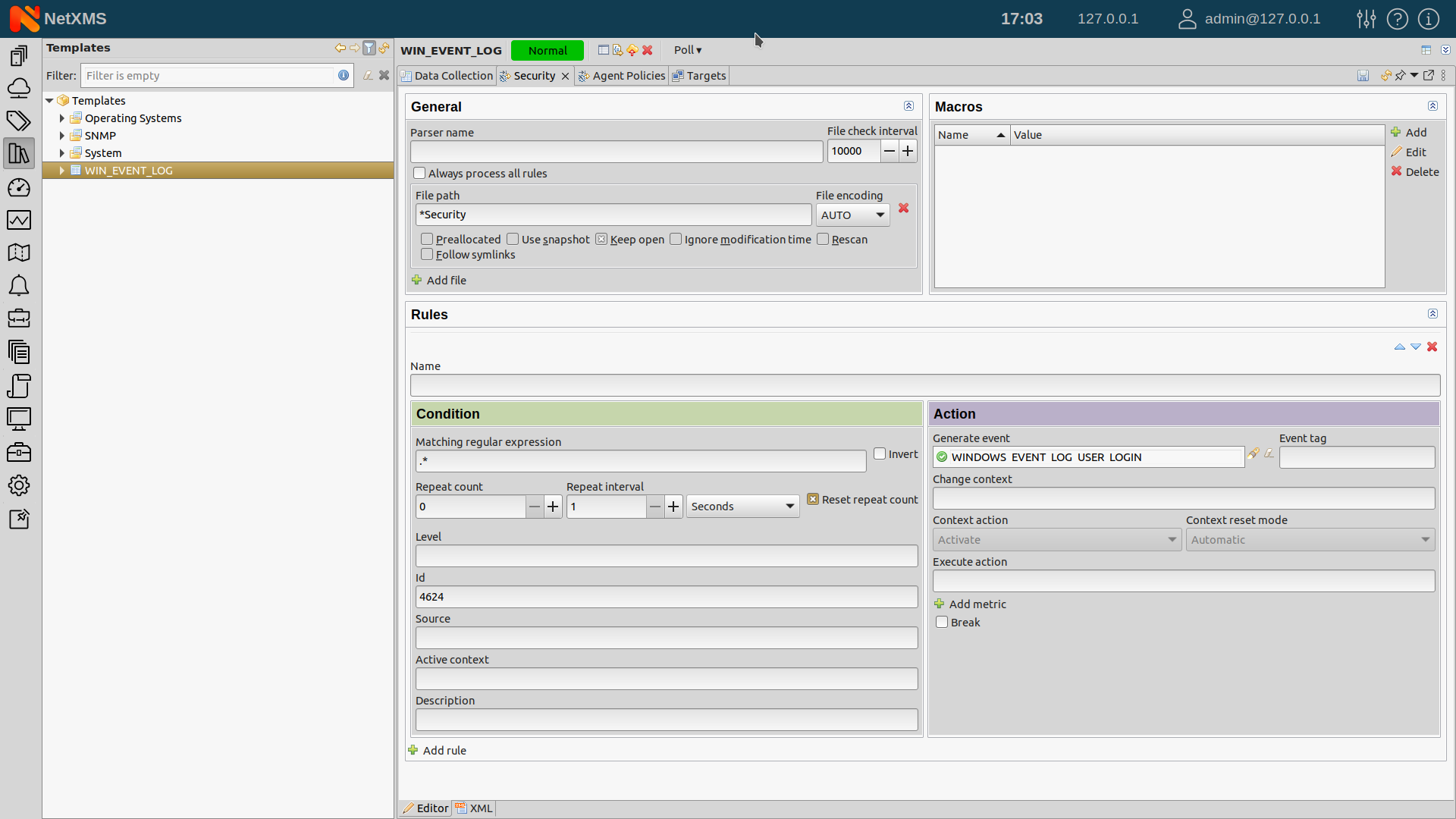
                    Sure, here's a couple of screenshots. First is log parser policy, file name is *Security which means that it's reading Security windows event log. It's picking only records with ID = 4624. Matching regular expression is .*, we can also use capture groups here, at maximum we can just put (.*), but this will pick the whole multi-line event description. Capture groups, if any, will also go as NetXMS event parameters.

                    On second screenshot we have event template. Message field describes which event parameters we use to compose the message - it's better to use parameter names instead of %1, %2, as number of parameters may change, e.g. if we add a new capture group, but names will stay the same.

                    Remember, that you need to apply the template to a node for this to start working.

                    Screenshot at 2024-03-08 17-03-29.png

                    Screenshot at 2024-03-08 17-04-18.png

                    1 Reply Last reply
                    0
                    • E
                      E
                      Egert143
                      wrote on last edited by
                      #11

                      Do i still need to update Agent Conf file also ?, Currently i dont see any events with dooing just the above steps.

                      1 Reply Last reply
                      0
                      • F
                        F
                        Filipp Sudanov
                        wrote on last edited by
                        #12
                        [color=#404040][size=2][font=SFMono-Regular, Menlo, Monaco, Consolas, Liberation Mono, Courier New, Courier, monospace][color=#4070a0]SubAgent[/color] [color=#666666]=[/color] [color=#4070a0]logwatch[/color][/font][/size][/color]
                        

                        is needed in agent config

                        1 Reply Last reply
                        0

                        Hello! It looks like you're interested in this conversation, but you don't have an account yet.

                        Getting fed up of having to scroll through the same posts each visit? When you register for an account, you'll always come back to exactly where you were before, and choose to be notified of new replies (either via email, or push notification). You'll also be able to save bookmarks and upvote posts to show your appreciation to other community members.

                        With your input, this post could be even better 💗

                        Register Login
                        Reply
                        • Reply as topic
                        Log in to reply
                        • Oldest to Newest
                        • Newest to Oldest
                        • Most Votes


                        • Login

                        • Don't have an account? Register

                        • Login or register to search.
                        Powered by NodeBB Contributors
                        • First post
                          Last post
                        0
                        • Categories
                        • Recent
                        • Tags
                        • Popular
                        • Users
                        • Groups