
DCI automatic instead manual setting?
-
Hi all / expert,
May i know is it any other way we can make the Netxms do automatic create DCI for example when we discover snmp it will automatically create graph for CPU, interface utilization, protocol and etc similar like other open source NMS.
Thanks and appreciate other feedback
-
Hi,
This is done using instance discovery mechanism. NetXMS has templates for systems where you can install NetXMS agent and not so many templates for SNMP devices (there's a lot of different devices providing data on various OIDs, so typically people make templates for devices that they have in their network).
E.g. for some Cisco devices fan information table is 1.3.6.1.4.1.9.9.13.1.4, where fan names are in 1.3.6.1.4.1.9.9.13.1.4.1.2. This oid is specified on Instance Discovery page of DCI properties.Then on the General page we can use indices found by instance discovery - they are now in {instance} macro.
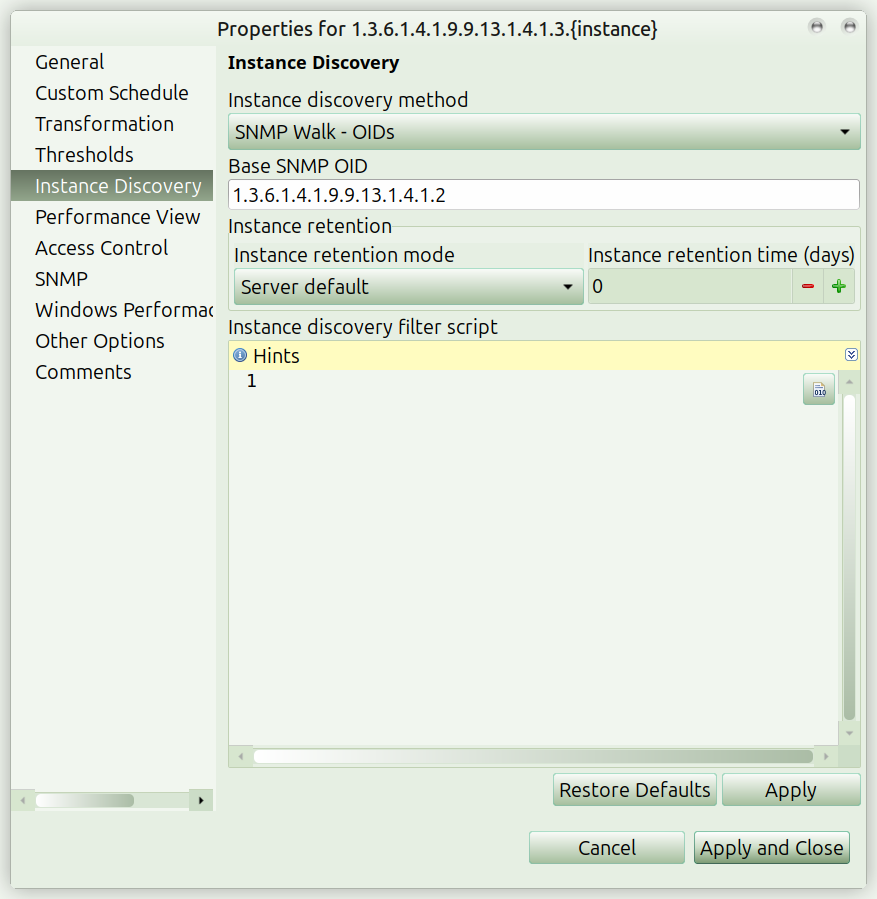
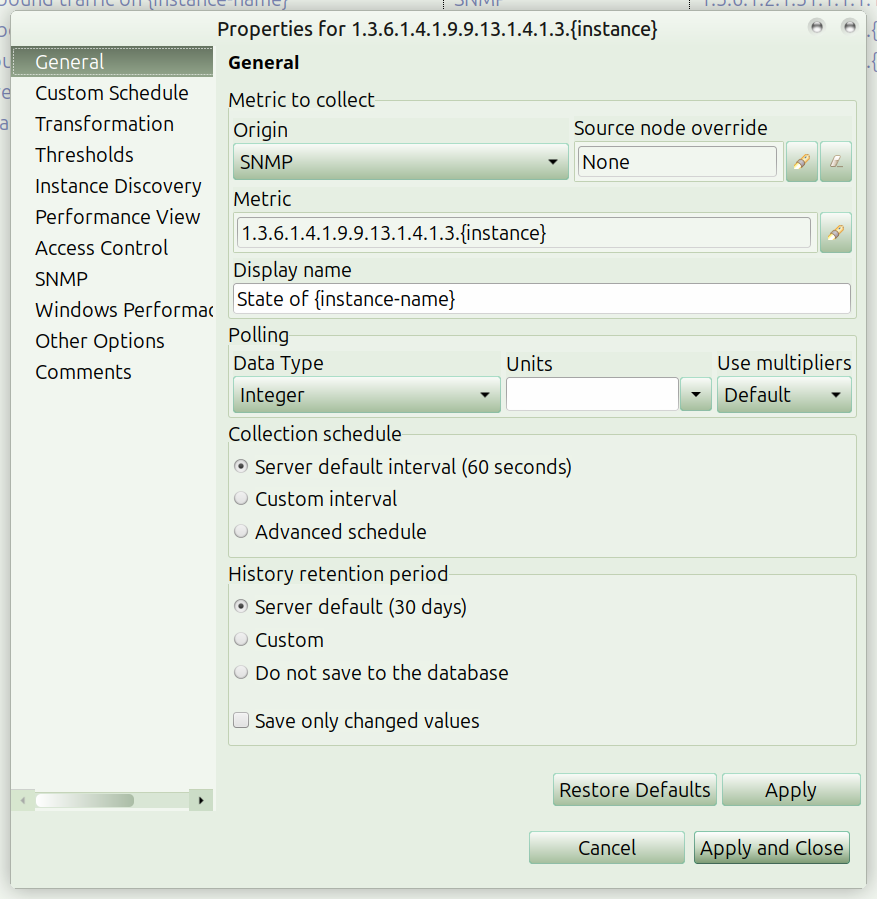
-
Hi,
Is it under "Infrastructure Service"? I cannot get the snapshot that u share.
Thanks and appreciate your feedback
-
On any node under Infrastructure Services there's Data Collection tab. The screenshots are from properties of a Data Collection Item (DCI) from that tab.
DCIs can be specified on nodes, or in template (which should be applied to nodes). You can create your DCIs on a node to test them and move to a template later on.
We have some info on data collection in the docs: https://netxms.org/documentation/adminguide/data-collection.html , but feel free to ask questions.
Hello! It looks like you're interested in this conversation, but you don't have an account yet.
Getting fed up of having to scroll through the same posts each visit? When you register for an account, you'll always come back to exactly where you were before, and choose to be notified of new replies (either via email, or push notification). You'll also be able to save bookmarks and upvote posts to show your appreciation to other community members.
With your input, this post could be even better 💗
Register Login