
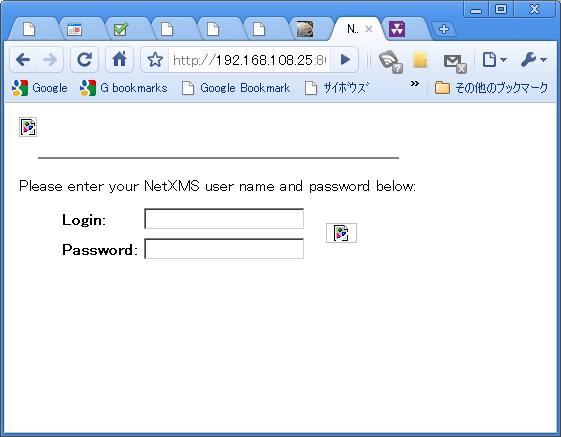
The image is not displayed on Web Interface(nxhttpd)
-
I installed NetXMS server on Linux, I can login in web console.
But the image is not displayed on web console.
Please teach me how to set up./etc/nxhttpd.conf;
DocumentRoot = /opt/netxms/share/netxms/nxhttpd
MasterServer = 127.0.0.1
LogFile = /var/log/nxhttpd.log
ListenPort=8080Error Messages;
monibo:/# /opt/netxms/bin/nxhttpd -c /etc/nxhttpd.conf -D
[16-Jul-2010 18:48:34] Listening on socket 0.0.0.0:8080
[16-Jul-2010 18:48:34] Debug: Session watchdog thread started
[16-Jul-2010 18:48:34] NetXMS Web Interface Server started
NXHTTPD running. Press Ctrl+C to shutdown.
[16-Jul-2010 18:48:50] Debug: [302] GET /
[16-Jul-2010 18:48:50] Debug: [200] GET /login.app
[16-Jul-2010 18:48:50] Debug: [404] GET /xmlextras.js
[16-Jul-2010 18:48:50] Debug: [404] GET /common.js
[16-Jul-2010 18:48:50] Debug: [404] GET /netxms.css
[16-Jul-2010 18:48:50] Debug: [404] GET /images/login.png
[16-Jul-2010 18:48:50] Debug: [404] GET /images/buttons/normal/login.png
[16-Jul-2010 18:48:50] Debug: [404] GET /favicon.icoMy environment;
NetXMS:1.03
Install Directory:/opt/netxms
OS:Linux 2.6.29 #1 Mon Apr 5 12:35:07 JST 2010 ppc GNU/Linux
-
Hi!
It's quite strange. What files do you have under /opt/netxms/share/netxms/nxhttpd?
Best regards,
Victor -
Hi! Victor-san.
Thank you for your replay.
I checked the under /opt/netxms/share/netxms/nxhttpd./opt/netxms/share/netxms/nxhttpd
monibo:~# ls -al /opt/netxms/share/netxms/nxhttpd
total 76
drwxr-xr-x 3 root root  4096 Jul 16 14:57 .
drwxr-xr-x 8 root root  4096 Jul 16 16:02 ..
-rw-r--r-- 1 root root   985 Jul 16 14:57 alarms.js
-rw-r--r-- 1 root root  2629 Jul 16 14:57 common.js
-rw-r--r-- 1 root root  1016 Jul 16 14:57 ctrlpanel.js
drwxr-xr-x 6 root root  4096 Jul 16 14:57 images
-rw-r--r-- 1 root root  7233 Jul 16 14:57 netxms.css
-rw-r--r-- 1 root root  1277 Jul 16 14:57 pngfix.js
-rw-r--r-- 1 root root 10054 Jul 16 14:57 xloadtree.js
-rw-r--r-- 1 root root  3812 Jul 16 14:57 xmlextras.js
-rw-r--r-- 1 root root 23682 Jul 16 14:57 xtree.js
monibo:~# find /opt/netxms/share/netxms/nxhttpd -type f /opt/netxms/share/netxms/nxhttpd/images/buttons/normal/ack.png /opt/netxms/share/netxms/nxhttpd/images/buttons/normal/add.png /opt/netxms/share/netxms/nxhttpd/images/buttons/normal/cancel.png /opt/netxms/share/netxms/nxhttpd/images/buttons/normal/delete.png /opt/netxms/share/netxms/nxhttpd/images/buttons/normal/login.png /opt/netxms/share/netxms/nxhttpd/images/buttons/normal/ok.png /opt/netxms/share/netxms/nxhttpd/images/buttons/normal/terminate.png /opt/netxms/share/netxms/nxhttpd/images/buttons/pressed/ack.png /opt/netxms/share/netxms/nxhttpd/images/buttons/pressed/add.png /opt/netxms/share/netxms/nxhttpd/images/buttons/pressed/cancel.png /opt/netxms/share/netxms/nxhttpd/images/buttons/pressed/delete.png /opt/netxms/share/netxms/nxhttpd/images/buttons/pressed/login.png /opt/netxms/share/netxms/nxhttpd/images/buttons/pressed/ok.png /opt/netxms/share/netxms/nxhttpd/images/buttons/pressed/terminate.png /opt/netxms/share/netxms/nxhttpd/images/ctrlpanel/actions.png /opt/netxms/share/netxms/nxhttpd/images/ctrlpanel/cert.png /opt/netxms/share/netxms/nxhttpd/images/ctrlpanel/cfgvar.png /opt/netxms/share/netxms/nxhttpd/images/ctrlpanel/ctrlpanel.png /opt/netxms/share/netxms/nxhttpd/images/ctrlpanel/discovery.png /opt/netxms/share/netxms/nxhttpd/images/ctrlpanel/epp.png /opt/netxms/share/netxms/nxhttpd/images/ctrlpanel/group.png /opt/netxms/share/netxms/nxhttpd/images/ctrlpanel/module.png /opt/netxms/share/netxms/nxhttpd/images/ctrlpanel/objtools.png /opt/netxms/share/netxms/nxhttpd/images/ctrlpanel/package.png /opt/netxms/share/netxms/nxhttpd/images/ctrlpanel/scripts.png /opt/netxms/share/netxms/nxhttpd/images/ctrlpanel/servercfg.png /opt/netxms/share/netxms/nxhttpd/images/ctrlpanel/snmptrap.png /opt/netxms/share/netxms/nxhttpd/images/ctrlpanel/user.png /opt/netxms/share/netxms/nxhttpd/images/ctrlpanel/users.png /opt/netxms/share/netxms/nxhttpd/images/objects/cluster.png /opt/netxms/share/netxms/nxhttpd/images/objects/container.png /opt/netxms/share/netxms/nxhttpd/images/objects/interface.png /opt/netxms/share/netxms/nxhttpd/images/objects/network.png /opt/netxms/share/netxms/nxhttpd/images/objects/node.png /opt/netxms/share/netxms/nxhttpd/images/objects/service.png /opt/netxms/share/netxms/nxhttpd/images/objects/subnet.png /opt/netxms/share/netxms/nxhttpd/images/objects/template.png /opt/netxms/share/netxms/nxhttpd/images/objects/template_group.png /opt/netxms/share/netxms/nxhttpd/images/objects/template_root.png /opt/netxms/share/netxms/nxhttpd/images/status/critical.png /opt/netxms/share/netxms/nxhttpd/images/status/disabled.png /opt/netxms/share/netxms/nxhttpd/images/status/major.png /opt/netxms/share/netxms/nxhttpd/images/status/minor.png /opt/netxms/share/netxms/nxhttpd/images/status/normal.png /opt/netxms/share/netxms/nxhttpd/images/status/testing.png /opt/netxms/share/netxms/nxhttpd/images/status/unknown.png /opt/netxms/share/netxms/nxhttpd/images/status/unmanaged.png /opt/netxms/share/netxms/nxhttpd/images/status/warning.png /opt/netxms/share/netxms/nxhttpd/images/ack.png /opt/netxms/share/netxms/nxhttpd/images/blank.png /opt/netxms/share/netxms/nxhttpd/images/checkbox_off.png /opt/netxms/share/netxms/nxhttpd/images/checkbox_on.png /opt/netxms/share/netxms/nxhttpd/images/delete.png /opt/netxms/share/netxms/nxhttpd/images/edit.png /opt/netxms/share/netxms/nxhttpd/images/file.png /opt/netxms/share/netxms/nxhttpd/images/foldericon.png /opt/netxms/share/netxms/nxhttpd/images/I.png /opt/netxms/share/netxms/nxhttpd/images/Lminus.png /opt/netxms/share/netxms/nxhttpd/images/login.png /opt/netxms/share/netxms/nxhttpd/images/Lplus.png /opt/netxms/share/netxms/nxhttpd/images/L.png /opt/netxms/share/netxms/nxhttpd/images/new.png /opt/netxms/share/netxms/nxhttpd/images/openfoldericon.png /opt/netxms/share/netxms/nxhttpd/images/terminate.png /opt/netxms/share/netxms/nxhttpd/images/Tminus.png /opt/netxms/share/netxms/nxhttpd/images/Tplus.png /opt/netxms/share/netxms/nxhttpd/images/T.png /opt/netxms/share/netxms/nxhttpd/images/document.png /opt/netxms/share/netxms/nxhttpd/images/graph.png /opt/netxms/share/netxms/nxhttpd/images/sort_down.png /opt/netxms/share/netxms/nxhttpd/images/sort_up.png /opt/netxms/share/netxms/nxhttpd/alarms.js /opt/netxms/share/netxms/nxhttpd/common.js /opt/netxms/share/netxms/nxhttpd/ctrlpanel.js /opt/netxms/share/netxms/nxhttpd/netxms.css /opt/netxms/share/netxms/nxhttpd/pngfix.js /opt/netxms/share/netxms/nxhttpd/xloadtree.js /opt/netxms/share/netxms/nxhttpd/xmlextras.js /opt/netxms/share/netxms/nxhttpd/xtree.jsSincerely.
Shin -
Just test fresh installation and everything looks fine. I have installed NetXMS into /opt/netxms, run nxhttpd with your config, and got normal login page. Debug output also looks fine:
debian:/# /opt/netxms/bin/nxhttpd -c /etc/nxhttpd.conf -D
[30-Jul-2010 01:09:19] Debug: Session watchdog thread started
[30-Jul-2010 01:09:19] NetXMS Web Interface Server started
NXHTTPD running. Press Ctrl+C to shutdown.
[30-Jul-2010 01:09:19] Listening on socket 0.0.0.0:8080
[30-Jul-2010 01:09:30] Debug: [302] GET /
[30-Jul-2010 01:09:30] Debug: [200] GET /login.app
[30-Jul-2010 01:09:30] Debug: [200] GET /xmlextras.js
[30-Jul-2010 01:09:30] Debug: [200] GET /netxms.css
[30-Jul-2010 01:09:30] Debug: [200] GET /common.js
[30-Jul-2010 01:09:30] Debug: [200] GET /images/login.png
[30-Jul-2010 01:09:30] Debug: [200] GET /images/buttons/normal/login.png
[30-Jul-2010 01:09:30] Debug: [404] GET /favicon.ico
What browser you are using? Could you try to connect with another browser? Also, what you get if you try to access any image file directly, using URL like http://your_server:8080/images/login.png ?
Best regards,
Victor -
Hello! Victor-san.
My browser is Goole Chrome 5.0 on Windows XP.
I have tried with Internet Explorer 6.0. But the image is not displayed on Internet Explorer.
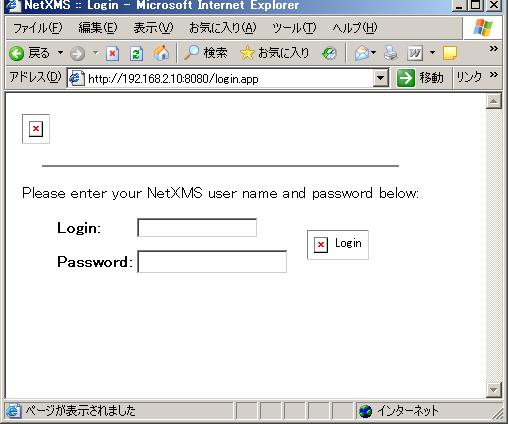
Error Log
monibo:~# /opt/netxms/bin/nxhttpd -c /etc/nxhttpd.conf -D
[31-Jul-2010 23:19:01] Listening on socket 0.0.0.0:8080
[31-Jul-2010 23:19:01] Debug: Session watchdog thread started
[31-Jul-2010 23:19:01] NetXMS Web Interface Server started
NXHTTPD running. Press Ctrl+C to shutdown.
[31-Jul-2010 23:19:42] Debug: [302] GET /
[31-Jul-2010 23:19:42] Debug: [200] GET /login.app
[31-Jul-2010 23:19:42] Debug: [404] GET /xmlextras.js
[31-Jul-2010 23:19:43] Debug: [404] GET /common.js
[31-Jul-2010 23:19:43] Debug: [404] GET /netxms.css
[31-Jul-2010 23:19:43] Debug: [404] GET /pngfix.js
[31-Jul-2010 23:19:43] Debug: [404] GET /images/login.png
[31-Jul-2010 23:19:43] Debug: [404] GET /images/buttons/normal/login.png
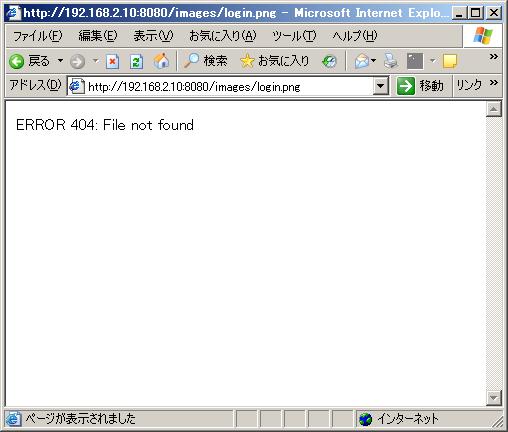
I tried to directly access URL(http://192.168.2.10:8080/images/login.png).
Then, the "ERROR 404: File not found" were displayed.
Sincerely.
Shin
-
-
Thank your for your reply.
I tried changing the "DocumentRoot" parameter on nxhttpd.conf.
But the situation doesn't change.DocumentRoot = /usr/local/share/netxms/nxhttpd
↓
DocumentRoot = /usr/local/share/netxms/ -
Document root was correct, it should be "/opt/netxms/share/netxms/nxhttpd" in your case.
Could you please check that file /opt/netxms/share/netxms/nxhttpd/images/login.png is accessible to nxhttpd (file permissions)?
-
Alex-san
Thank you for your comment.
I checked the file permissions.
I'm running nxhttpd by root user.file permission
monibo:/# ls -al /opt/netxms/share/netxms/nxhttpd/images/login.png
-rw-r--r-- 1 root root 110977 Jul 31 16:38 /opt/netxms/share/netxms/nxhttpd/images/login.pngSincerely.
Shin -
-
@andi said in The image is not displayed on Web Interface(nxhttpd):
HI
Shin Sugitamay I see the look of your web console?
please show the pictures in herebecause im not understand install netxms web console on windows xp
Please teach me how to set up.if you use full installation of netxms server, your web-console already installed.


Hello! It looks like you're interested in this conversation, but you don't have an account yet.
Getting fed up of having to scroll through the same posts each visit? When you register for an account, you'll always come back to exactly where you were before, and choose to be notified of new replies (either via email, or push notification). You'll also be able to save bookmarks and upvote posts to show your appreciation to other community members.
With your input, this post could be even better 💗
Register Login