
Realy cool.
If I can localize all the strings, it wil be perfect for me (User, Computer, Session, Client Name etc.)
Realy cool.
If I can localize all the strings, it wil be perfect for me (User, Computer, Session, Client Name etc.)
It is Microsoft Remote Assistance. But I see that it was a wrong question. The right one is,
Can I use User Support Application to support users remotely like Microsoft Remote Assistance, VNC or TeamViewer?
Thank you
I have added /MERGETASKS="useragent" which I actually need.
Is this user agent going to be a msra replacement? What is the roadmap?
Regards,
Burak
Hi all,
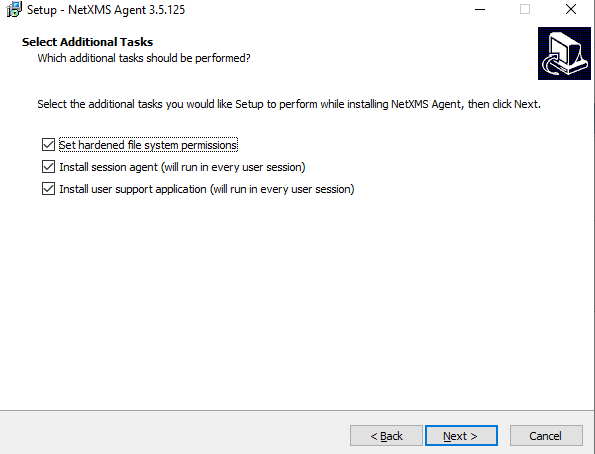
I could not manage to find a switch to install session agent and user support application when installing silently. Can you please help?
Version: nxagent-3.5.125-x64.exe
Regards,
Burak
Thanks for the information,
In my case, the server in "Source" column in Syslog Monitor exists as a node in NetXMS. However, most of the computers in "Host Name" column do not exist as a node in NetXMS.
Hello,
I am using NetXMS Server Version 3.1 on a Windows Server 2016.
I have been trying to forward event logs on another server to NetXMS syslog server (port 514) and using nxlog-ce to forward. I've manage to get messages but there are many logs missing. I have also installed Kiwi Syslog server for test purposes on the same Windows Server with NetXMS installed. I see that all messages are correctly captured by Kiwi.
nxlog-ce is configured to forward same messages to port 514 (To NetXMS) and 1514 (Kiwi for Test)
In short, Kiwi syslog server gets all messages but NetXMS fails to get many messages. How can I fix this? Do you have any idea about what might be the reason?
Regards,
Burak
I could not manage to find a way to get source computer info from ForwardedEvents in Windows Event Collector Server. Desperately need help.
https://docs.microsoft.com/windows/win32/wec/windows-event-collector?redirectedfrom=MSDN
Hello,
We have a Windows Event Collection (WEC) server. In windows event viewer on that server, I see a "Computer" column which shows the computer that forwarded the event to the WEC server. Is there any way to get that computer info when Log Parsing in a template in NetXMS . I can only get event content and I see the WEC server name as source in NetXMS Event Viewer.
Regards,
Burak
I have a windows event collector server and I want to get the forwarded events from that server. The difference is that there is a column named computer which holds the originator pc of that event. However in event viewer I cannot see that info as source. I see the windows event collector server as source (as expected).
Is there a way to set that computer field (I can get the value using %<number>) as source. Or I have to create duplicate events for forwarded events and put computer info in event string.
Hello,
I've installed NetXMS on one of our servers. It has two interfaces on it. One has access to other servers but the other does not.
The problem I have is the NetXMS server sometimes (what I suspect) uses the second interface and it fails to check a network service on other servers. All other servers show 10.x.x.x IP's on overview but netXMS server shows 172.x.x.x. But i have access to the server with 10.x.x.x adres. What might be wrong?
I am not interested in the interface with IP 172.x.x. All I need is 10.x.x.x.
Scenario: NetXMS server checks for Network Service on port 12345 but fails event though service exists and available from command prompt (telnet <host> 12345)
Regards,
Thanks,
After log in with system user, I've found the template and deleted it.
Thank you.
True. I can see all the origin templates (Like Templates/Operating Systems/Windows) but except for those two. They say <unknown> in the Template column. That's why I could not find the template.
Hello,
I have two <<TABLE>> DCI's coming from a template but shown as <unknown> in Template column for nodes. I could not manage to find where it come from. I also could not delete it (I mean I can delete it bu it reappears some time later). Can you help me what might be wrong or How can a manually delete that DCI.
I am currently using ver 3.0 but the problem exists for a while (on ver 2.2 also).
Regards,
Burak
Thanks for the reply. Here are the steps I've done
There is a auto applied template applied to windows server machines which has 4 log parser configs for Securiy event parsing. I wanted to test ForwardedEvents parsing, so decided to disable Security event parsing configs to see only Forwarded Events. Here are the couple of ways I tried.
I wanted to disable log parsing on windows nodes and removed log parser policies from agent config in template. However I get all events until I manually delete db file in appdata folder. Is it a bug or am I missing something?
I am using ver 3.0