
Oh i see .. Muchos gracias ..
D
dbld
@dbld
Posts
-
Missing sections under Network Discovery config -
Missing sections under Network Discovery configHi all
Following documentation about configuring
https://www.netxms.org/documentation/adminguide/network-discovery.html#configuring-network-discoveryI'm not seeing sections for configuring SNMP Communities and SNMP USM Credentials as per image attached.
Is this question of needing to enable some server configuration flag to see those sections?
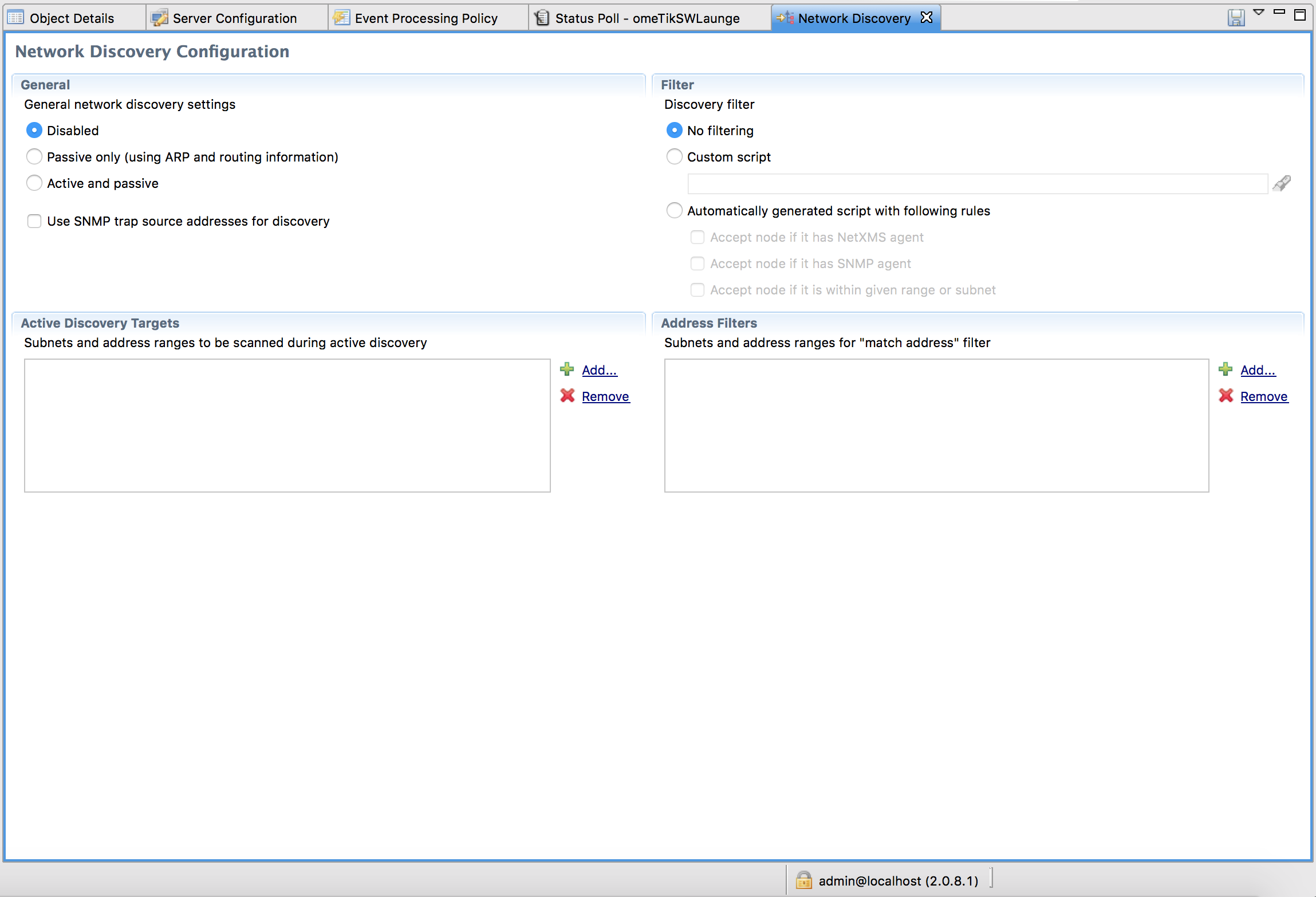
-
Docker files for NetXMS server, WEB UI and consoleHi @lomo
If one enables syslog in the container presumably one would need to expose that port by adding additional port to server port list?
I've tried this but after i modify compose file like so :
version: '2'

services:
  server:
    image: lomo/netxms-server
    ports:
    - "4700:4700"
    - "4701:4701"
    - "514:514"

  webui:
    image: lomo/netxms-webui
    ports:
    - "8080:8080"
    environment:
    - "NETXMS_SERVER=server"

  agent:
    image: lomo/netxms-nxagent
    environment:
    - "NXAGENT_CONFIG=MasterServer=server\nLogFile=/var/log/nxagentsome.log\nEnableProxy=yes\nEnableSNMPProxy=yes"
    - "NXAGENT_MASTERSERVERS=server"
    - "NXAGENT_REGISTERSERVER=server"
and server fails to start with :
server_1  | Error: could not find config file /etc/supervisor/conf.d/supervisord.conf
server_1  | For help, use /usr/bin/supervisord -h
Interesting part is that if i invoke "rm" and than "up" it binds nw port and starts server
@lomo said in Docker files for NetXMS server, WEB UI and console:
If you are familiar with docker-compose, there is a more elegant approach to setup containers:
version: '2'

services:
  server:
    image: lomo/netxms-server
    ports:
    - "4700:4700"

  webui:
    image: lomo/netxms-webui
    ports:
    - "8080:8080"
    environment:
    - "NETXMS_SERVER=server"

  console:
    image: lomo/netxms-nxmc
    environment:
    - "DISPLAY=$DISPLAY"
    volumes:
    - "/tmp/.X11-unix:/tmp/.X11-unix"
Then you can startup your environment with
docker-compose upWebGUI is then accessible at http://localhost:8080/nxmc/nxmc
Of course, if you close the native console you have to start the container again:
docker-compose start consoleor start the container directly by docker start command