Skip to content
  • Categories
  • Recent
  • Tags
  • Popular
  • Users
  • Groups
Skins
  • Light
  • Brite
  • Cerulean
  • Cosmo
  • Flatly
  • Journal
  • Litera
  • Lumen
  • Lux
  • Materia
  • Minty
  • Morph
  • Pulse
  • Sandstone
  • Simplex
  • Sketchy
  • Spacelab
  • United
  • Yeti
  • Zephyr
  • Dark
  • Cyborg
  • Darkly
  • Quartz
  • Slate
  • Solar
  • Superhero
  • Vapor

  • Default (Flatly)
  • No Skin
Collapse
Brand Logo

NetXMS Forum

D

Dunbar

@Dunbar
Unfollow Follow
About
Posts
4
Topics
2
Shares
0
Groups
0
Followers
0
Following
0

Posts

Recent Best Controversial

  • Server Actions Remote Execute
    D Dunbar
    Support

    Hi
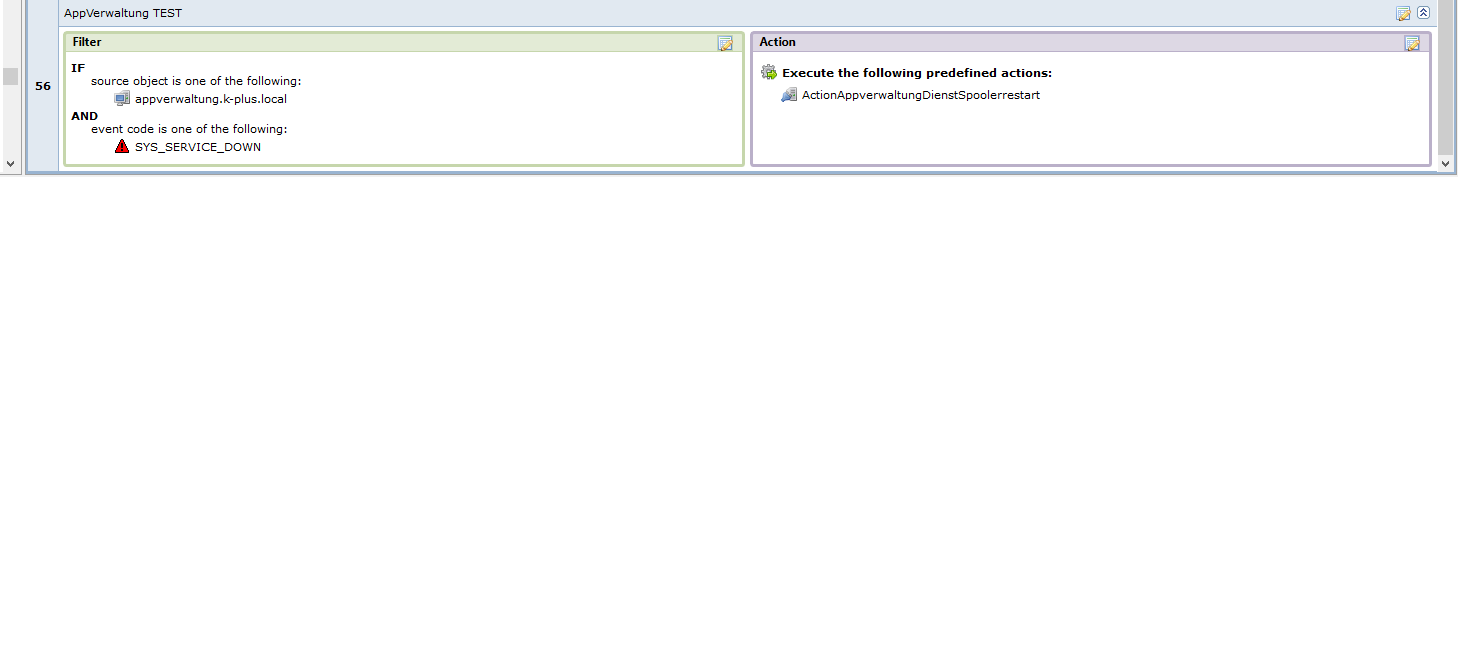
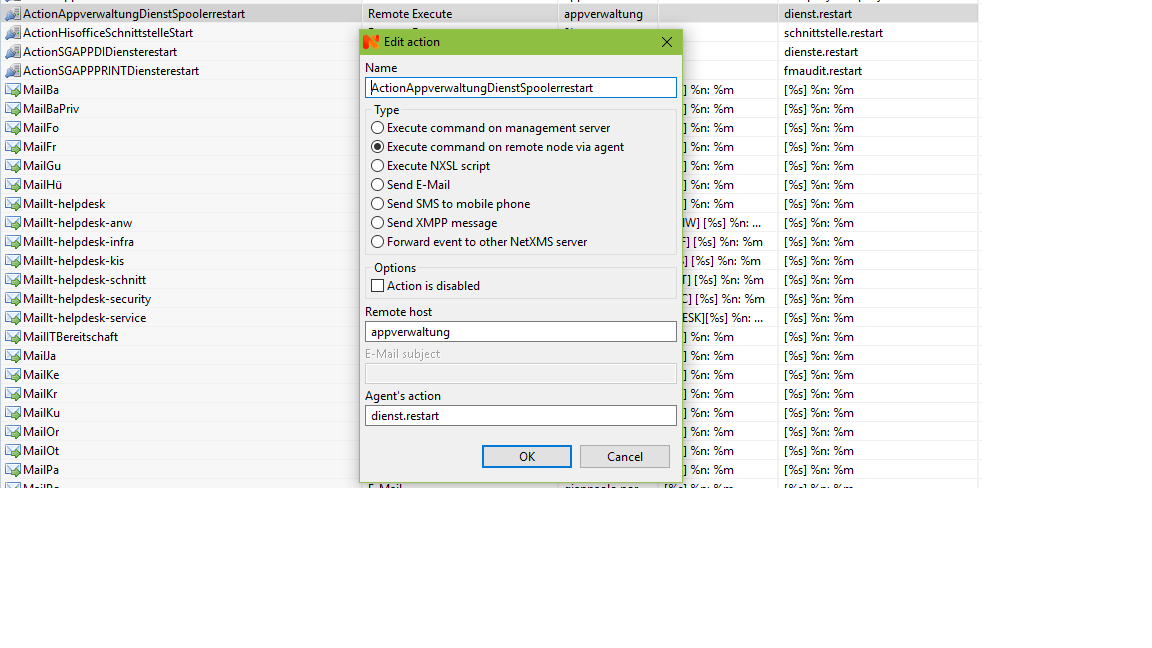
    Screenshots from action conf and rule.

    screen1.jpg

    screen2.jpg


  • Server Actions Remote Execute
    D Dunbar
    Support

    Hi

    I try to remote execute a powershell script triggert over event processing policy.
    The action Type is " execute command on remote node via agent"  .

    The agent config file looks like:
    ActionShellExec = dienst.restart:C:\Windows\system32\WindowsPowerShell\v1.0\powershell.exe C:\Windows\system32\WindowsPowerShell\v1.0\dienstrestarttest.ps1

    The powershell script "dienstrestarttest.ps1"  should restart the printer spooler service, but it doesn´t.

    The alarm browser shows the event correct.


  • File.Count
    D Dunbar
    Support

    Thanks , works fine


  • File.Count
    D Dunbar
    Support

    Hi all

    I want to check whether there is a new file every day in a specific folder or not
    How to configure the threshold for this case ?
    I tried
    Function : Last Polled Value
    Operation: == equal to    Value ?
    My problem is the Value .Because file.count in the folder is growing, not a fixed value.
    One day it is 20 ,weeks later maybe 50. So how to compare this with  “yesterday” ?

  • Login

  • Don't have an account? Register

  • Login or register to search.
Powered by NodeBB Contributors
  • First post
    Last post
0
  • Categories
  • Recent
  • Tags
  • Popular
  • Users
  • Groups