
Hi,
Check the permissions of the user in the user's management screen and the access control of the node
Hi,
Check the permissions of the user in the user's management screen and the access control of the node
check the image for both server and console configuration:
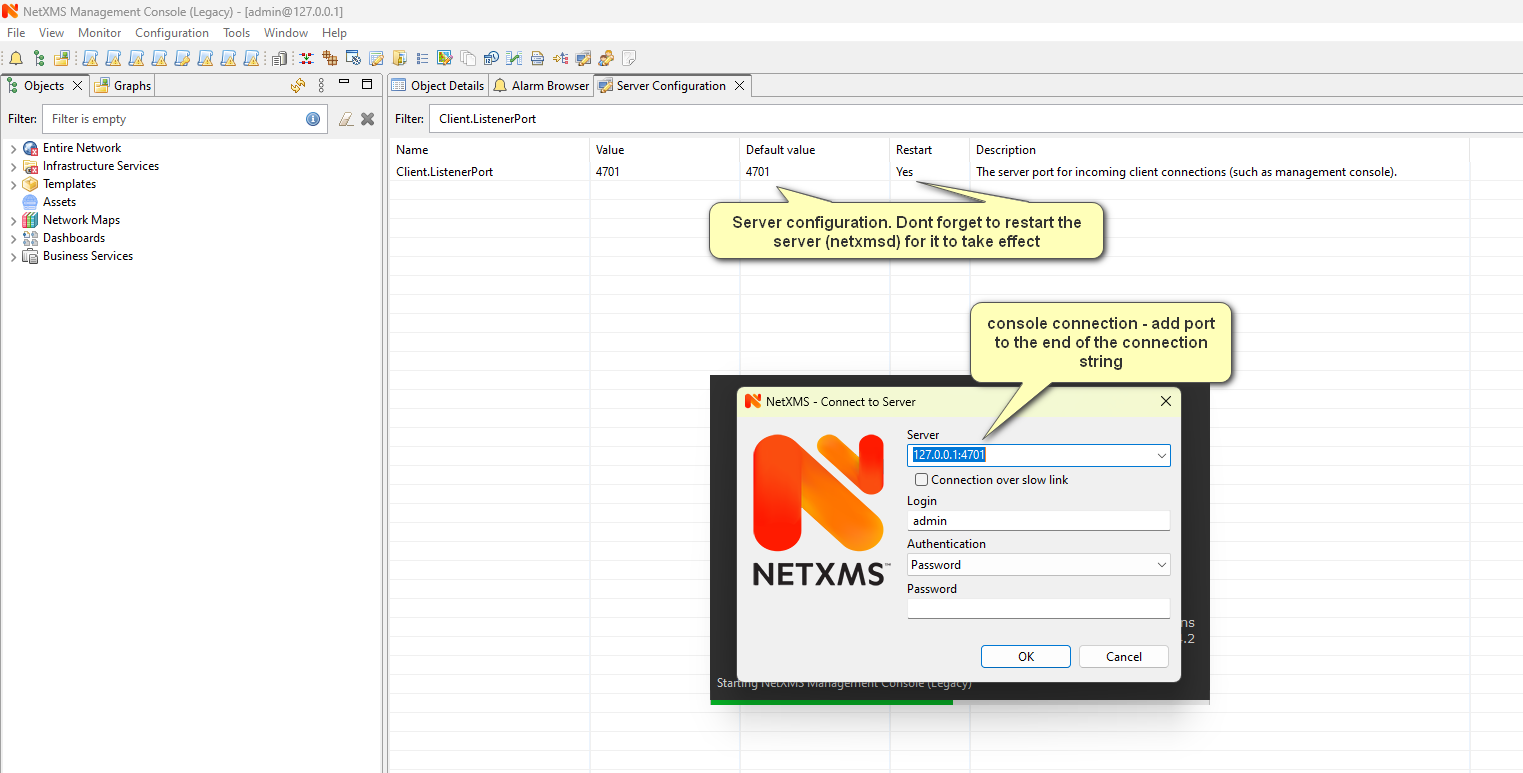
Hi,
Hello,
Not sure if I understood your issue correctly, but console connects to the server on port 4701. So you should be able to telnet from computer where you are using the console to the server on port 4701.
Thanks,
Hi,
Is this a fresh installation on your desktop or an upgrade?
If it is an upgrade, maybe you need to delete the .nxmc folder under your user profile
Hello,
Due to security reasons, from NXSL you can read the primary host name using $node->primaryHostName but cannot change or set it.
Can you explain what you are trying to do, maybe there is another way to do it.
Thanks,
Kanan
Hello,
Can you share with us the server version and the system / OS you are running the server on?
Also, it would be good to share the server log file section where it shows the driver initialization is failing.
Thank you
Hi,
Currently, this is not available. It is still being worked on for the new UI Console.
Thank you,
you can use a filtering script in the EPP and match for the names of the nodes you want to dismiss. something like this:
if($node->name match "^unwanted_node.+")
{
    return false;
}
return true;
Can you share a screenshot of the access control window?
Hello!
The screenshot permission should be set on the node level. You need to right-click the desired node, select properties -> access control and allow / deny the user/group "Take screenshot" permission.
Currently, taking screenshots are not registered in the audit log.
Thanks,
A quick solution would be to exclude the child nodes from source objects in the EPP for that rule.