
Cool 
After Setting the "sample Count" it works like expected!!!
Thanx
Cool
After Setting the "sample Count" it works like expected!!!
Thanx
Perhaps its the umlaut "ä" in the Name of the Counter
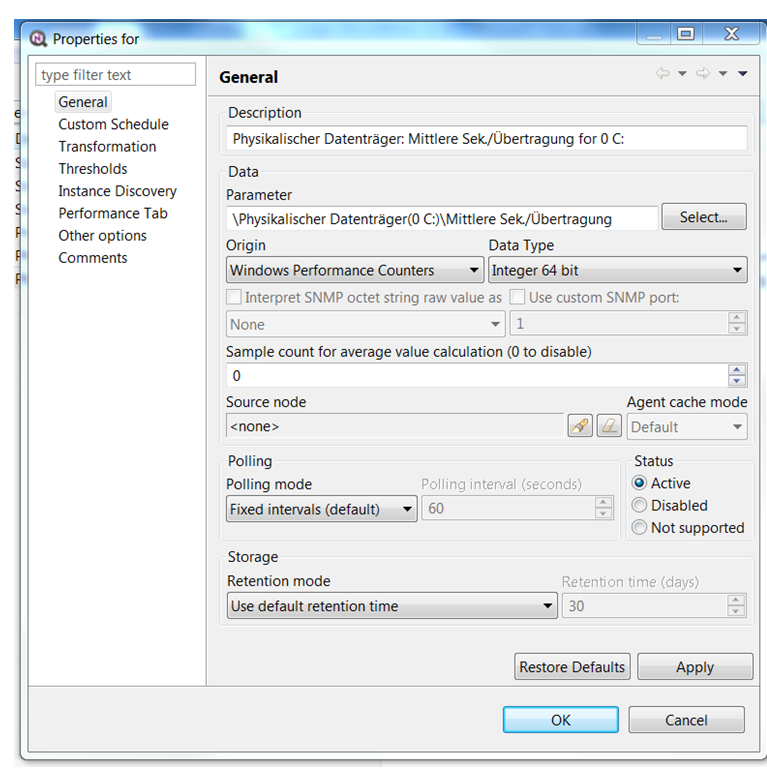
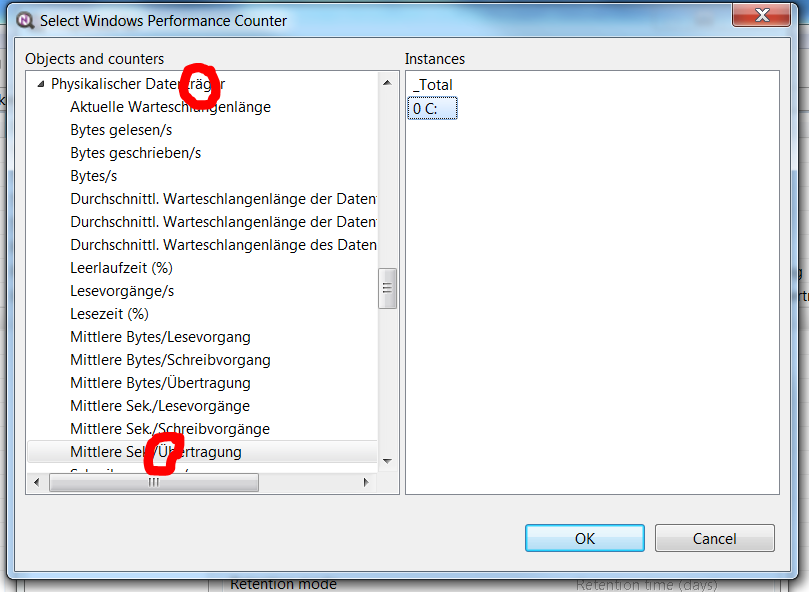
Hello,
i am trying to Monitor our Disk Performance. There are several hints to do this perf. Counters (http://blogs.technet.com/b/askcore/archive/2012/02/07/measuring-disk-latency-with-windows-performance-monitor-perfmon.aspx)
But in netxms this Counter is always Zero althought on the PC it has some values. Perhaps it is a Problem of the Datatype. What is the right type for this Counter (float, int, string)?
How to determine the type of a Counter?
Greetings
Ludger
Really cool,
i am looking Forward to see Youtube Tutorials on nxsl an more of this cool things.
Thanx
Hello,
is there a easy way to find all nodes/PCs with a given Status at a given time?
Greetings
Ludger
the key was the variable $object. Now this works as wanted!!!
children = GetObjectChildren($object);
foreach(p : children)
{
trace(1, "Child object: name='" . p->name . "' id=" . p->id);
interfaces = GetNodeInterfaces(p);
foreach(i : interfaces)
{
trace(1, "Interface: name='" . i->name . "' id=" . i->id);
SetInterfaceExpectedState(i, 2);
}
}
Hello,
i like do run a script on a Container under "Infrastructure Services" and do something with all nodes in this Container. But how do i get the Container i right clicked on?
For my testing i used this script:
children = GetObjectChildren($1);
foreach(p : children)
{
trace(1, "Child object: name='" . p->name . "' id=" . p->id);
}
Even this does not work
GetObjectChildren(FindObject(2)); => "Error 14 in line 2: Function or operation argument is not an object"
Greetings
i gave it a try and made it like in the attached screenshot
"Kernsysteme" are the core Systems which i want to notice the node down Event.
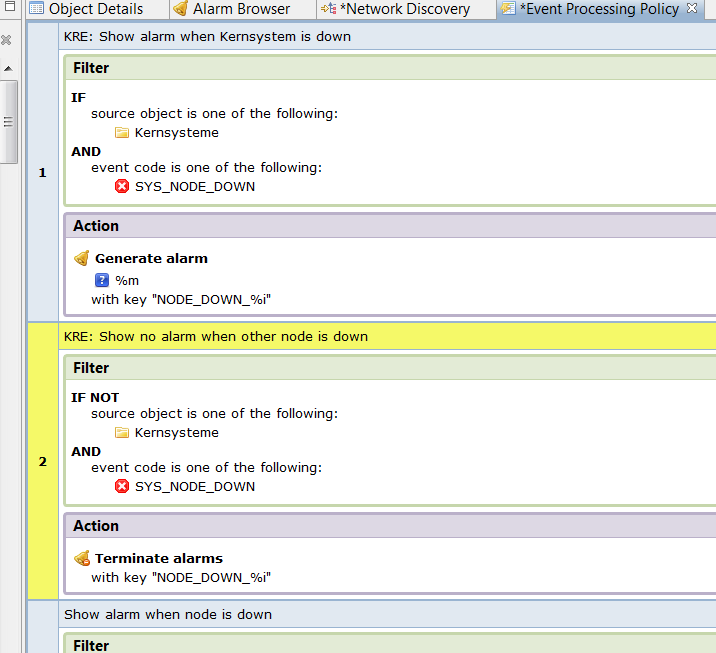
Hello,
in this case i think it can be a table with the actual bandwith. But only the top 5 nodes at the Moment should apear in the list.
Greeting from germany
Hello,
i "discovered" my Network so i have all nodes in netxms. I like to know if there is a Server down but i dont want to know if a PC goes down. How can i easily get this done in netxms.
And also:
I want to Monitor my homeoffice PCs (ping time, up and downtime) but i dont want get alarms if a node shutsdown.
Greeting
Ludger
Greetings from Germany
I need to know wich are the top 5 bandwith users on our VPN-Concentrator. I am able to get "VPN {instance-name} bits/s OUT" by an SNMP query .1.3.6.1.4.1.12356.101.12.2.2.1.19.{instance}. This value has a delta calculation "Delta per second".
How can i find the to 5 values (average values) and ad them to a Dashboard?
Thanx for this marvelous tool
Ludger
Very nice......
but.....
how do i get the "instance name when" i use this DCIs as title in the Performance tab?
"%{node-name} {node-name}" doesn't work.
Greeting from Germany
Ludger