Skip to content
  • Categories
  • Recent
  • Tags
  • Popular
  • Users
  • Groups
Skins
  • Light
  • Brite
  • Cerulean
  • Cosmo
  • Flatly
  • Journal
  • Litera
  • Lumen
  • Lux
  • Materia
  • Minty
  • Morph
  • Pulse
  • Sandstone
  • Simplex
  • Sketchy
  • Spacelab
  • United
  • Yeti
  • Zephyr
  • Dark
  • Cyborg
  • Darkly
  • Quartz
  • Slate
  • Solar
  • Superhero
  • Vapor

  • Default (Flatly)
  • No Skin
Collapse
Brand Logo

NetXMS Forum

M

Mr_Mitch

@Mr_Mitch
Unfollow Follow
About
Posts
5
Topics
1
Shares
0
Groups
0
Followers
0
Following
0

Posts

Recent Best Controversial

  • Syslog monitoring
    M Mr_Mitch
    Support

    @alk said in Syslog monitoring:

    I'm not familiar with NLog, but it looks like syslog target is not used (single logger in rules, with writeTo=fileTarget).
    Also you need to configure syslog target (according to https://github.com/graffen/NLog.Targets.Syslog😞

      <targets>
        <target name="syslog" type="Syslog" syslogserver="127.0.0.1" port="514" facility="Local7" sender="MyProgram" layout="[CustomPrefix] ${machinename} ${message}" />
      </targets>
    

    sorry for the verryyy late response xD

    However, Changing the target type to syslog. Make the application not to start at all 😕

    I have tryed alot of methods. but they are not working.

  • Syslog monitoring
    M Mr_Mitch
    Support

    @mr_mitch said in Syslog monitoring:

    @victor said in Syslog monitoring:

    Hi,

    you don't need logwatch subagent if you receiving and parsing syslog records - but then you have to configure your application to use syslog protocol for logging instead of just writing log file. Or, you should have something that picks up application log file and sends it using syslog protocol to NetXMS server.

    Best regards,
    Victor

    Sorry for the late response.

    I think i get it, and will try a few things. If i can't figure it out, il post it again haha

    Okay, i'm not getting it...

    The code for the whole log test = http://pastebin.com/ks5i5XC3

    This file needs to send his logs to the Syslog server of NetXMS.
    However, every time when i edit something. The application breaks...


  • Syslog monitoring
    M Mr_Mitch
    Support

    @victor said in Syslog monitoring:

    Hi,

    you don't need logwatch subagent if you receiving and parsing syslog records - but then you have to configure your application to use syslog protocol for logging instead of just writing log file. Or, you should have something that picks up application log file and sends it using syslog protocol to NetXMS server.

    Best regards,
    Victor

    Sorry for the late response.

    I think i get it, and will try a few things. If i can't figure it out, il post it again haha


  • Syslog monitoring
    M Mr_Mitch
    Support

    @tomaskir said in Syslog monitoring:

    I suggest reading up on what Syslog is here http://www.networkmanagementsoftware.com/what-is-syslog

    On Windows, system logs will not automatically be delivered to the NetXMS Syslog server.
    (not on any OS/device for that matter, it needs configuration)

    Probably what you want to look at is the LogWatch SubAgent, documentation is here:
    https://wiki.netxms.org/wiki/UM:Log_Monitoring

    Thanks for responding, However i already read those documents. And then i see this:

    NetXMS has built-in syslog server, which can be used to receive logs from network devices and servers. It is also possible to parse incoming syslog messages in a way similar to Windows Event Log monitoring. To parse syslog messages, LOGWATCH subagent is not needed – parsing is done by the server itself. You should only create parser configuration file for syslog in console via Control Panel – Syslog Parser.

    So i don't need to use anything of subagent? However, how do i do it then?


  • Syslog monitoring
    M Mr_Mitch
    Support

    Hello everybody,

    I have a program that can create a log whenever i want.
    What i want is that the logs are going to the Syslog of NetXMS.

    I have already changed the EnableSyslogDaemon to 1. However i don't know what to do next.
    I don't know if Syslog is suppose to show me logs of windows or something already (Because it does not). And i don't know how to show the created logs in Syslog.

    Sorry for the Amateur post. But i don't know how to explain this good haha
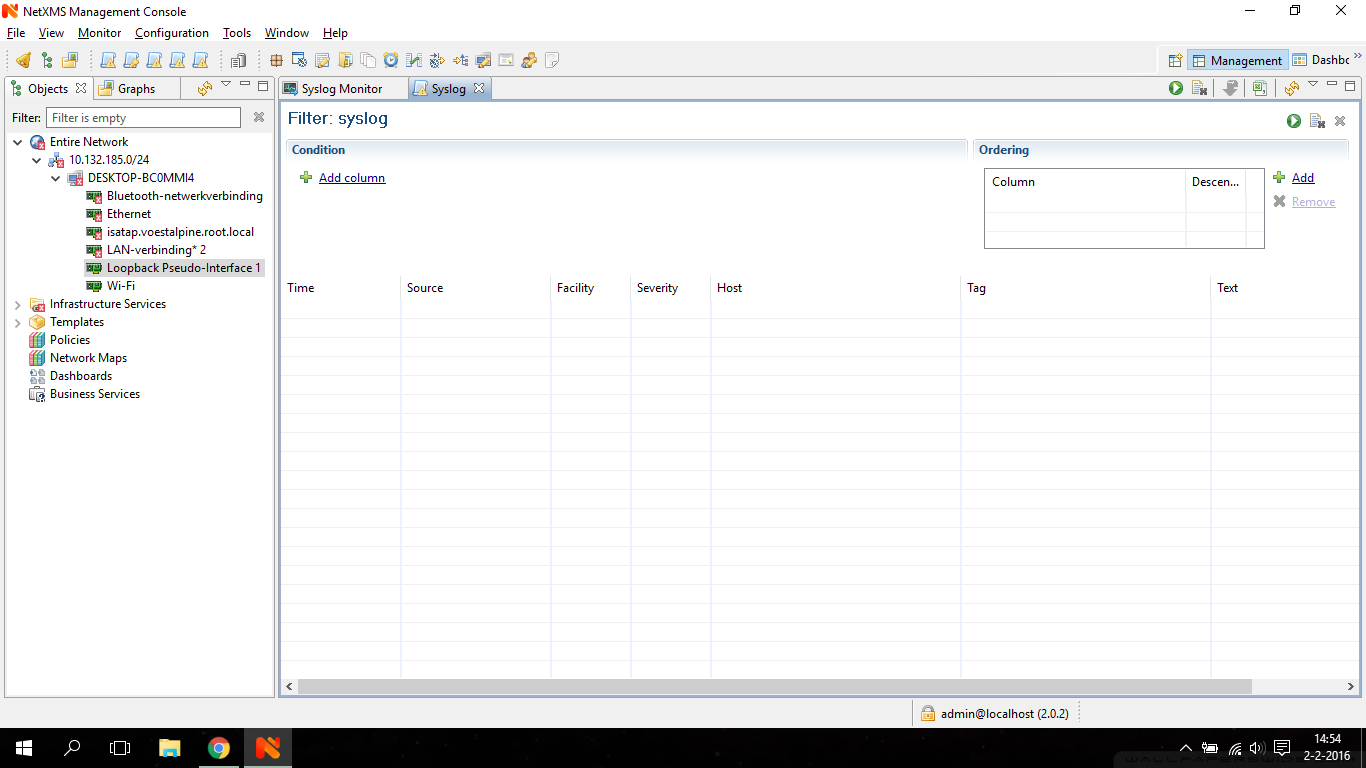
    In the attachment you will see what i get right now, while watching Syslog.


    lala.png

  • Login

  • Don't have an account? Register

  • Login or register to search.
Powered by NodeBB Contributors
  • First post
    Last post
0
  • Categories
  • Recent
  • Tags
  • Popular
  • Users
  • Groups