
Success! I followed your instructions and had no issues with the install this time - worked flawlessly.
Thank you so much!!!
Success! I followed your instructions and had no issues with the install this time - worked flawlessly.
Thank you so much!!!
Thank you very much! I will give that a go in the morning, and reply with my results.
Cheers!
I've attached a couple screenshots of the connection refused window (after the install) and one of the Initialize Database window with the database selection type of PostgreSQL (note was not sure if this database should have been setup prior to the install as I wasn't exactly sure what to fill in for the various fields for the Database Server/Name, Login Name/Password)
thx
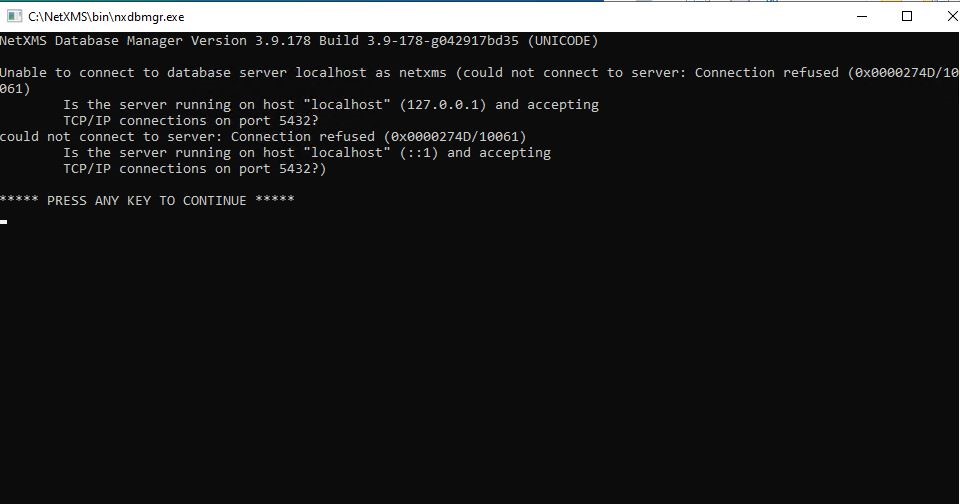
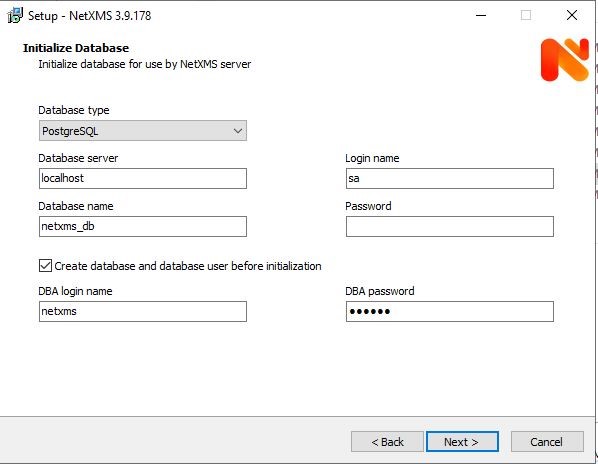
Thanks for your response, sorry for the delay as it was a long holiday weekend here.
This is a new install on Win 10. During install I selected pgsql. (I'm new to installing NetXMS and 'sql' databases)
Here's a copy of the netxmsd.conf
#
# Configuration file generated on Tue Aug 31 15:50:03 2021
#
DBDriver=pgsql.ddr
DBServer=localhost
DBName=netxms_db
DBLogin=sa
LogFile=C:\NetXMS\log\netxmsd.log
I am having the same issue in Windows with NetXMS version 3.9.178
Any help would be appreciated.