Skip to content
  • Categories
  • Recent
  • Tags
  • Popular
  • Users
  • Groups
Skins
  • Light
  • Brite
  • Cerulean
  • Cosmo
  • Flatly
  • Journal
  • Litera
  • Lumen
  • Lux
  • Materia
  • Minty
  • Morph
  • Pulse
  • Sandstone
  • Simplex
  • Sketchy
  • Spacelab
  • United
  • Yeti
  • Zephyr
  • Dark
  • Cyborg
  • Darkly
  • Quartz
  • Slate
  • Solar
  • Superhero
  • Vapor

  • Default (Flatly)
  • No Skin
Collapse
Brand Logo

NetXMS Forum

N

Netvoid

@Netvoid
Unfollow Follow
About
Posts
28
Topics
5
Shares
0
Groups
0
Followers
0
Following
0

Posts

Recent Best Controversial

  • NetXMS Server Crashing
    N Netvoid
    Support

    It all seemed to start after we went from about 150-200 agents to about 400+ agents.

    I'm going to be moving the system to a 32 bit server today or tomorrow to see if that elimates the connection issue, I don't think it would be related but worth a try.

  • NetXMS Server Crashing
    N Netvoid
    Support

    Okay performed the update and I pretty much don't see a difference.

    Here are a variety of entries for the error you were asking about.

    This is the most common one, lots of these 98% is this.

    agent unreachable, error=910, socketError=0

    Then we have some of these,

    agent unreachable, error=500, socketError=0

    A few of these,

    agent unreachable, error=500, socketError=10053
    agent unreachable, error=500, socketError=10054


  • NetXMS Server Crashing
    N Netvoid
    Support

    Yes windows firewall is running, disabled for domain, enabled in private and public. Not currently logging.
    Don't see any netxmsd log / error.


  • NetXMS Server Crashing
    N Netvoid
    Support

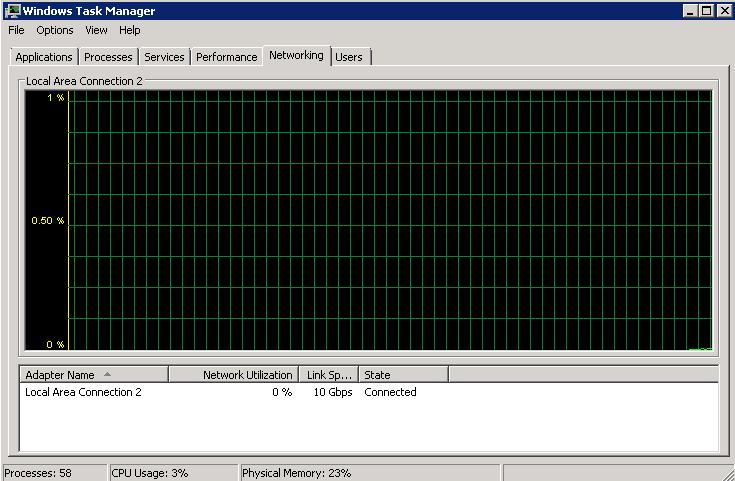
    Still getting hundreds of agent timeouts per minute with negligible amounts of visible system resource utilization.

    Also, even the console and command line nxadm -i timeouts are very common. Even when running the console locally.

    For example the, "show queues" command at times never responds on the server. If I close it and run it a few more times it will eventually give results. According to the results nothing is queued.

    The netxmsd process is at about 300mb and holding, the server has been running for at least 4 days now without a crash. It takes about 5-10 timeouts and retries with the console app to get it connected.


    netxms_debug_1.JPG

    netxms_debug_2.JPG


  • NetXMS Server Crashing
    N Netvoid
    Support

    292 total for port 4700, about 90 are in TIME_WAIT or SYN_SENT...

    After a fresh reboot and a few minutes time, I see about 950 with 600 in TIME_WAIT.


  • NetXMS Server Crashing
    N Netvoid
    Support

    Server has not crashed in almost 24 hours. The only remaning issue seems to be the connectivity loss of the agents dropping and restoring.


  • NetXMS Server Crashing
    N Netvoid
    Support

    After a couple minutes the event viewer started responding more quickly again..

    The queues went to all zero.

    And just as a heads up this is what my SQL server activity is looking like over the last while...


    sqlstat.JPG


  • NetXMS Server Crashing
    N Netvoid
    Support

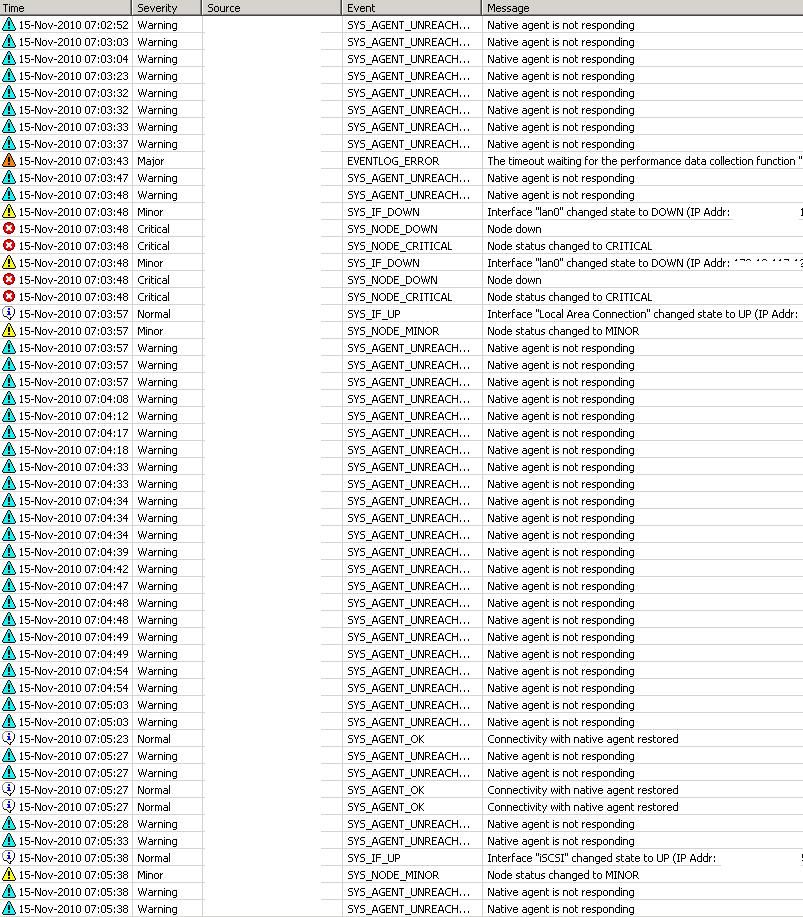
    Server responding very slowly now.. For example event log takes a minute to load up with a progress bar I had not seen before... The log is riddled with agent connection loss/restored messages. 50-100 clients are losing connection and restoring connections per minute.

    The queues are currently,

    netxmsd: show queues
    Condition poller                : 0
    Configuration poller            : 0
    Data collector                  : 0
    Database writer                  : 0
    Event processor                  : 0
    Network discovery poller        : 0
    Node poller                      : 0
    Routing table poller            : 0
    Status poller                    : 132

    netxmsd: show mutex
    Mutex status:
      g_hMutexIdIndex: unlocked
      g_hMutexNodeIndex: unlocked
      g_hMutexSubnetIndex: unlocked
      g_hMutexInterfaceIndex: unlocked

    netxmsd: show flags
    Flags: 0x43300257
      AF_DAEMON                        = 1
      AF_USE_SYSLOG                    = 1
      AF_ENABLE_NETWORK_DISCOVERY      = 1
      AF_ACTIVE_NETWORK_DISCOVERY      = 0
      AF_LOG_SQL_ERRORS                = 1
      AF_DELETE_EMPTY_SUBNETS          = 0
      AF_ENABLE_SNMP_TRAPD            = 1
      AF_ENABLE_ZONING                = 0
      AF_SYNC_NODE_NAMES_WITH_DNS      = 0
      AF_CHECK_TRUSTED_NODES          = 1
      AF_WRITE_FULL_DUMP              = 0
      AF_RESOLVE_NODE_NAMES            = 1
      AF_CATCH_EXCEPTIONS              = 1
      AF_INTERNAL_CA                  = 0
      AF_DB_LOCKED                    = 1
      AF_ENABLE_MULTIPLE_DB_CONN      = 1
      AF_DB_CONNECTION_LOST            = 0
      AF_NO_NETWORK_CONNECTIVITY      = 0
      AF_EVENT_STORM_DETECTED          = 0
      AF_SERVER_INITIALIZED            = 1
      AF_SHUTDOWN                      = 0

    The memory utilization is holding at about 121mb.


  • NetXMS Server Crashing
    N Netvoid
    Support

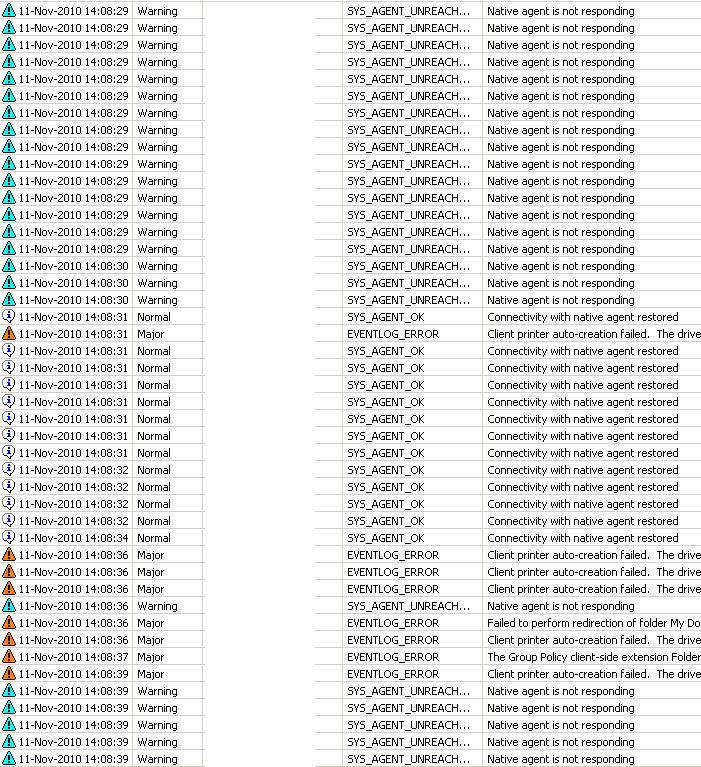
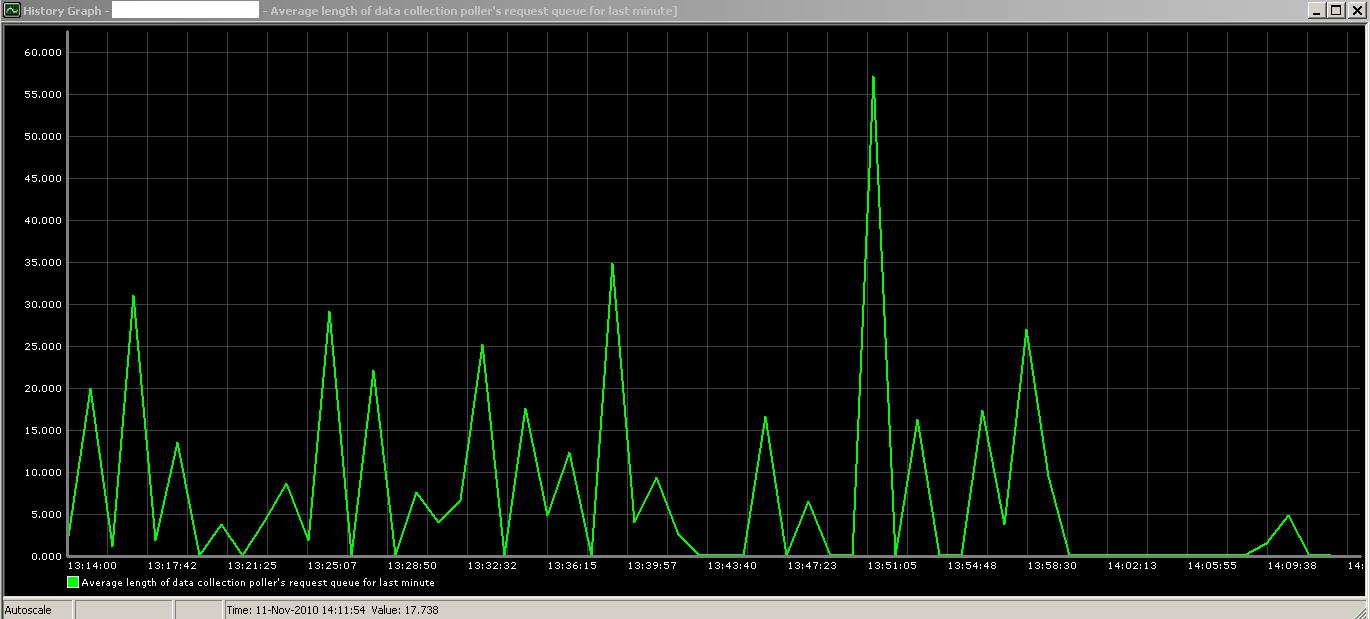
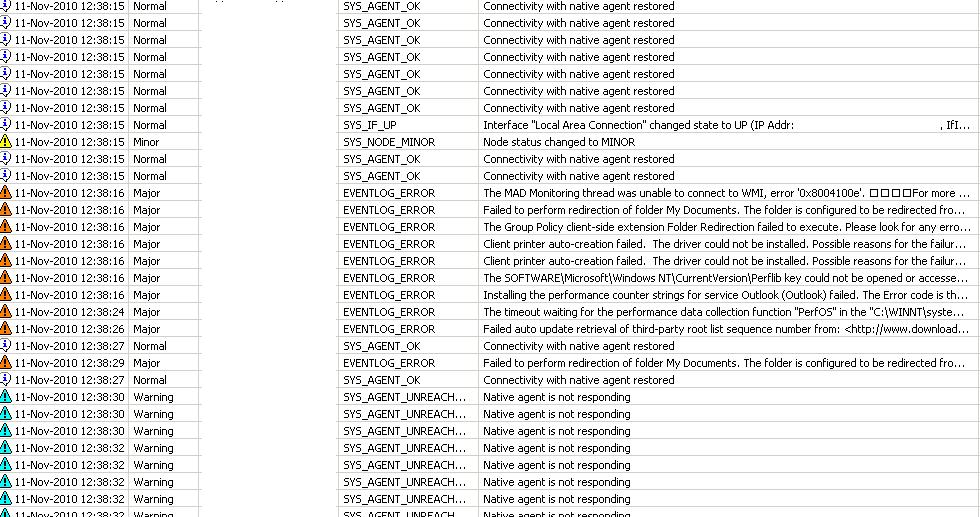
    The client connectivity loss/restore entries all still quite high. Dozens every few minutes, as shown by the attached event log.


    netxms_debug.JPG

    netxms_data_collection_graph.JPG


  • NetXMS Server Crashing
    N Netvoid
    Support

    I am noticing a tremendous amount of these disconnect and reconnects in the event log since I revised the settings. I attached screen shot. I put the status poller interval back down to 90 from 120 in case that is the cause.

    memory is sitting at 110mb after being up for an hour or so..

    queues look like this now,

    netxmsd: show queues
    Condition poller                 : 0
    Configuration poller             : 523
    Data collector                   : 5343
    Database writer                  : 0
    Event processor                  : 0
    Network discovery poller         : 0
    Node poller                      : 0
    Routing table poller             : 0
    Status poller                    : 190


    netxms_debug.JPG


  • NetXMS Server Crashing
    N Netvoid
    Support

    Memory usage of the netxmsd before making all these changes and restarting was holding at about 130mb.

    The database should be healthy, I'll watch the perfomance logs on that after these changes but the SQL server is low usage and on a higher performance segment of our SAN.

    These suggestions,

    StatusPollingInterval = 90
    ConfigurationPollingInterval = 14400

    I had already moved status interval to 90, so I bumped it to 120. The configuration I put at 14400 as you suggest and it was 3600.

    Just restarted with the revised setting and removed the processor affinity. I'll check and post the stats in an hour.


  • NetXMS Server Crashing
    N Netvoid
    Support

    This hour stats..

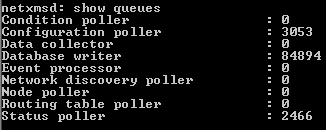
    netxmsd: show queues
    Condition poller                : 0
    Configuration poller            : 2978
    Data collector                  : 0
    Database writer                  : 181423
    Event processor                  : 0
    Network discovery poller        : 0
    Node poller                      : 0
    Routing table poller            : 0
    Status poller                    : 2316

    netxmsd: show mutex
    Mutex status:
      g_hMutexIdIndex: unlocked
      g_hMutexNodeIndex: unlocked
      g_hMutexSubnetIndex: unlocked
      g_hMutexInterfaceIndex: unlocked

    netxmsd: show flags
    Flags: 0x43300257
      AF_DAEMON                        = 1
      AF_USE_SYSLOG                    = 1
      AF_ENABLE_NETWORK_DISCOVERY      = 1
      AF_ACTIVE_NETWORK_DISCOVERY      = 0
      AF_LOG_SQL_ERRORS                = 1
      AF_DELETE_EMPTY_SUBNETS          = 0
      AF_ENABLE_SNMP_TRAPD            = 1
      AF_ENABLE_ZONING                = 0
      AF_SYNC_NODE_NAMES_WITH_DNS      = 0
      AF_CHECK_TRUSTED_NODES          = 1
      AF_WRITE_FULL_DUMP              = 0
      AF_RESOLVE_NODE_NAMES            = 1
      AF_CATCH_EXCEPTIONS              = 1
      AF_INTERNAL_CA                  = 0
      AF_DB_LOCKED                    = 1
      AF_ENABLE_MULTIPLE_DB_CONN      = 1
      AF_DB_CONNECTION_LOST            = 0
      AF_NO_NETWORK_CONNECTIVITY      = 0
      AF_EVENT_STORM_DETECTED          = 0
      AF_SERVER_INITIALIZED            = 1
      AF_SHUTDOWN                      = 0

    netxmsd: show stats
    Total number of objects:    9309
    Number of monitored nodes:  3649
    Number of collectable DCIs:  8147


    netxms_debug_1.JPG


  • NetXMS Server Crashing
    N Netvoid
    Support

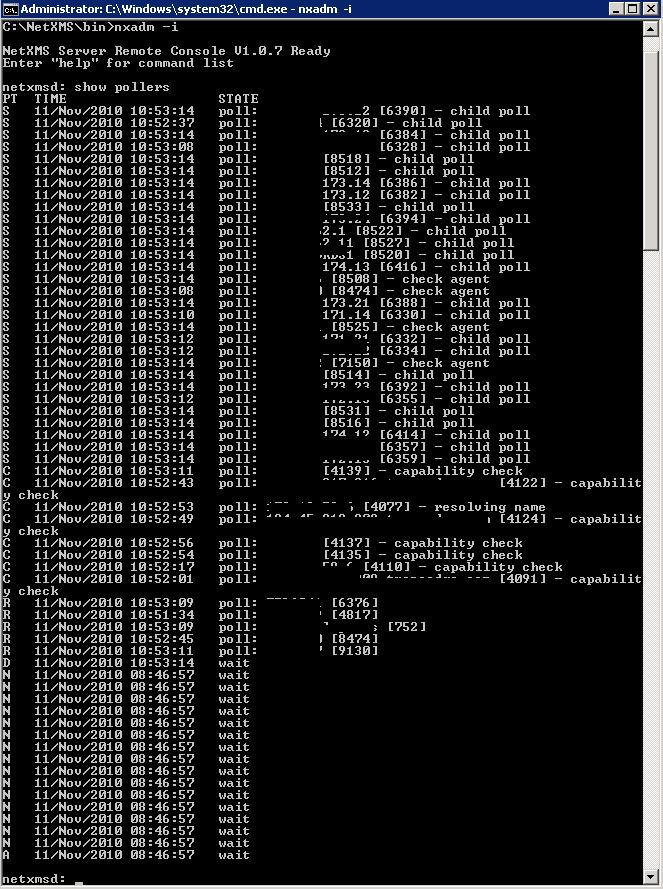
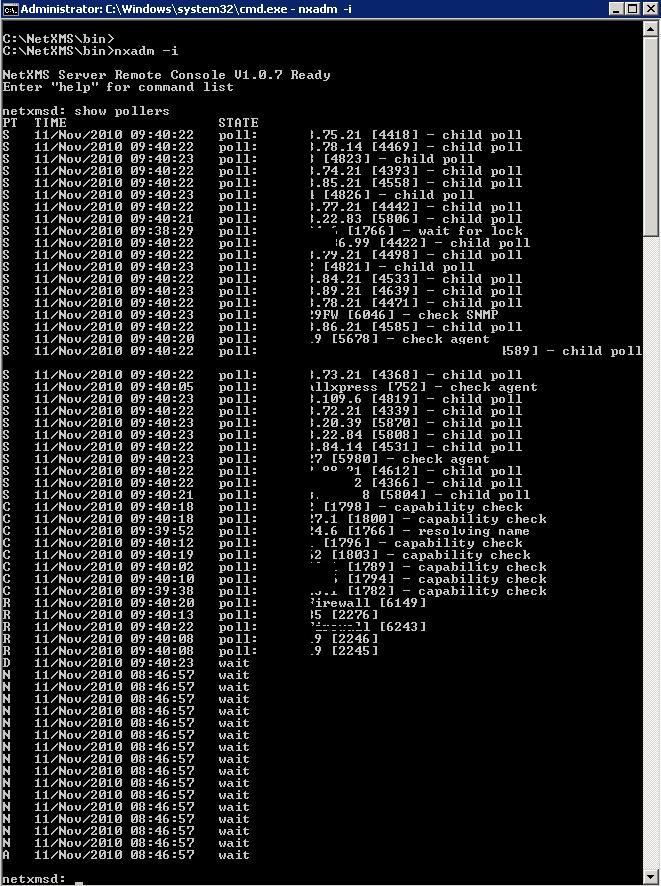
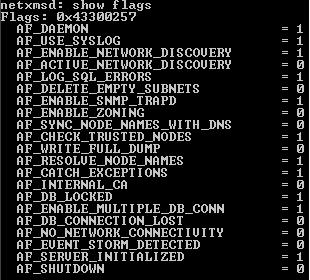
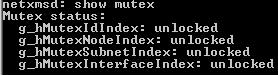
    Attaching results from,

    show pollers
    show queues
    show flags
    show mutex

    After server has been up for about an hour rather than right after startup. I expect server crash in 2-4 hours. I will try to run these commands every hour while the server is up to help pinpoint....

    Also ran a show stats,

    netxmsd: show stats
    Total number of objects:    9309
    Number of monitored nodes:  3649
    Number of collectable DCIs:  8147


    netxms_debug_1.JPG

    netxms_debug_2.JPG

    netxms_debug_3.JPG

    netxms_debug_4.JPG


  • NetXMS Server Crashing
    N Netvoid
    Support

    Yeah I tried this one and it failed to start properly also. Agent and core on the server give similar error upon startup attempts.


  • NetXMS Server Crashing
    N Netvoid
    Support

    Victor,

    Replaced these files in the bin folder but had no luck because the service wouldn't start. I reboot just in case and still no luck service wouldn't start. I restored the files and system was able to come up again.

    Regards,

    Clark


  • NetXMS Server Crashing
    N Netvoid
    Support

    Victor,

    First, thank you very much for all this support. I would be happy to find a way to donate, or, is Raden Solutions a direct connection to you folks? I am completely open to changing my OS from Win2008 R2 64bit to anything you suggest for better outcomes. Although I am also happy to continue helping us both resolve this issue.

    Just let me know.

    Regards,


  • NetXMS Server Crashing
    N Netvoid
    Support

    Thanks Victor,

    I tried all of this, I'm now running on 1.07 with the ProcessAffinityMask = 1.

    I received the following crash dump. The system ran for about 4 hours before the application faulted. Here is the contents of the dump file.

    NETXMSD CRASH DUMP
    Tue Nov 09 11:52:15 2010

    EXCEPTION: C0000005 (Access violation) at 776AC120

    NetXMS Version: 1.0.7
    OS Version: Windows Server 2008 R2 Build 7600
    Processor architecture: Intel x86

    Register information:
      eax=00163F00  ebx=00059000  ecx=00006394  edx=00000000
      esi=00163EFC  edi=00163FFC  ebp=04F1ECE0  esp=04F1ECD8
      cs=0023  ds=002B  es=002B  ss=002B  fs=0053  gs=002B  flags=00010612

    Call stack:
      [msvcrt:776AC120]: (function-name not available)
      [libnetxms:C:\Source\NetXMS-1.0.x\src\libnetxms\queue.cpp:95]: Queue::Put
      [nxcore:C:\Source\NetXMS-1.0.x\src\server\core\dbwrite.cpp:55]: QueueSQLRequest
      [nxcore:C:\Source\NetXMS-1.0.x\src\server\core\dcitem.cpp:1017]: DCItem::processNewValue
      [nxcore:C:\Source\NetXMS-1.0.x\src\server\core\node.cpp:3514]: Node::processNewDciValue
      [nxcore:C:\Source\NetXMS-1.0.x\src\server\core\datacoll.cpp:147]: DataCollector
      [(module-name not available):04F1FF48]: (function-name not available)
      [(module-name not available):03808570]: (function-name not available)


  • NetXMS Server Crashing
    N Netvoid
    Support

    Seems to be crashing every 7-9 hours, same debug info in the dump file each time. Tomorrow I'll try to run those nxadm debug statements every hour or so in order to track the situation.

    Thanks


  • NetXMS Server Crashing
    N Netvoid
    Support

    Here is the dump capture, the mdmp file was empty.

    NETXMSD CRASH DUMP
    Sat Nov 06 12:33:35 2010

    EXCEPTION: C0000005 (Access violation) at 7571C120

    NetXMS Version: 1.0.5
    OS Version: Windows Server 2008 R2 Build 7600
    Processor architecture: Intel x86

    Register information:
      eax=0015DFC0  ebx=00057800  ecx=0002F9F3  edx=00000000
      esi=0015DFBC  edi=0015DFFC  ebp=054DECE0  esp=054DECD8
      cs=0023  ds=002B  es=002B  ss=002B  fs=0053  gs=002B  flags=00010616

    Call stack:
      [msvcrt:7571C120]: (function-name not available)
      [libnetxms:0022A532]: (function-name not available)
      [nxcore:1000F10B]: (function-name not available)
      [nxcore:100114E4]: (function-name not available)
      [(module-name not available):054DEE74]: (function-name not available)
      [(module-name not available):4B8AF098]: (function-name not available)
      [libnxsrv:002564BA]: (function-name not available)


  • NetXMS Server Crashing
    N Netvoid
    Support

    I enabled the crash dumps, next time it happens I'll post.

    These commands were run about 2-3 minutes after a reboot to get the system operational again. I'll run them again in a few hours to see if something sticks out later on.

    show pollers:

    show queues:

    netxmsd: show queues
    Condition poller                : 0
    Configuration poller            : 3590
    Data collector                  : 7096
    Database writer                  : 0
    Event processor                  : 0
    Network discovery poller        : 0
    Node poller                      : 1
    Routing table poller            : 2307
    Status poller                    : 1940

    show flags:

    netxmsd: show flags
    Flags: 0x43300257
      AF_DAEMON                        = 1
      AF_USE_SYSLOG                    = 1
      AF_ENABLE_NETWORK_DISCOVERY      = 1
      AF_ACTIVE_NETWORK_DISCOVERY      = 0
      AF_LOG_SQL_ERRORS                = 1
      AF_DELETE_EMPTY_SUBNETS          = 0
      AF_ENABLE_SNMP_TRAPD            = 1
      AF_ENABLE_ZONING                = 0
      AF_SYNC_NODE_NAMES_WITH_DNS      = 0
      AF_CHECK_TRUSTED_NODES          = 1
      AF_WRITE_FULL_DUMP              = 0
      AF_RESOLVE_NODE_NAMES            = 1
      AF_CATCH_EXCEPTIONS              = 1
      AF_INTERNAL_CA                  = 0
      AF_DB_LOCKED                    = 1
      AF_ENABLE_MULTIPLE_DB_CONN      = 1
      AF_DB_CONNECTION_LOST            = 0
      AF_NO_NETWORK_CONNECTIVITY      = 0
      AF_EVENT_STORM_DETECTED          = 0
      AF_SERVER_INITIALIZED            = 1
      AF_SHUTDOWN                      = 0

    show mutex:

    netxmsd: show mutex
    Mutex status:
      g_hMutexIdIndex: unlocked
      g_hMutexNodeIndex: unlocked
      g_hMutexSubnetIndex: unlocked
      g_hMutexInterfaceIndex: unlocked

    Thanks

  • Login

  • Don't have an account? Register

  • Login or register to search.
Powered by NodeBB Contributors
  • First post
    Last post
0
  • Categories
  • Recent
  • Tags
  • Popular
  • Users
  • Groups