Skip to content
  • Categories
  • Recent
  • Tags
  • Popular
  • Users
  • Groups
Skins
  • Light
  • Brite
  • Cerulean
  • Cosmo
  • Flatly
  • Journal
  • Litera
  • Lumen
  • Lux
  • Materia
  • Minty
  • Morph
  • Pulse
  • Sandstone
  • Simplex
  • Sketchy
  • Spacelab
  • United
  • Yeti
  • Zephyr
  • Dark
  • Cyborg
  • Darkly
  • Quartz
  • Slate
  • Solar
  • Superhero
  • Vapor

  • Default (Flatly)
  • No Skin
Collapse
Brand Logo

NetXMS Forum

N

NosekTomas

@NosekTomas
Unfollow Follow
About
Posts
7
Topics
2
Shares
0
Groups
0
Followers
0
Following
0

Posts

Recent Best Controversial

  • v5.1.3 Android Client
    N NosekTomas
    Support

    @filipp-sudanov said in v5.1.3 Android Client:

    Hi and welcome back 🙂

    Mobile app expects the endpoint to be https, while server module produces only http. Prior to 6.0.2 recommendation was to put nginx in reverse proxy mode. In 6.0.2 now includes reproxy, which is started by server process. You need to generate certificate files and then the following server config should work:

    Code Select Expand

    [WEBAPI]
    TLSEnable = yes
    TLSCertificate = /opt/netxms/etc/server.crt
    TLSCertificateKey = /opt/netxms/etc/server.key
    TLSPort = 8443
    

    Documentation is a bit behind because this is work in progress, but should be updated soon.

    Thanks a lot. I tried to configure the built-in reproxy according to the instructions, but it won't start. And I dont know why  😕


  • v5.1.3 Android Client
    N NosekTomas
    Support

    Thank you very much for your reply.

    Yesterday, I found out that when I add the following to the configuration:

    [WEBAPI]
    Address = 0.0.0.0
    Port = 8000
    

    the HTTP API becomes accessible from 0.0.0.0 – i.e. from outside of the system. I also found out that the application requires HTTPS when examining it with Wireshark. So I set up a reverse proxy ngnix in front of it and the app connected.

    Thank you very much for the [WEBAPI] TLS configuration. I will try to add it so that I don't need an external proxy.

    Is there a list of configuration options for [WEBAPI] somewhere? I tried about 10 options for writing "Address = 0.0.0.0". And I didn't find the TLS option (thanks for that).

    But then - I found that when I open a node in the APP, I get an error:

    Error: java.lang.NumberFormatException: For
    input string: "action"
    

    Is this normal?

    Thank you very much!

    Best regards,
    Tomáš Nosek


  • v5.1.3 Android Client
    N NosekTomas
    Support

    Hi,
    I'm starting to play around with NetXMS and I can't seem to connect the new application. Or rather, I can't get the WebAPI to work/open.

    I used NetXMS a long time ago, and now I'm coming back to it. Back then, there was still the old Android application, which communicated via its mgmt port.

    Unfortunately, I couldn't find any documentation on how to get this new application up and running; the documentation refers to the old version.

    If I understand this thread correctly, the application requires the new WebAPI – the one that is set up as a module in netxmsd.conf (not the old one that was installed via a war file and tomcat).

    I added the following section to netxmsd.conf:

    Module = webapi
    
    [WEBAPI]
    ListenerPort = 8000
    

    According to the logs, it looks like the module has loaded, but is it only accessible from the localhost address?  I haven't been able to change this in any way. Port 8000 is not available when trying to connect to the netxms server.

    root@netxms-testing:/etc# ss -tulpn | grep 8000
    tcp   LISTEN 0      4096       127.0.0.1:8000       0.0.0.0:*    users:(("netxmsd",pid=8114,fd=21))
    

    Can anyone please help me or send me a link to existing documentation?

    Thank you very much.


  • New Android Managment Console
    N NosekTomas
    Support

    @alk said in New Android Managment Console:

    Hello.

    Yes, it in the works.

    Hello,
    Is there any progress on this?


  • New Android Managment Console
    N NosekTomas
    Support

    Hello,
    I would like to ask about the development of the Android application that was mentioned here: https://www.netxms.org/forum/general-support/android-console-doesn't-show-any-dashboards/msg30560/#msg30561:

    Is this plan, about new Android app, still active in the beginning 2022?

    Because today's app isn't very good. Graphs and dashboards isn't showing...

    So I am forced to use Web Console on mobile devices which isn't good too (small screen for web console, web app can't remember username and password etc.).

    So the new app could will be very useful.

    Thank you!


  • Android Console doesn't show any dashboards
    N NosekTomas
    Support

    @filipp-sudanov said in Android Console doesn't show any dashboards:

    Android client was not updated for quite a long time, so some things may not work. Rewrite of android app is planned to start soon, so hopefully there will be a new version in the beginning of 2022.

    Hello,
    do you have an information about rewriting app? Is it still in plan to have a "new" version of app at beginning of 2022?
    I think it will be very pleased for a lot of users.

    Thank you verry much
    Tomas


  • MobileConsole - graphs and dashboards not showing
    N NosekTomas
    Support

    Hello,
    First - I would like to sorry, if this topic already exist. I am a new user of NetXMS (about three months) and student form Czech Republic (sorry for my English).

    I have a problem with displaying dashboards and graphs in Mobile Console app. Server run on Windows 10 Pro (Intel NUC) with MSSQL and tested clients are Samsung Galaxy Note 8, Note 9 and Note 20 5G Ultra. I have it for my "home-network" - only about 50 nodes in it.

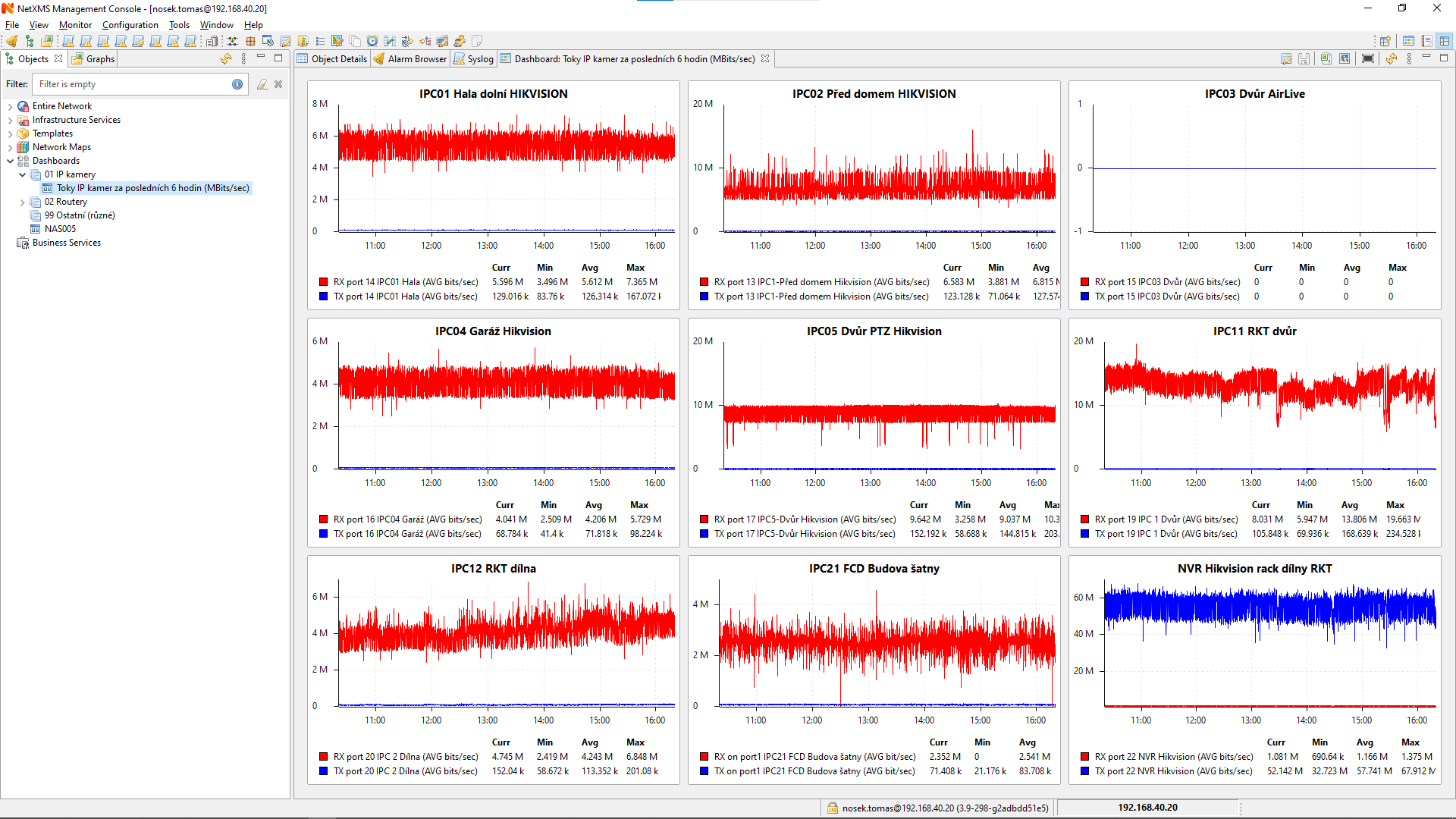
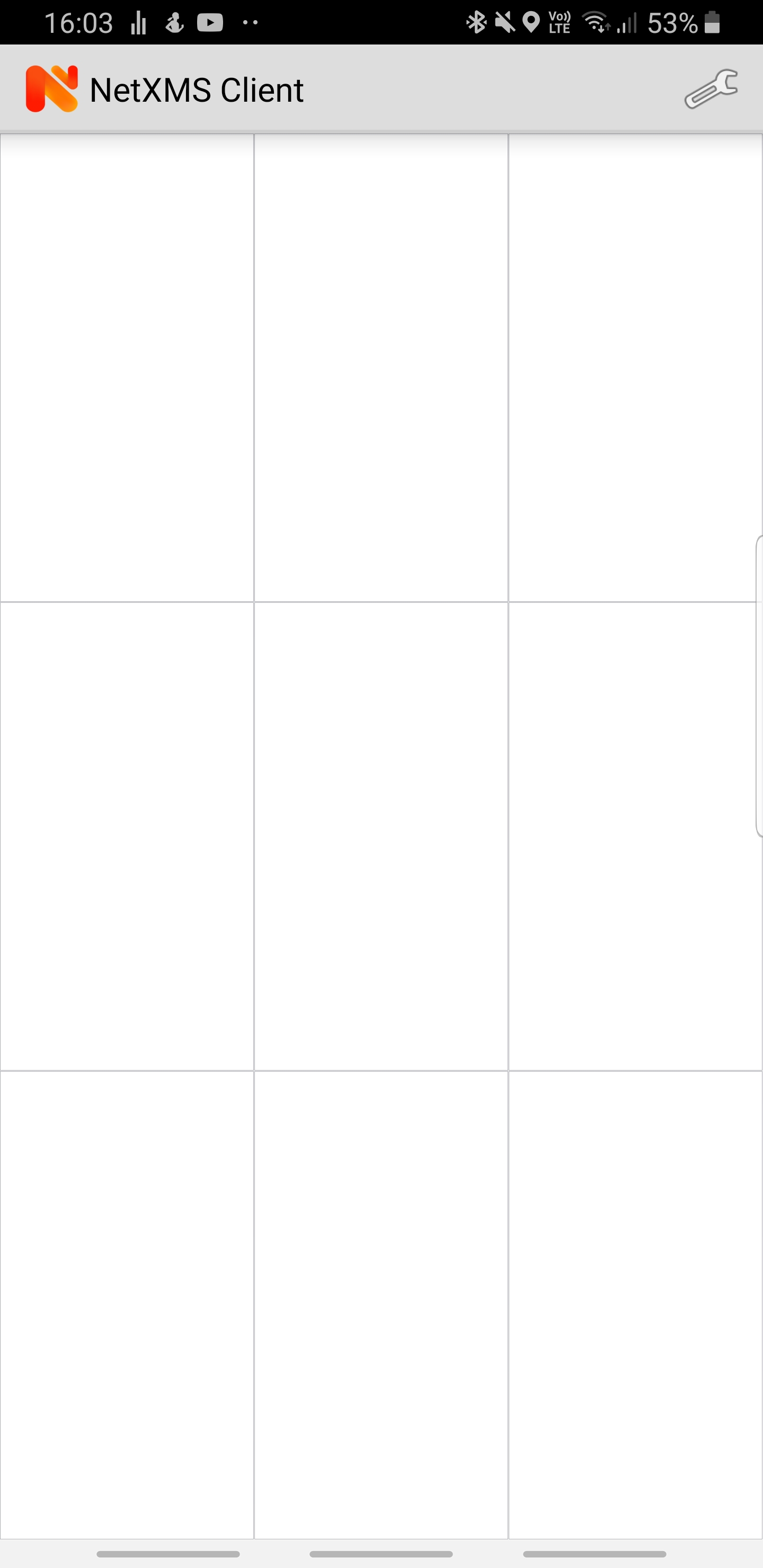
    When I connected to server via desktop console all is working good (on PC). But when i connected via mobile phone I see Nodes, Alarms, atd. I see also the dashboard and graphs "items" but when i opened it, nothing show (file in attachments).

    When I install NetXMS all went well, graphs and dashboard on mobile too. But then I made an update (i don't remember from which to which version) and then dashboard and graphs went in this state.

    Have you any ide how to solve this problem?

    Thank you very much!


    Snímek obrazovky 2021-11-10 162058.png

    Screenshot_20211110-160333_NetXMS Client.jpg

  • Login

  • Don't have an account? Register

  • Login or register to search.
Powered by NodeBB Contributors
  • First post
    Last post
0
  • Categories
  • Recent
  • Tags
  • Popular
  • Users
  • Groups