The concatenation operator is ".." not "." so in the above script it should be
oid = ".1.3.6.1.4.1.24681.1.4.1.1.1.2.3.2.1.4." ..$1;
or else you will get an error
The concatenation operator is ".." not "." so in the above script it should be
oid = ".1.3.6.1.4.1.24681.1.4.1.1.1.2.3.2.1.4." ..$1;
or else you will get an error
can you share this nxshell script?
I could not find the method for disabling DCI
making sure LLDP was enabled on both dlink and cisco devices fixed most issues
@jbriseno said in Telegram channel Issue:
Hi, Filipp. First I appreciate a lot your time to help me to fix my Telegram channel issue. Second, today, I found the technical reason for that Telegram channel configuration change its status in unxpected way. Because, I added an event with the Telegram bot in the Actions Configuration menu. I updated it. Then my problem is solved. Finally, according with my participation in other Open Source Projects, NetXMS project offers to its members an excellent support. Kudos.
Problem solved
Thanks
my best
Jose
I have this issue too. What did you change in the actions configuration to fix this?
I have an with some dlink switches (not with netgear and cisco switches).
I get "VLAN list successfully retrieved from node"
[09.09.2018 20:54:13] **** Poll request sent to server ****
[09.09.2018 20:54:14] Poll request accepted
[09.09.2018 20:54:14] Starting topology poll for node Library
[09.09.2018 20:54:14] VLAN list successfully retrieved from node
[09.09.2018 20:54:20] Switch forwarding database retrieved
[09.09.2018 20:54:21] Link layer topology retrieved (1 connections found)
[09.09.2018 20:54:21] Updating peer information on interfaces
[09.09.2018 20:54:21] Link layer topology processed
[09.09.2018 20:54:21] Finished topology poll for node Library
[09.09.2018 20:54:21] **** Poll completed successfully ****
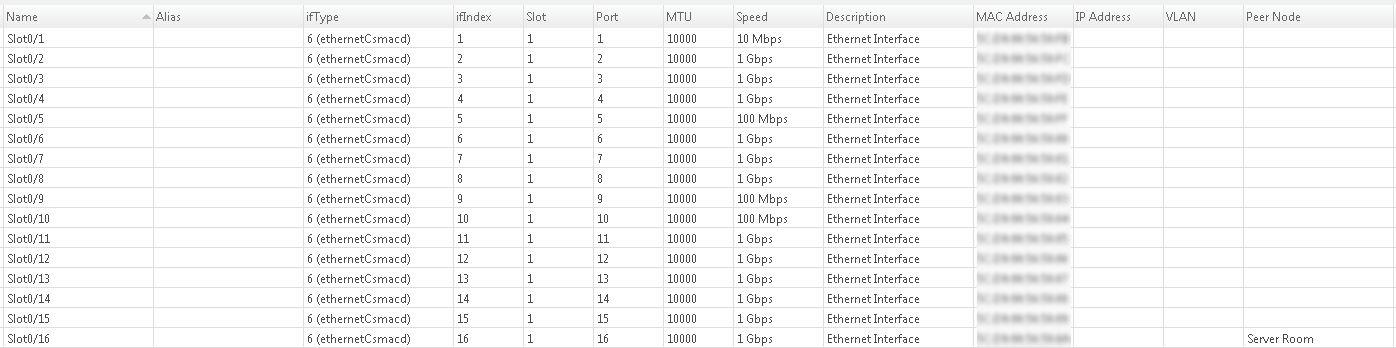
but nothing shows up in the dlink VLAN column on the interfaces tab (cisco and netgear switch interface tabs show vlan information in vlan column)
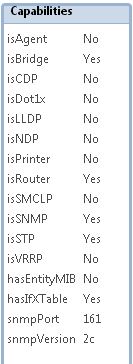
Dlink MIB seems to be loaded because in the netxms MIB browser for the dlink switch I can see the vlan table OID for the switch, with OID as text and description filled as below, and SNMP walking it gives me vlan names and egress and untagged members
.1.3.6.1.4.1.171.10.76.9.7.6.1
.iso.org.dod.internet.private.enterprises.d-link.dlink-products.dlink-DGS1210SeriesProd.dgs-1210-16ax.companyDot1qVlanGroup.dot1qVlanTable.dot1qVlanEntry
Let me summarize to make it easy for other beginners like me:
for inward traffic (using the 64bit snmp oid)
In "Data Collection Confiugration:"
Description: Traffic on {instance-name} - bits/s IN
Parameter: .1.3.6.1.2.1.31.1.1.1.6.{instance}
Origin: SNMP - Unsigned Int 64bit
Transformation: Average delta per sec
Transform script: $1 * 8
Instance discovery: SNMP Walk - OIDs
Base SNMP OID: .1.3.6.1.2.1.31.1.1.1.1
Instance discovery script: return %(true, $1, $2);
For OUT traffic just change:
Description: Traffic on {instance-name} - bits/s OUT
Parameter: .1.3.6.1.2.1.31.1.1.1.10.{instance}
I have a similar issue with some dlink switches (not with netgear and cisco switches).
I get "VLAN list successfully retrieved from node"
[09.09.2018 20:54:13] **** Poll request sent to server ****
[09.09.2018 20:54:14] Poll request accepted
[09.09.2018 20:54:14] Starting topology poll for node Library
[09.09.2018 20:54:14] VLAN list successfully retrieved from node
[09.09.2018 20:54:20] Switch forwarding database retrieved
[09.09.2018 20:54:21] Link layer topology retrieved (1 connections found)
[09.09.2018 20:54:21] Updating peer information on interfaces
[09.09.2018 20:54:21] Link layer topology processed
[09.09.2018 20:54:21] Finished topology poll for node Library
[09.09.2018 20:54:21] **** Poll completed successfully ****
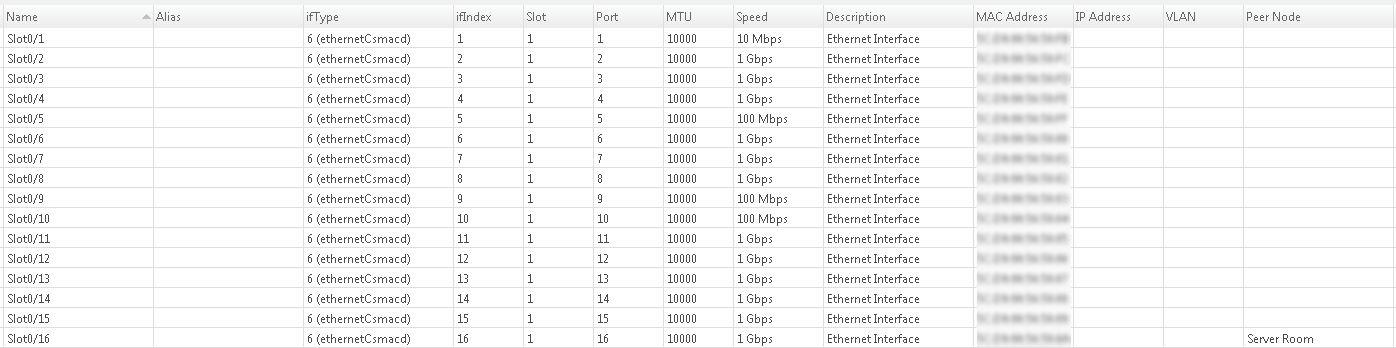
but nothing shows up in the dlink VLAN column on the interfaces tab (cisco and netgear switch interface tabs show vlan information in vlan column)
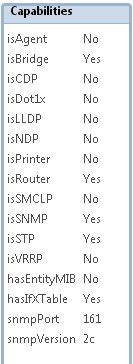
Dlink MIB seems to be loaded because in the netxms MIB browser for the dlink switch I can see the vlan table OID for the switch, with OID as text and description filled as below, and SNMP walking it gives me vlan names and egress and untagged members
.1.3.6.1.4.1.171.10.76.9.7.6.1
.iso.org.dod.internet.private.enterprises.d-link.dlink-products.dlink-DGS1210SeriesProd.dgs-1210-16ax.companyDot1qVlanGroup.dot1qVlanTable.dot1qVlanEntry