Skip to content
  • Categories
  • Recent
  • Tags
  • Popular
  • Users
  • Groups
Skins
  • Light
  • Brite
  • Cerulean
  • Cosmo
  • Flatly
  • Journal
  • Litera
  • Lumen
  • Lux
  • Materia
  • Minty
  • Morph
  • Pulse
  • Sandstone
  • Simplex
  • Sketchy
  • Spacelab
  • United
  • Yeti
  • Zephyr
  • Dark
  • Cyborg
  • Darkly
  • Quartz
  • Slate
  • Solar
  • Superhero
  • Vapor

  • Default (Flatly)
  • No Skin
Collapse
Brand Logo

NetXMS Forum

Shin SugitaS

Shin Sugita

@ss95089
Unfollow Follow
About
Posts
13
Topics
4
Shares
0
Groups
0
Followers
0
Following
0

Posts

Recent Best Controversial

  • NXSL and DCI
    Shin SugitaS Shin Sugita
    Support

    Hi.

    I downloaded the NetXMS user manual(last updated 2010-Nov-17) from Documentation web page, but it seem that users manual isn't new.(Downloaded file's version is "1.0.5".)
    Please check.

    download URL
    https://www.netxms.org/documentation/netxms_user_manual.pdf

    Sincerely.
    Shin


  • Segmentation fault NXAGEND
    Shin SugitaS Shin Sugita
    Support

    Hi! Alex-san.

    I applied patch. And I confirmed the problem had been solved.
    Thank you for your support.

    Sincerely.
    Shin


  • Segmentation fault NXAGEND
    Shin SugitaS Shin Sugita
    Support

    Hi! Victor-san.

    Thank you for reply.
    I ran nxagentd under gdb.I attach a backtrace file after crash.
    Could you check the file.


    command.log


  • Segmentation fault NXAGEND
    Shin SugitaS Shin Sugita
    Support

    Hello.

    I report about "Segmentation fault" Error on NXAGEND.
    nxagend is down when logwatch subagent detect matching string in file.

    debug log message

    LinuxServer:/etc/nxagentd# /opt/netxms/bin/nxagentd -D 9 -f -c /etc/nxagentd.conf
    [12-Nov-2010 22:39:54] Debug level set to 9
    [12-Nov-2010 22:39:54] Subagent API initialized
    [12-Nov-2010 22:39:55] Linux: using /sys/block to distinguish devices from partitions
    [12-Nov-2010 22:39:55] ParseIoStat(): new device added (name=ram0 isRealDevice=1)
    [12-Nov-2010 22:39:55] ParseIoStat(): new device added (name=ram1 isRealDevice=1)
    [12-Nov-2010 22:39:55] ParseIoStat(): new device added (name=ram2 isRealDevice=1)
    [12-Nov-2010 22:39:55] ParseIoStat(): new device added (name=ram3 isRealDevice=1)
    [12-Nov-2010 22:39:55] ParseIoStat(): new device added (name=ram4 isRealDevice=1)
    [12-Nov-2010 22:39:55] ParseIoStat(): new device added (name=ram5 isRealDevice=1)
    [12-Nov-2010 22:39:55] ParseIoStat(): new device added (name=ram6 isRealDevice=1)
    [12-Nov-2010 22:39:55] ParseIoStat(): new device added (name=ram7 isRealDevice=1)
    [12-Nov-2010 22:39:55] ParseIoStat(): new device added (name=sda isRealDevice=1)
    [12-Nov-2010 22:39:55] ParseIoStat(): new device added (name=sda1 isRealDevice=0)
    [12-Nov-2010 22:39:55] ParseIoStat(): new device added (name=sda2 isRealDevice=0)
    [12-Nov-2010 22:39:55] ParseIoStat(): new device added (name=sda3 isRealDevice=0)
    [12-Nov-2010 22:39:55] Unable to parse /proc/drbd, DRBD data collector will not start
    [12-Nov-2010 22:39:55] Subagent "/opt/netxms/lib/libnsm_linux.so" loaded successfully
    [12-Nov-2010 22:39:55] LogWatch: registered parser for file /var/log/auth.log, trace level set to 0
    [12-Nov-2010 22:39:55] LogParser: parser thread for file "/var/log/auth.log" started
    [12-Nov-2010 22:39:55] LogParser: file "/var/log/auth.log" (pattern "/var/log/auth.log") successfully opened
    [12-Nov-2010 22:39:55] Subagent "/opt/netxms/lib/libnsm_logwatch.so" loaded successfully
    [12-Nov-2010 22:39:56] Trying to bind on 0.0.0.0:4700
    [12-Nov-2010 22:39:56] Listening on socket 0.0.0.0:4700
    [12-Nov-2010 22:39:57] NetXMS Agent started
    Agent running. Press Ctrl+C to shutdown.
    [12-Nov-2010 22:40:05] LogParser: new data avialable in file "/var/log/auth.log"
    [12-Nov-2010 22:40:05] SendTrap(): event_code=100000, num_args=1, arg[0]="Nov 12 22:40:03 LinuxServer sshd[2945]: pam_unix(sshd:auth): authentication failure; logname= uid=0 euid=0 tty=ssh ruser= rhost=192.168.2.105  user=root" arg[1]="(null)" arg[2]="(null)"
    Segmentation fault

    logwatch config file with problem

    <parser>
    <file>/var/log/auth.log</file>
    <rules>
    <rule break="1"><match>.*Failed password.*</match></rule>
    <rule><match>(.*ABORT.*|.*Abort.*|.*abort.*)</match><event params="1">100000</event></rule>
    <rule><match>(.*ALERT.*|.*Alert.*|.*alert.*)</match><event params="1">100000</event></rule>
    <rule><match>(.*CRIT.*|.*Crit.*|.*crit.*)</match><event params="1">100000</event></rule>
    <rule><match>(.* BAD .*|.*Bad .*|.* bad .*)</match><event params="1">100000</event></rule>
    <rule><match>(.* DOWN.*|.*Down.*|.* down.*)</match><event params="1">100000</event></rule>
    <rule><match>(.*EMERG.*|.*Emerg.*|.*emerg.*)</match><event params="1">100000</event></rule>
    <rule><match>(.* ERR.*|.*Err.*|.* err.*)</match><event params="1">100000</event></rule>
    <rule><match>(.* FAIL.*|.*Fail.*|.* fail.*)</match><event params="1">100000</event></rule>
    <rule><match>(.* FAULT.*|.*Fault.*|.* fault.*)</match><event params="1">100000</event></rule>
    <rule><match>(.* HALT.*|.*Halt.*|.* halt.*)</match><event params="1">100000</event></rule>
    <rule><match>(.*PANIC.*|.*Panic.*|.*panic.*)</match><event params="1">100000</event></rule>
    <rule><match>(.*WRONG.*|.*Wrong.*|.*wrong.*)</match><event params="1">100000</event></rule>
    <rule><match>(.*WARN.*|.*Warn.*|.*warn.*)</match><event params="1">100000</event></rule>
    </rules>
    </parser>

    logwatch config file with no problem

    <parser>
    <file>/var/log/auth.log</file>
    <rules>
    <rule break="1"><match>.*Failed password.*</match><event></event></rule>
    <rule><match>(.*ABORT.*|.*Abort.*|.*abort.*)</match><event params="1">100000</event></rule>
    <rule><match>(.*ALERT.*|.*Alert.*|.*alert.*)</match><event params="1">100000</event></rule>
    <rule><match>(.*CRIT.*|.*Crit.*|.*crit.*)</match><event params="1">100000</event></rule>
    <rule><match>(.* BAD .*|.*Bad .*|.* bad .*)</match><event params="1">100000</event></rule>
    <rule><match>(.* DOWN.*|.*Down.*|.* down.*)</match><event params="1">100000</event></rule>
    <rule><match>(.*EMERG.*|.*Emerg.*|.*emerg.*)</match><event params="1">100000</event></rule>
    <rule><match>(.* ERR.*|.*Err.*|.* err.*)</match><event params="1">100000</event></rule>
    <rule><match>(.* FAIL.*|.*Fail.*|.* fail.*)</match><event params="1">100000</event></rule>
    <rule><match>(.* FAULT.*|.*Fault.*|.* fault.*)</match><event params="1">100000</event></rule>
    <rule><match>(.* HALT.*|.*Halt.*|.* halt.*)</match><event params="1">100000</event></rule>
    <rule><match>(.*PANIC.*|.*Panic.*|.*panic.*)</match><event params="1">100000</event></rule>
    <rule><match>(.*WRONG.*|.*Wrong.*|.*wrong.*)</match><event params="1">100000</event></rule>
    <rule><match>(.*WARN.*|.*Warn.*|.*warn.*)</match><event params="1">100000</event></rule>
    </rules>
    </parser>

    My environment

    NetXMS 1.0.7
    OS:Linux LinuxServer 2.6.29 #1 Thu Sep 16 12:24:59 JST 2010 ppc GNU/Linux


  • typo in nxhttpd startup script on ubuntu
    Shin SugitaS Shin Sugita
    Support

    Hello.

    I found the typo in source files.
    Could you modify the following word.

    [netxms-1.0.6/contrib/startup/ubuntu/nxhttpd]

    line 18:
    PIDFILE=/var/run/nxagentd.pid -> PIDFILE=/var/run/nxhttpd.pid

    Sincerely.
    Shin


  • The image is not displayed on Web Interface(nxhttpd)
    Shin SugitaS Shin Sugita
    Support

    Alex-san

    Thank you for your comment.

    I checked the file permissions.
    I'm running nxhttpd by root user.

    file permission

    monibo:/# ls -al /opt/netxms/share/netxms/nxhttpd/images/login.png
    -rw-r--r-- 1 root root 110977 Jul 31 16:38 /opt/netxms/share/netxms/nxhttpd/images/login.png

    Sincerely.
    Shin


  • The image is not displayed on Web Interface(nxhttpd)
    Shin SugitaS Shin Sugita
    Support

    Thank your for your reply.

    I tried changing the "DocumentRoot" parameter on nxhttpd.conf.
    But the situation doesn't change.

    DocumentRoot = /usr/local/share/netxms/nxhttpd
     ↓
    DocumentRoot = /usr/local/share/netxms/


  • The image is not displayed on Web Interface(nxhttpd)
    Shin SugitaS Shin Sugita
    Support

    Hello! Victor-san.

    My browser is Goole Chrome 5.0 on Windows XP.
    I have tried with Internet Explorer 6.0. But the image is not displayed on Internet Explorer.

    Error Log

    monibo:~# /opt/netxms/bin/nxhttpd -c /etc/nxhttpd.conf -D
    [31-Jul-2010 23:19:01] Listening on socket 0.0.0.0:8080
    [31-Jul-2010 23:19:01] Debug: Session watchdog thread started
    [31-Jul-2010 23:19:01] NetXMS Web Interface Server started
    NXHTTPD running. Press Ctrl+C to shutdown.
    [31-Jul-2010 23:19:42] Debug: [302] GET /
    [31-Jul-2010 23:19:42] Debug: [200] GET /login.app
    [31-Jul-2010 23:19:42] Debug: [404] GET /xmlextras.js
    [31-Jul-2010 23:19:43] Debug: [404] GET /common.js
    [31-Jul-2010 23:19:43] Debug: [404] GET /netxms.css
    [31-Jul-2010 23:19:43] Debug: [404] GET /pngfix.js
    [31-Jul-2010 23:19:43] Debug: [404] GET /images/login.png
    [31-Jul-2010 23:19:43] Debug: [404] GET /images/buttons/normal/login.png
    

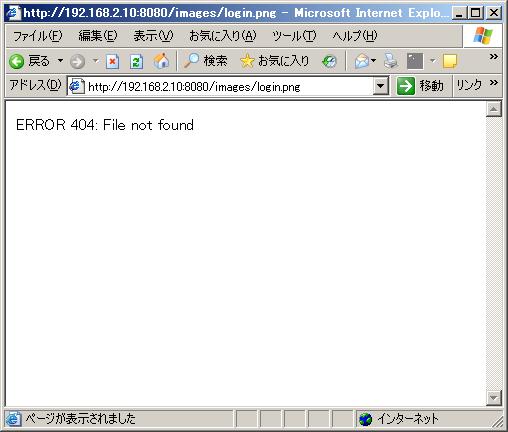
    I tried to directly access URL(http://192.168.2.10:8080/images/login.png).
    Then, the "ERROR 404: File not found" were displayed.

    Sincerely.
    Shin


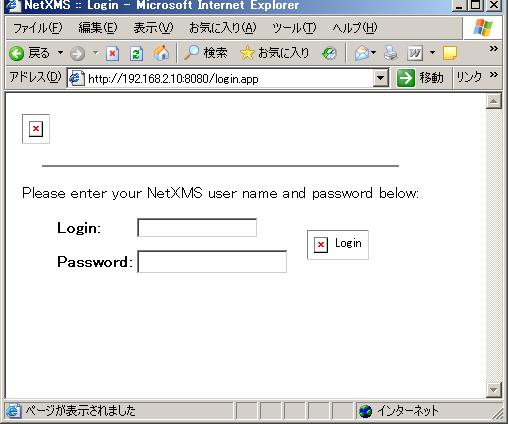
    login.JPG

    image_direct_access.JPG


  • The image is not displayed on Web Interface(nxhttpd)
    Shin SugitaS Shin Sugita
    Support

    Hi! Victor-san.

    Thank you for your replay.
    I checked the under /opt/netxms/share/netxms/nxhttpd.

    /opt/netxms/share/netxms/nxhttpd

    monibo:~# ls -al /opt/netxms/share/netxms/nxhttpd
    total 76
    drwxr-xr-x 3 root root  4096 Jul 16 14:57 .
    drwxr-xr-x 8 root root  4096 Jul 16 16:02 ..
    -rw-r--r-- 1 root root   985 Jul 16 14:57 alarms.js
    -rw-r--r-- 1 root root  2629 Jul 16 14:57 common.js
    -rw-r--r-- 1 root root  1016 Jul 16 14:57 ctrlpanel.js
    drwxr-xr-x 6 root root  4096 Jul 16 14:57 images
    -rw-r--r-- 1 root root  7233 Jul 16 14:57 netxms.css
    -rw-r--r-- 1 root root  1277 Jul 16 14:57 pngfix.js
    -rw-r--r-- 1 root root 10054 Jul 16 14:57 xloadtree.js
    -rw-r--r-- 1 root root  3812 Jul 16 14:57 xmlextras.js
    -rw-r--r-- 1 root root 23682 Jul 16 14:57 xtree.js
    
    monibo:~# find /opt/netxms/share/netxms/nxhttpd -type f
    /opt/netxms/share/netxms/nxhttpd/images/buttons/normal/ack.png
    /opt/netxms/share/netxms/nxhttpd/images/buttons/normal/add.png
    /opt/netxms/share/netxms/nxhttpd/images/buttons/normal/cancel.png
    /opt/netxms/share/netxms/nxhttpd/images/buttons/normal/delete.png
    /opt/netxms/share/netxms/nxhttpd/images/buttons/normal/login.png
    /opt/netxms/share/netxms/nxhttpd/images/buttons/normal/ok.png
    /opt/netxms/share/netxms/nxhttpd/images/buttons/normal/terminate.png
    /opt/netxms/share/netxms/nxhttpd/images/buttons/pressed/ack.png
    /opt/netxms/share/netxms/nxhttpd/images/buttons/pressed/add.png
    /opt/netxms/share/netxms/nxhttpd/images/buttons/pressed/cancel.png
    /opt/netxms/share/netxms/nxhttpd/images/buttons/pressed/delete.png
    /opt/netxms/share/netxms/nxhttpd/images/buttons/pressed/login.png
    /opt/netxms/share/netxms/nxhttpd/images/buttons/pressed/ok.png
    /opt/netxms/share/netxms/nxhttpd/images/buttons/pressed/terminate.png
    /opt/netxms/share/netxms/nxhttpd/images/ctrlpanel/actions.png
    /opt/netxms/share/netxms/nxhttpd/images/ctrlpanel/cert.png
    /opt/netxms/share/netxms/nxhttpd/images/ctrlpanel/cfgvar.png
    /opt/netxms/share/netxms/nxhttpd/images/ctrlpanel/ctrlpanel.png
    /opt/netxms/share/netxms/nxhttpd/images/ctrlpanel/discovery.png
    /opt/netxms/share/netxms/nxhttpd/images/ctrlpanel/epp.png
    /opt/netxms/share/netxms/nxhttpd/images/ctrlpanel/group.png
    /opt/netxms/share/netxms/nxhttpd/images/ctrlpanel/module.png
    /opt/netxms/share/netxms/nxhttpd/images/ctrlpanel/objtools.png
    /opt/netxms/share/netxms/nxhttpd/images/ctrlpanel/package.png
    /opt/netxms/share/netxms/nxhttpd/images/ctrlpanel/scripts.png
    /opt/netxms/share/netxms/nxhttpd/images/ctrlpanel/servercfg.png
    /opt/netxms/share/netxms/nxhttpd/images/ctrlpanel/snmptrap.png
    /opt/netxms/share/netxms/nxhttpd/images/ctrlpanel/user.png
    /opt/netxms/share/netxms/nxhttpd/images/ctrlpanel/users.png
    /opt/netxms/share/netxms/nxhttpd/images/objects/cluster.png
    /opt/netxms/share/netxms/nxhttpd/images/objects/container.png
    /opt/netxms/share/netxms/nxhttpd/images/objects/interface.png
    /opt/netxms/share/netxms/nxhttpd/images/objects/network.png
    /opt/netxms/share/netxms/nxhttpd/images/objects/node.png
    /opt/netxms/share/netxms/nxhttpd/images/objects/service.png
    /opt/netxms/share/netxms/nxhttpd/images/objects/subnet.png
    /opt/netxms/share/netxms/nxhttpd/images/objects/template.png
    /opt/netxms/share/netxms/nxhttpd/images/objects/template_group.png
    /opt/netxms/share/netxms/nxhttpd/images/objects/template_root.png
    /opt/netxms/share/netxms/nxhttpd/images/status/critical.png
    /opt/netxms/share/netxms/nxhttpd/images/status/disabled.png
    /opt/netxms/share/netxms/nxhttpd/images/status/major.png
    /opt/netxms/share/netxms/nxhttpd/images/status/minor.png
    /opt/netxms/share/netxms/nxhttpd/images/status/normal.png
    /opt/netxms/share/netxms/nxhttpd/images/status/testing.png
    /opt/netxms/share/netxms/nxhttpd/images/status/unknown.png
    /opt/netxms/share/netxms/nxhttpd/images/status/unmanaged.png
    /opt/netxms/share/netxms/nxhttpd/images/status/warning.png
    /opt/netxms/share/netxms/nxhttpd/images/ack.png
    /opt/netxms/share/netxms/nxhttpd/images/blank.png
    /opt/netxms/share/netxms/nxhttpd/images/checkbox_off.png
    /opt/netxms/share/netxms/nxhttpd/images/checkbox_on.png
    /opt/netxms/share/netxms/nxhttpd/images/delete.png
    /opt/netxms/share/netxms/nxhttpd/images/edit.png
    /opt/netxms/share/netxms/nxhttpd/images/file.png
    /opt/netxms/share/netxms/nxhttpd/images/foldericon.png
    /opt/netxms/share/netxms/nxhttpd/images/I.png
    /opt/netxms/share/netxms/nxhttpd/images/Lminus.png
    /opt/netxms/share/netxms/nxhttpd/images/login.png
    /opt/netxms/share/netxms/nxhttpd/images/Lplus.png
    /opt/netxms/share/netxms/nxhttpd/images/L.png
    /opt/netxms/share/netxms/nxhttpd/images/new.png
    /opt/netxms/share/netxms/nxhttpd/images/openfoldericon.png
    /opt/netxms/share/netxms/nxhttpd/images/terminate.png
    /opt/netxms/share/netxms/nxhttpd/images/Tminus.png
    /opt/netxms/share/netxms/nxhttpd/images/Tplus.png
    /opt/netxms/share/netxms/nxhttpd/images/T.png
    /opt/netxms/share/netxms/nxhttpd/images/document.png
    /opt/netxms/share/netxms/nxhttpd/images/graph.png
    /opt/netxms/share/netxms/nxhttpd/images/sort_down.png
    /opt/netxms/share/netxms/nxhttpd/images/sort_up.png
    /opt/netxms/share/netxms/nxhttpd/alarms.js
    /opt/netxms/share/netxms/nxhttpd/common.js
    /opt/netxms/share/netxms/nxhttpd/ctrlpanel.js
    /opt/netxms/share/netxms/nxhttpd/netxms.css
    /opt/netxms/share/netxms/nxhttpd/pngfix.js
    /opt/netxms/share/netxms/nxhttpd/xloadtree.js
    /opt/netxms/share/netxms/nxhttpd/xmlextras.js
    /opt/netxms/share/netxms/nxhttpd/xtree.js
    

    Sincerely.
    Shin


  • The image is not displayed on Web Interface(nxhttpd)
    Shin SugitaS Shin Sugita
    Support

    I installed NetXMS server on Linux, I can login in web console.
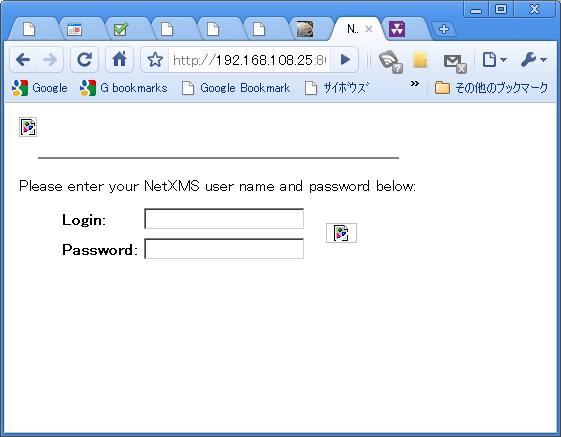
    But the image is not displayed on web console.
    Please teach me how to set up.

    /etc/nxhttpd.conf;

    DocumentRoot = /opt/netxms/share/netxms/nxhttpd
    MasterServer = 127.0.0.1
    LogFile = /var/log/nxhttpd.log
    ListenPort=8080

    Error Messages;

    monibo:/# /opt/netxms/bin/nxhttpd -c /etc/nxhttpd.conf -D
    [16-Jul-2010 18:48:34] Listening on socket 0.0.0.0:8080
    [16-Jul-2010 18:48:34] Debug: Session watchdog thread started
    [16-Jul-2010 18:48:34] NetXMS Web Interface Server started
    NXHTTPD running. Press Ctrl+C to shutdown.
    [16-Jul-2010 18:48:50] Debug: [302] GET /
    [16-Jul-2010 18:48:50] Debug: [200] GET /login.app
    [16-Jul-2010 18:48:50] Debug: [404] GET /xmlextras.js
    [16-Jul-2010 18:48:50] Debug: [404] GET /common.js
    [16-Jul-2010 18:48:50] Debug: [404] GET /netxms.css
    [16-Jul-2010 18:48:50] Debug: [404] GET /images/login.png
    [16-Jul-2010 18:48:50] Debug: [404] GET /images/buttons/normal/login.png
    [16-Jul-2010 18:48:50] Debug: [404] GET /favicon.ico

    My environment;

    NetXMS:1.03
    Install Directory:/opt/netxms
    OS:Linux 2.6.29 #1 Mon Apr 5 12:35:07 JST 2010 ppc GNU/Linux


    login.JPG


  • ICMP Ping timeout
    Shin SugitaS Shin Sugita
    Support

    Hello!

    Thank you for your reply.
    I understood your answer.

    thanks and regards
    Shin


  • ICMP Ping timeout
    Shin SugitaS Shin Sugita
    Support

    I checked the fllowing debug log.

    [29-Mar-2010 09:19:56] Interface::StatusPoll(131,lan0): calling IcmpPing(0xCCA9DE0A,3,1500,NULL,46)

    Is the value of the ICMP Ping timeout "3" seconds?

    thanks and regards
    Shin


  • ICMP Ping timeout
    Shin SugitaS Shin Sugita
    Support

    Please tell me about Ping timeout.
    I created the Node without using NetXMS agent or SNMP agent.

    in a way:

    1. [Object] -> [Create] -> [Node...]
    2. input the [Name] and [IP address].
        check mark [Disable access to NetXMS agent for all polls],[Disable usage of SNMP for all polls]

    In this case, what is the ICMP Ping timeout value?
    And can I change the ICMP Ping timeout value?

    thanks and regards
    Shin

  • Login

  • Don't have an account? Register

  • Login or register to search.
Powered by NodeBB Contributors
  • First post
    Last post
0
  • Categories
  • Recent
  • Tags
  • Popular
  • Users
  • Groups