On a different server, I performed a fresh installation of nginx+tomcat+nxmc-6.2.4.war, and when I tested it, Pinview started working normally.
T
tanero
@tanero
Posts
-
The PinView feature is no longer working. -
The PinView feature is no longer working.Thank you for your feedback. I have tried the following possibilities:
- I tried different NETXMS versions, currently 6.2.4 (the problem has persisted since the last 3 version upgrades).
- I recently installed TomCat 10 and re-uploaded the war file
- I tried with different browsers (Chrome, Opera, Firefox), but the result was the same.
- I select "Show server clock" in Client Preferences, save, and exit, but when I re-enter, it's still not set.
- I set the Alarms page using PinView F7, but the situation remains the same even after closing the browser or logging out.
-
The PinView feature is no longer working.PinView, which used to work, seems to have stopped working in the last couple of versions.
For example, after pinning some dashboards with PinView and then logging out or closing the browser and reopening, the dashboards I had previously set would reappear active.
Now, when I open the Pinboard panel, it's always empty.
Has anyone else encountered this?
Could this be a setting change or a bug?
-
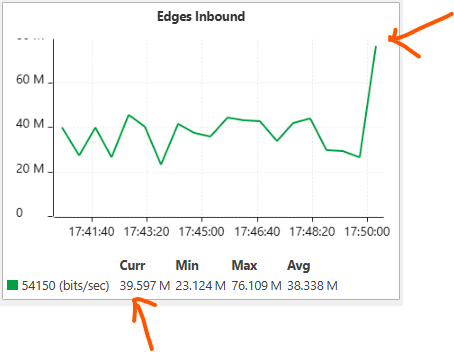
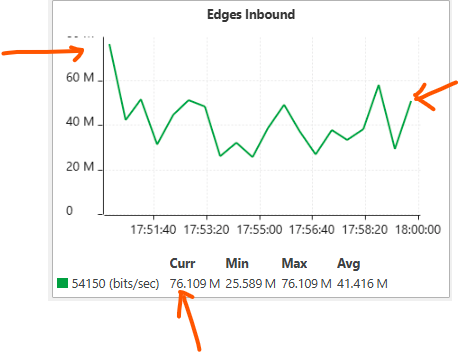
The graph and current values don't seem to match.Hello, there seems to be something strange with the current values ��displayed in the graph. It's as if they're not updating simultaneously with the graph.
Normally, the last value in the graph should be displayed as the current value, right?
Is this a setting issue or a bug?
I usually add my graphs with default settings. When I look at the data while monitoring traffic, viewing the graph and the values ��gives incorrect results.
I suspect it's taking the current value as if it were the value at the beginning of the graph, when it should actually be the last value in the most recent graph.
-
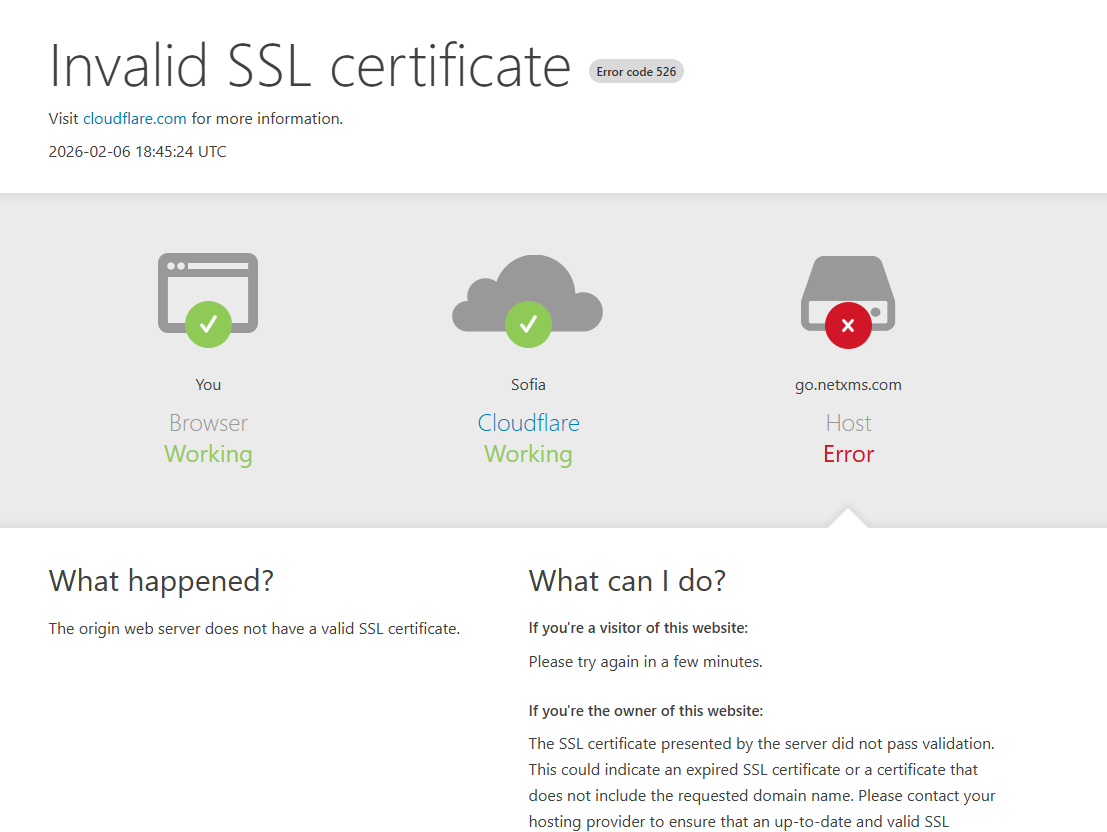
go.netxms.com Invalid SSL certificateWhen I click on the admin document link in the upper right corner of the web console, I can't access the link shown in the image; it gives an SSL error.
-
NetXMS 6.0 released@filipp-sudanov said in NetXMS 6.0 released:
NetXMS 6.0 uses newer version of GUI framework which requires newer version of servlet API. Please try tomcat10
Although Tomcat 9 came pre-installed with Alma Linux 9, I tried manually installing Tomcat 10 and the web interface worked normally.
Please note that the administrator documentation does not contain detailed requirements for version 6.0.
-
NetXMS 6.0 releasedI have upgraded the server and agents from 5.2.8 to 6.0.0 succesfully.
Also, deployed the Web interface (war) 6.0.0.jar on tomcat9 with jre 17, but not working.
-
I am getting error while collecting script dataToday netxms version was updated to 4.2.433-1 and the mentioned faulty sensors started to work.
-
I am getting server ssl error?It seems after upgrade the server, a new sensor was added automaticly by policy from the template
to the netxms server. At this stage, I have disabled this control and prevented it from giving an error, but which ssl is this sensor controlling?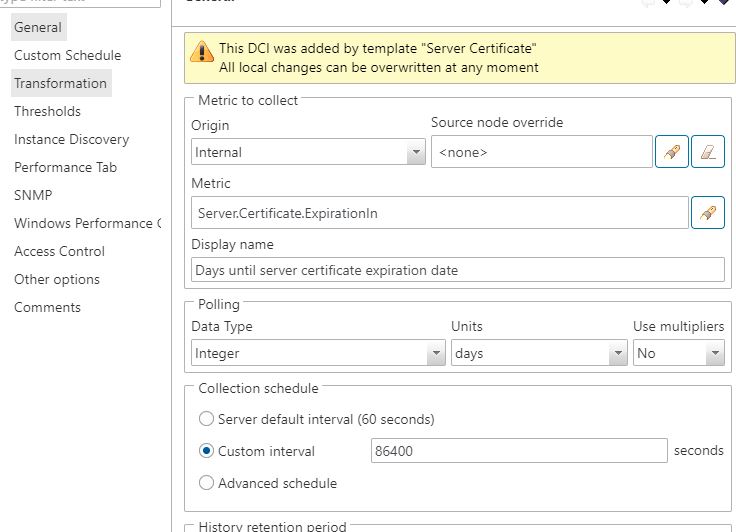
-
I am getting error while collecting script dataI can get a node's traffic value by writing a simple script, but when I add this script to the data collection configuration section of the node to track it as data, it gives an error (Unsupported) and stops collecting data.
What would be the reason ?
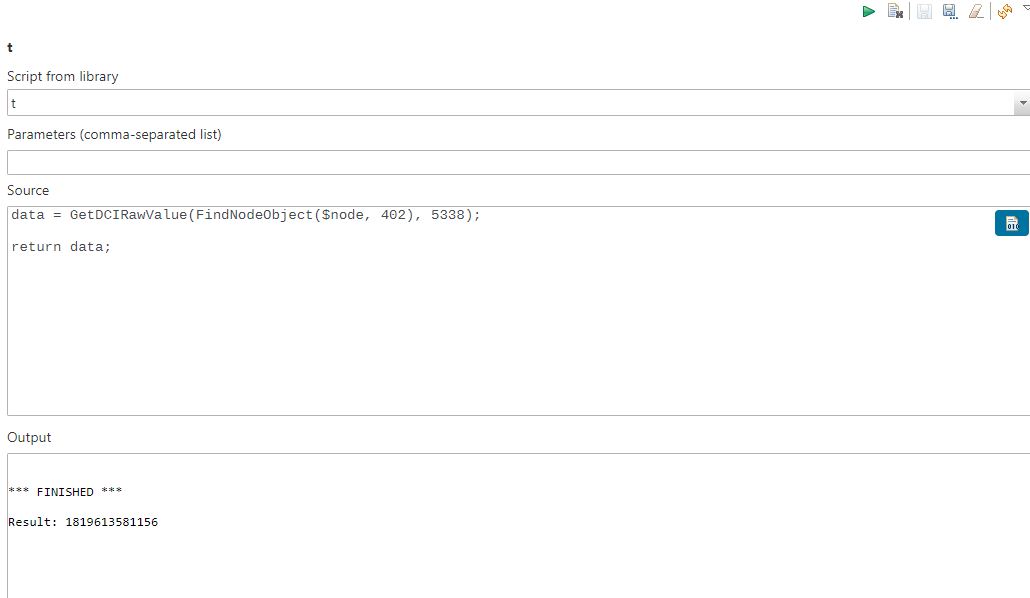
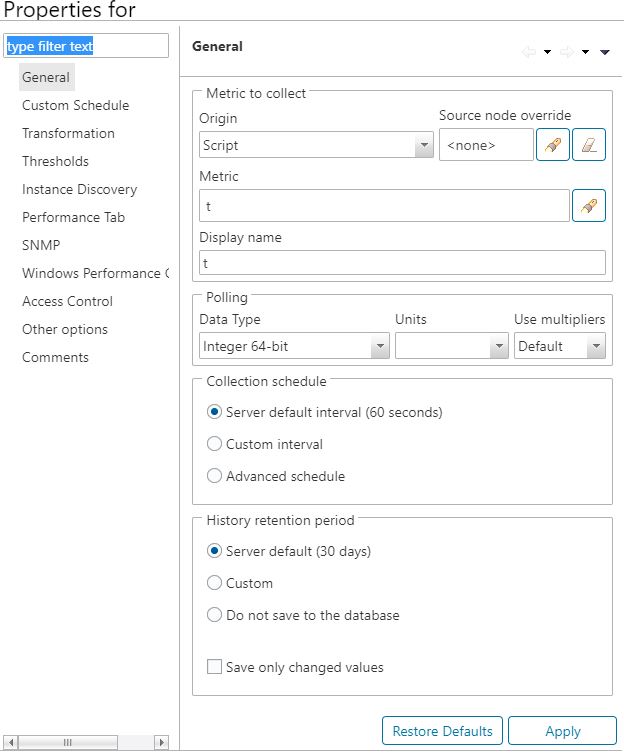
However, after waiting for a while, it crashes into passive mode with an error.
Status of DCI 0x00001861 (Script: t) changed to UNSUPPORTED -
I am getting server ssl error?I use netxms version, 4.2.432-1 on debian 11 server. After upgrading to the latest version, the following error started to appear.
What could be the reason for the following error?
Status of DCI 0x0000185F (Internal: Server.Certificate.ExpirationIn) changed to UNSUPPORTED -
NetXMS 4.0 released@filipp-sudanov said in NetXMS 4.0 released:
Try stopping Tomcat and deleting work catalog, then redeploying .war file again.
Cleaned folders on tomcat work Catalina folder and worked normally, thanks.
-
NetXMS 4.0 releasedFirst of all, thanks for the great work for this version.
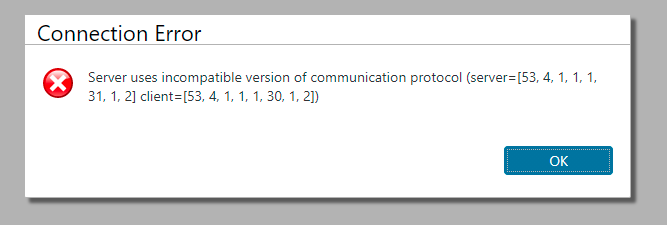
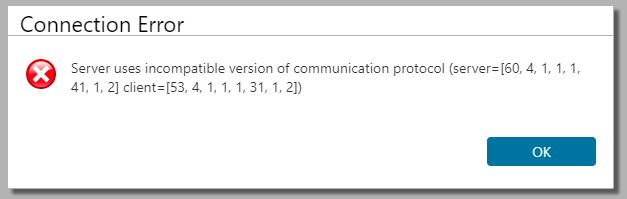
I have upgraded the netxms-server from 3.9.420-1 to 4.0.2088-1. And web console also upgraded, but can not login because of network protocol mismatch error.
-
Debian bullseye releasethanks Filipp, upgraded the agent without any issue.
-
Debian bullseye releasegreat news Victor, good to see you haven't forgotten about us, thank you.
-
Debian bullseye releaseI am also waiting for this update.
For now, I've managed it with the tar.gz package (for the client), but it would be nice if it could be installed with the package manager (apt).
-
NetXMS 3.9 releasedToday, downloaded the webconsole from the https://netxms.org/download/releases/3.9/nxmc-3.9.156.war again.
And this time, it seems version changed to the latest one, and worked without any problem.
-
NetXMS 3.9 released@victor said in NetXMS 3.9 released:
Hi,
it's packaging error. I just uploaded updated installers for agent and server, please try to download again.
Best regards,
Victorthe webconsole also has a problem with protocol and older then the server.
-
NetXMS 3.9 released@chrism said in NetXMS 3.9 released:
This suggests the Server is one version ahead of the client. I would suggest fully uninstalling the client, then reinstall the new version.
I have seen this myself where the original version is installed in a different file path.Not exactly, server and client versions are the same on the server.
ii  netxms-agent:amd64                   3.9.156-1                     amd64        NetXMS agent
ii  netxms-base:amd64                    3.9.156-1                     amd64        NetXMS core libraries
ii  netxms-dbdrv-pgsql:amd64             3.9.156-1                     amd64        PostgreSQL driver for netxms-server
ii  netxms-server:amd64                  3.9.156-1                     amd64        meta package
The error message comes from the webconsole. I think the webconsole (war package) somehow could not be upgraded to the latest version.
-
NetXMS 3.9 releasedAfter upgrade from 3.8.x to 3.9.156 web console can not login and shows an error message about incompatible protocol versions. (attachment included.)
Downloaded new version web console from https://netxms.org/download/releases/3.9/nxmc-3.9.156.war but after installing cannot login and version shows below right corner, still 3.8.405.