Skip to content
  • Categories
  • Recent
  • Tags
  • Popular
  • Users
  • Groups
Skins
  • Light
  • Brite
  • Cerulean
  • Cosmo
  • Flatly
  • Journal
  • Litera
  • Lumen
  • Lux
  • Materia
  • Minty
  • Morph
  • Pulse
  • Sandstone
  • Simplex
  • Sketchy
  • Spacelab
  • United
  • Yeti
  • Zephyr
  • Dark
  • Cyborg
  • Darkly
  • Quartz
  • Slate
  • Solar
  • Superhero
  • Vapor

  • Default (Flatly)
  • No Skin
Collapse
Brand Logo

NetXMS Forum

U

[email protected]

@user59290
Unfollow Follow
About
Posts
10
Topics
4
Shares
0
Groups
0
Followers
0
Following
0

Posts

Recent Best Controversial

  • Move Netxms
    U [email protected]
    Support

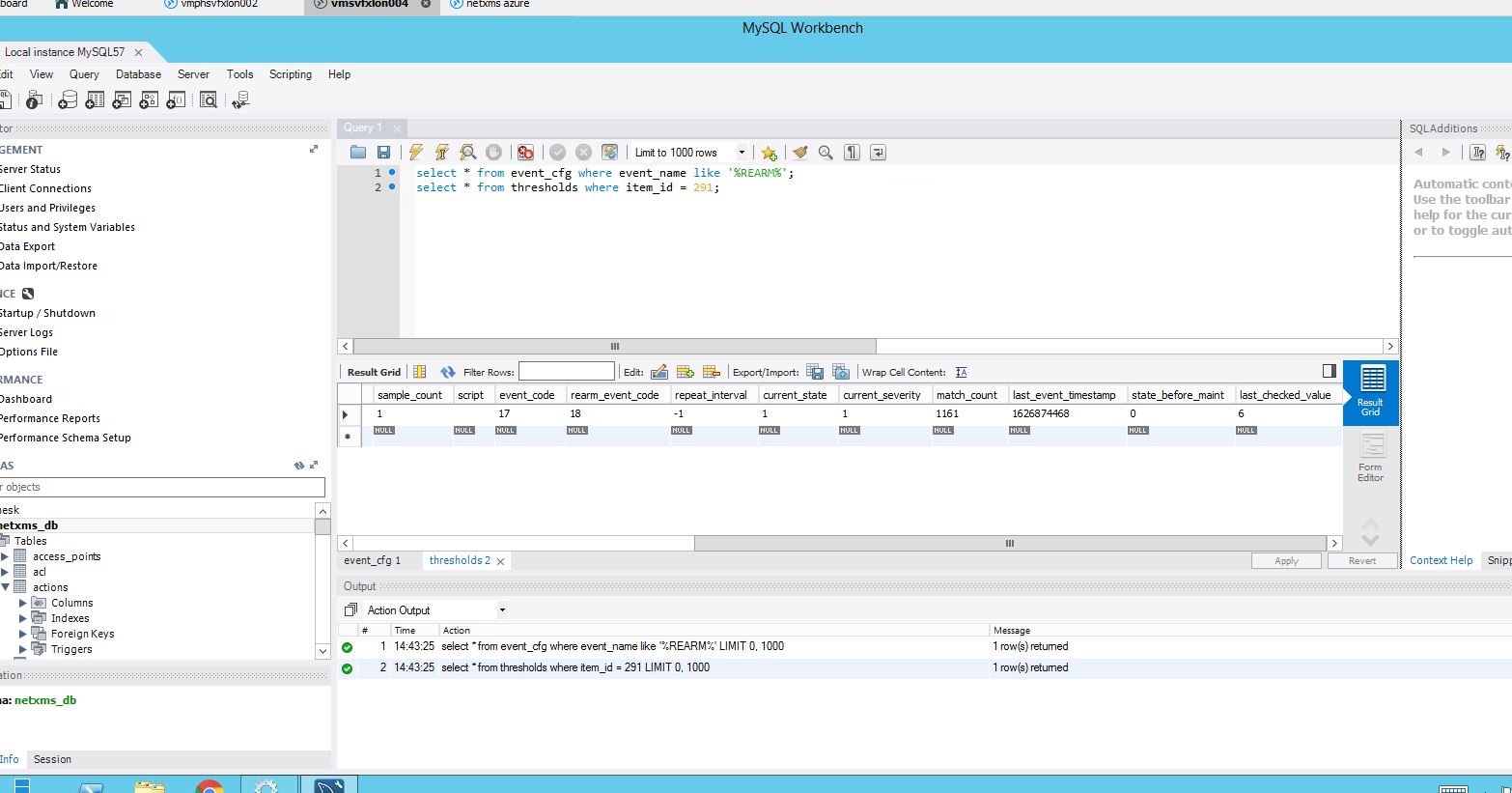
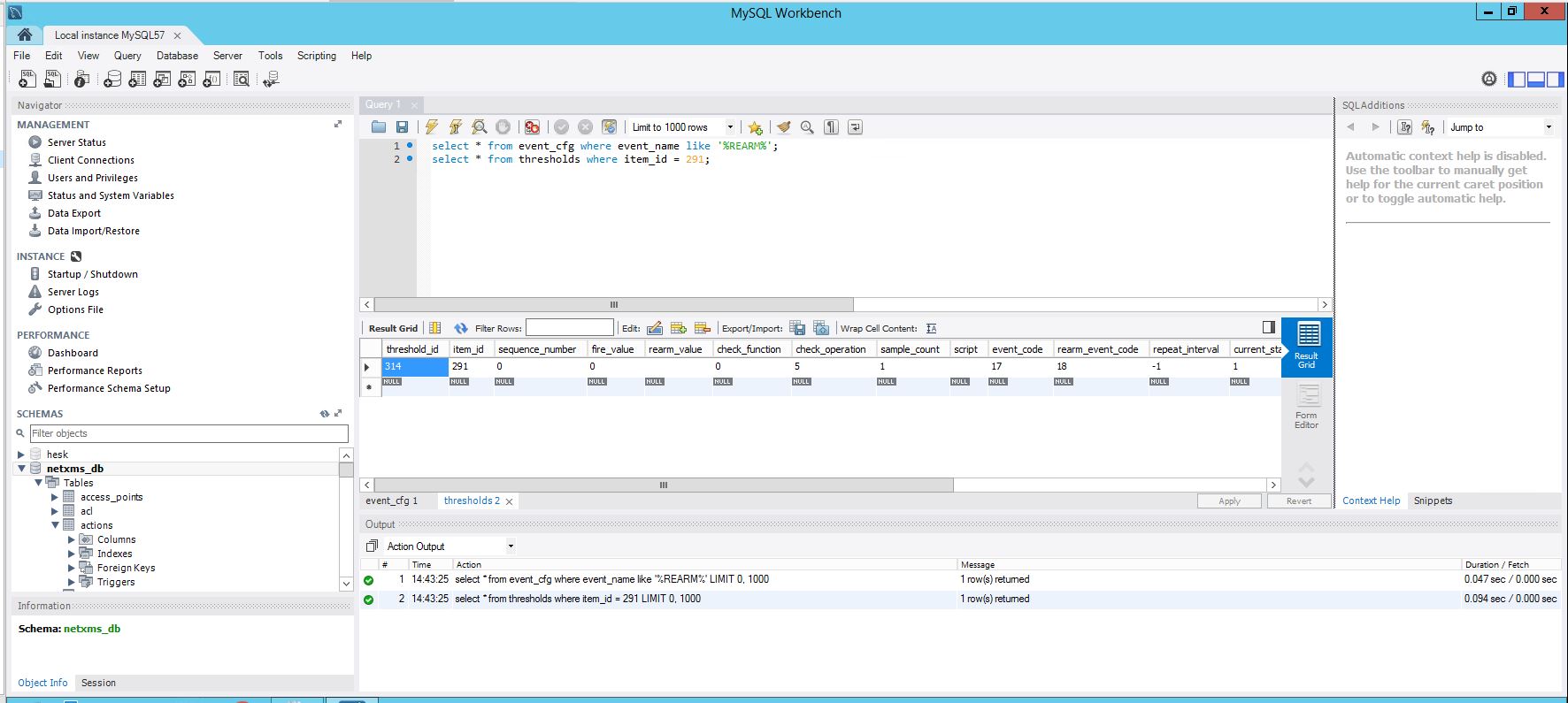
    Hi, please see attached.  I'm not super clear what i'm looking at - do you need anything else from me?

    As its my intention to use a new server, i'm wondering if opposed to the nxdbmgr migrate option I manually create the nodes on a vanilla netxms (approx 40 nodes) and I then import the DCI's - is this an option rather than trying to fix this problem?  I'm not fussed with keeping the history of the DCI's but to recreate each DCI will be a pain if I cannot export the existing in some way.

    btw, I managed to update the source netxms to 3.8.405 but alarms are still not terminating as they should.  as part of the upgrade I had to manually run an nxdbmgr unlock and upgrade option.

    Thanks for your help.

    netxms 9.JPG

    netxms 10.JPG


  • Move Netxms
    U [email protected]
    Support

    Hi,

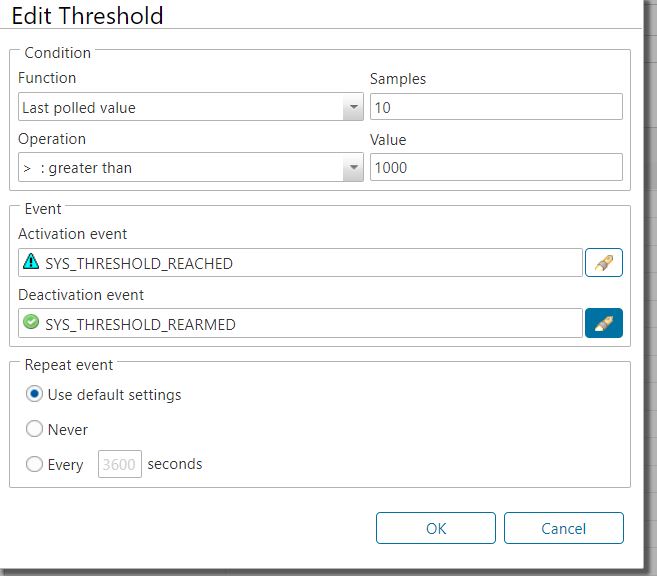
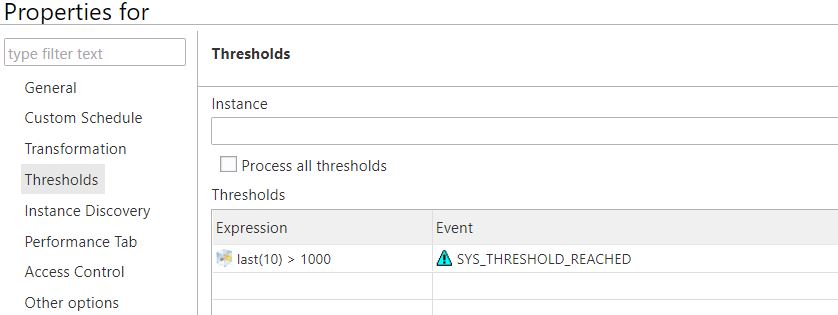
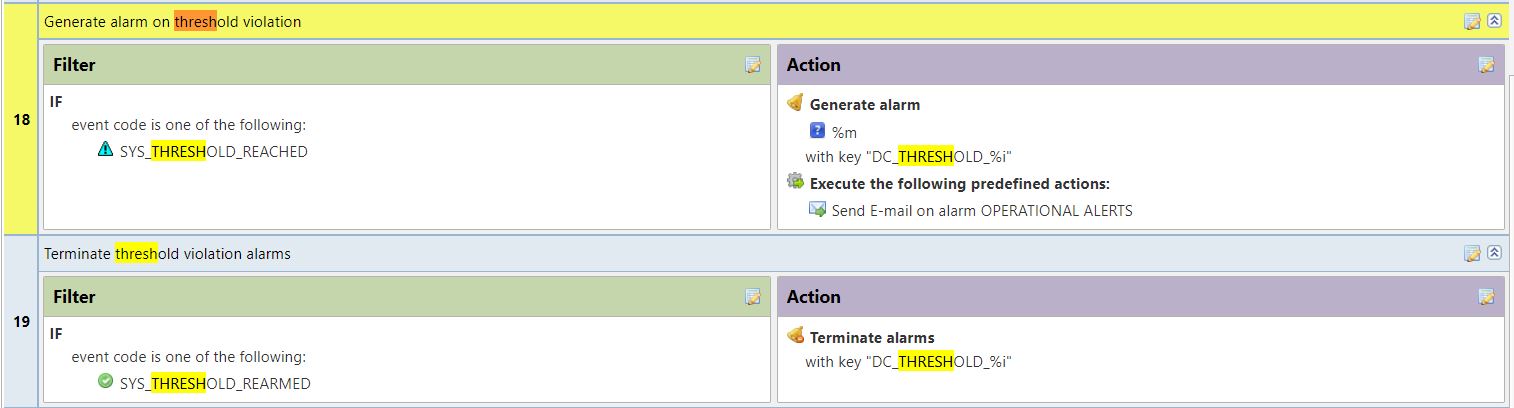
    Yes, there is a deactivation event enabled, 'SYS_THRESHOLD_REARMED', see attached.

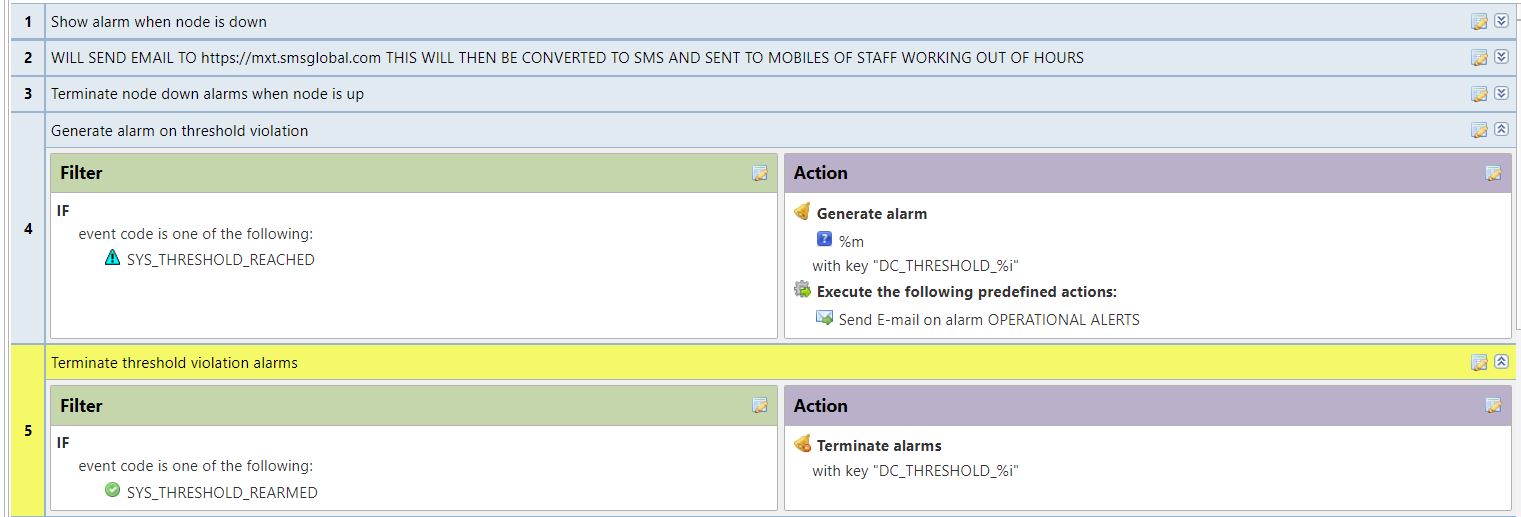
    I have checked the event processing policy and I cannot see any other entry using 'SYS_THRESHOLD_REARMED', I have now moved the rules for 'SYS_THRESHOLD_REACHED' & 'SYS_THRESHOLD_REARMED' up the EPP to rules 4 and 5 - no impact so far.

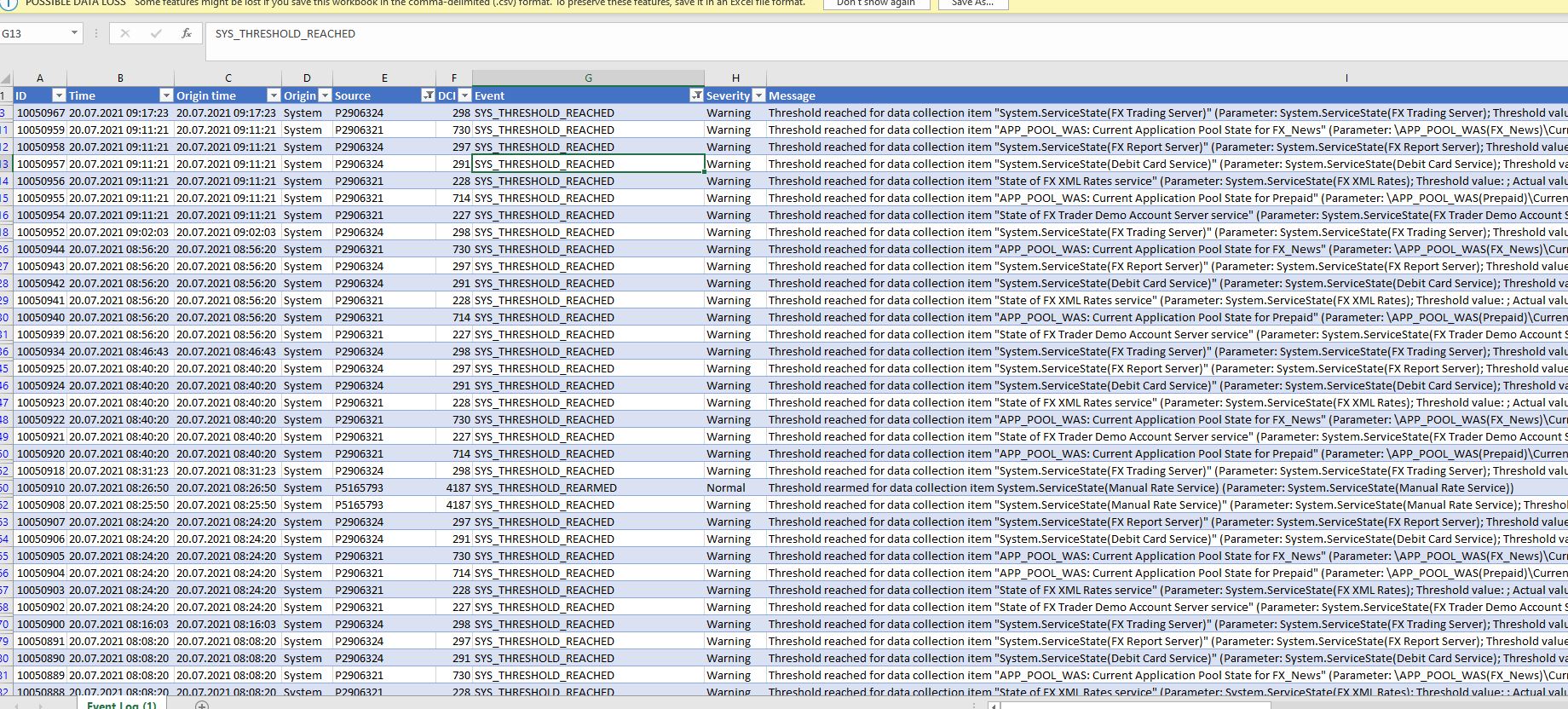
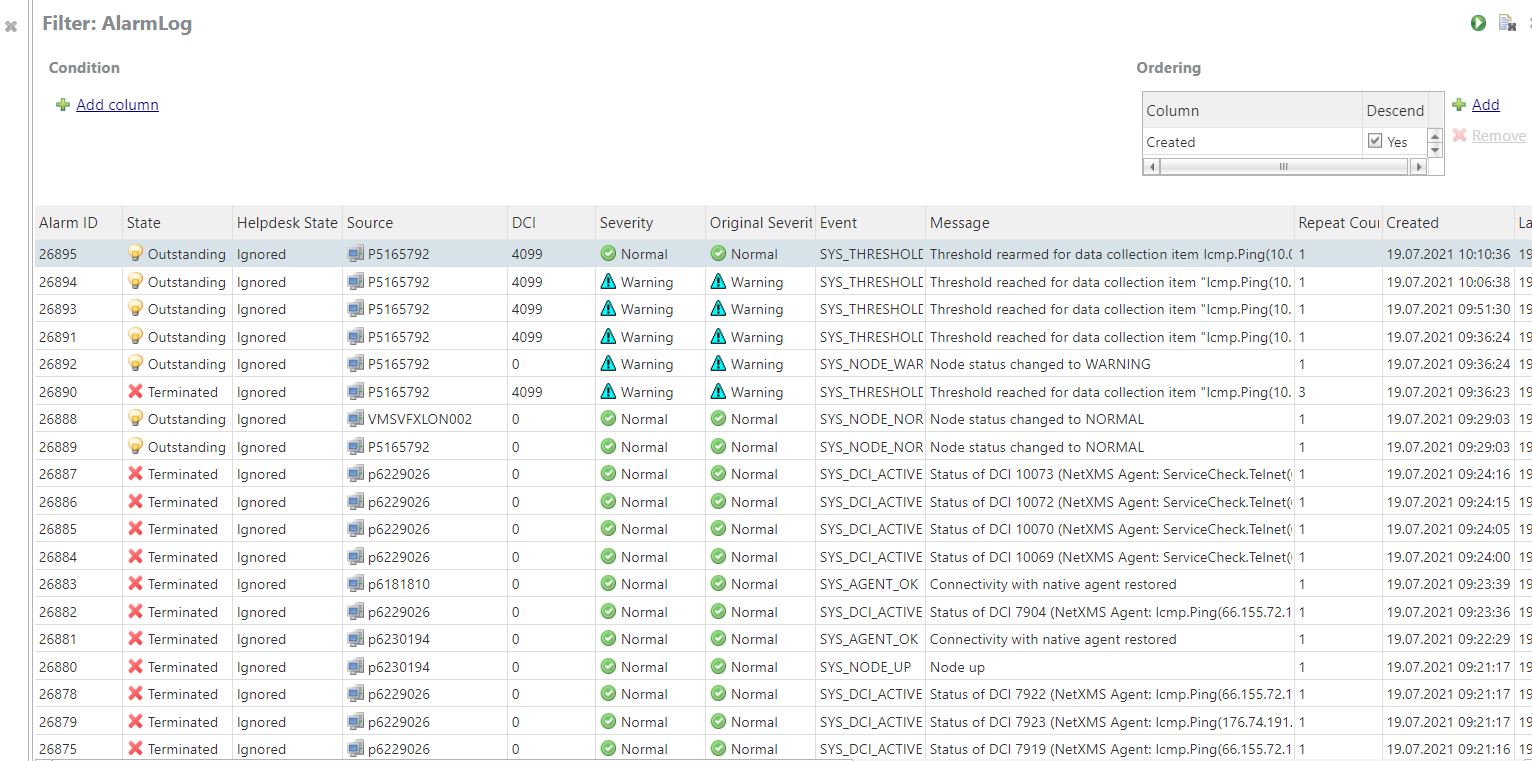
    Alarm browser does show 'SYS_THRESHOLD_REARMED' events, for example if you look at the attached for our server p5165790, you can see the icmp ping alert occurs at 15:49:23 and the threshold rearm event at 15:49:31 but the alarm is not cleared at all and on my dashboard the server remains in an error state until I manually terminate the alarm.  In the event log there are not many 'SYS_THRESHOLD_REARMED' events at all.  I exported the event log to Excel, you can see a lot of 'SYS_THRESHOLD_REACHED' events but not the corresponding 'SYS_THRESHOLD_REARMED' which there should be I guess?

    Thanks


    netxms 6.JPG

    netxms 7.JPG

    netxms 8.JPG


  • Move Netxms
    U [email protected]
    Support

    Thanks for your help with this.

    The event processing policy is in place and looks correct but the alerts are not clearing from the alarm browser - I attach a number of screenshots to this ticket which may assist you further.

    Funnily enough the 'original' netxms after a nxdbmr check and fix now has the exact same issue in regards to clearing alarms as what the 'new' netxms does.

    netxms for both 'original' and 'new' is running 3.7.95 - I tried upgrading the original before migration but it wouldn't upgrade for some reason.

    Following the migration I upgraded the 'new' netxms from 3.7.95 to 3.8.405 in an attempt to solve the alarms not clearing issue, the upgrade worked ok but the alarms still were not clearing.

    I found this article:  https://wiki.netxms.org/wiki/Reseting_state_of_all_alarms_and_node_statuses  would this be useful?  If so do I run these commands from nxdbmgr?

    Thanks


    netxms 1.JPG

    netxms 2.JPG

    netxms 3.JPG

    netxms 4.JPG

    netxms 5.JPG


  • Netxms and smtp port 587
    U [email protected]
    Support

    Hi, does NETXMS support sending encrypted emails on port 587 rather than the non encrypted SMTP port 25?  I changed my config to port 587 and emails wouldn't send.

    Thanks


  • Monitor IIS on WIndows Server
    U [email protected]
    Support

    Hi, I managed to monitor IIS application pools using another method.

    I added a new DCI and changed the origin for DCI to be 'Windows Performance Counters' opposed to NetXMS agent.

    From here I was then able to select parameter app_pool_was\current application pool state.

    Thanks

    Damien


  • Monitor IIS on WIndows Server
    U [email protected]
    Support

    Hi, does anyone know how I can use NetXMS to monitor the status of items within IIS?  For example I want to monitor if application pools are stopped or started and alert if they are stopped for a few minutes.

    Any help would be greatly appreciated.

    Thanks

    Damien


  • Find text string within log file
    U [email protected]
    Support

    sorry I made an error in my copy and paste, the remote agent config is defined as:

    #
    # NetXMS agent configuration file
    # Created by server installer at Tue Oct 11 15:24:54 2016
    #

    LogFile = {syslog}
    MasterServers = 127.0.0.1, 192.168.11.207
    FileStore = C:\NetXMS\var
    RequireAuthentication = yes
    SharedSecret = HIDDEN
    SubAgent = winperf.nsm
    SubAgent = portcheck.nsm
    SubAgent = logwatch.nsm
    # Below is log parsers definitions
    *LOGWATCH
    Parser = C:\NetXMS\parser1.xml


  • Find text string within log file
    U [email protected]
    Support

    Hi there,

    On the remote agent I have adjusted the conf file as described and in C:\NetXMS I have created a parser1.xml file

    remote agent conf
    <parser>
    <file>C:\test\logs</file>
    <rules>
    <rule>
    <match>TEST ERROR LOG</match>
    <event>100000</event>
    </rule>
    </rules>
    </parser>

    parser1.xml
    <parser>
    <file>C:\test\logs</file>
    <rules>
    <rule>
    <match>TEST ERROR LOG</match>
    <event>100000</event>
    </rule>
    </rules>
    </parser>

    When you say I need to create an event , do you mean a DCI for the remote node?  Thanks


  • Find text string within log file
    U [email protected]
    Support

    Hi there,

    Can you please advise how I can configure netxms to monitor a folder on a node, this folder contains log files and if the log files contains a specific text string "Failed to connect to FX Server" an alert is generated?

    I have looked at Logwatch but I have no idea how to make this work, or if its even the correct parser to use.

    Can someone help me?

    Many thanks, Damien


  • I cannot get HTTP or HTTP monitoring to work!
    U [email protected]
    Support

    Hi,

    I have read this post https://www.netxms.org/forum/configuration/web-site-monitoring/ and I still cannot get website monitoring working.

    We have a number of websites like www.grosik.com and www.easyfx.com, I need to monitor HTTP and HTTP for these sites.

    I have tried adding a DCI to the NetXMS server node ServiceCheck.HTTPS(176.74.191.175,443,/index.html,www.grosik.com,"^HTTP/1\.[01] 200.*") this returns a status value of three which I believe means server error?

    I believe the issue I have is our server does not have an index.html page, the websites are created in MVC(?) and a web.config file is loaded in the background meaning our pages do not have titles like index.html - i'm not a web dev so I do not understand this part!

    How else can I test that my companies websites are operational?

    Any help much appreciated, thanks

  • Login

  • Don't have an account? Register

  • Login or register to search.
Powered by NodeBB Contributors
  • First post
    Last post
0
  • Categories
  • Recent
  • Tags
  • Popular
  • Users
  • Groups