Skip to content
  • Categories
  • Recent
  • Tags
  • Popular
  • Users
  • Groups
Skins
  • Light
  • Brite
  • Cerulean
  • Cosmo
  • Flatly
  • Journal
  • Litera
  • Lumen
  • Lux
  • Materia
  • Minty
  • Morph
  • Pulse
  • Sandstone
  • Simplex
  • Sketchy
  • Spacelab
  • United
  • Yeti
  • Zephyr
  • Dark
  • Cyborg
  • Darkly
  • Quartz
  • Slate
  • Solar
  • Superhero
  • Vapor

  • Default (Flatly)
  • No Skin
Collapse
Brand Logo

NetXMS Forum

  1. Home
  2. Support
  3. Huawei switch - emty ports

Huawei switch - emty ports

Scheduled Pinned Locked Moved Support
9 Posts 6 Posters 86.8k Views
  • Oldest to Newest
  • Newest to Oldest
  • Most Votes
Reply
  • Reply as topic
Log in to reply
This topic has been deleted. Only users with topic management privileges can see it.
  • G
    G
    gorsvetto
    wrote on last edited by
    #1

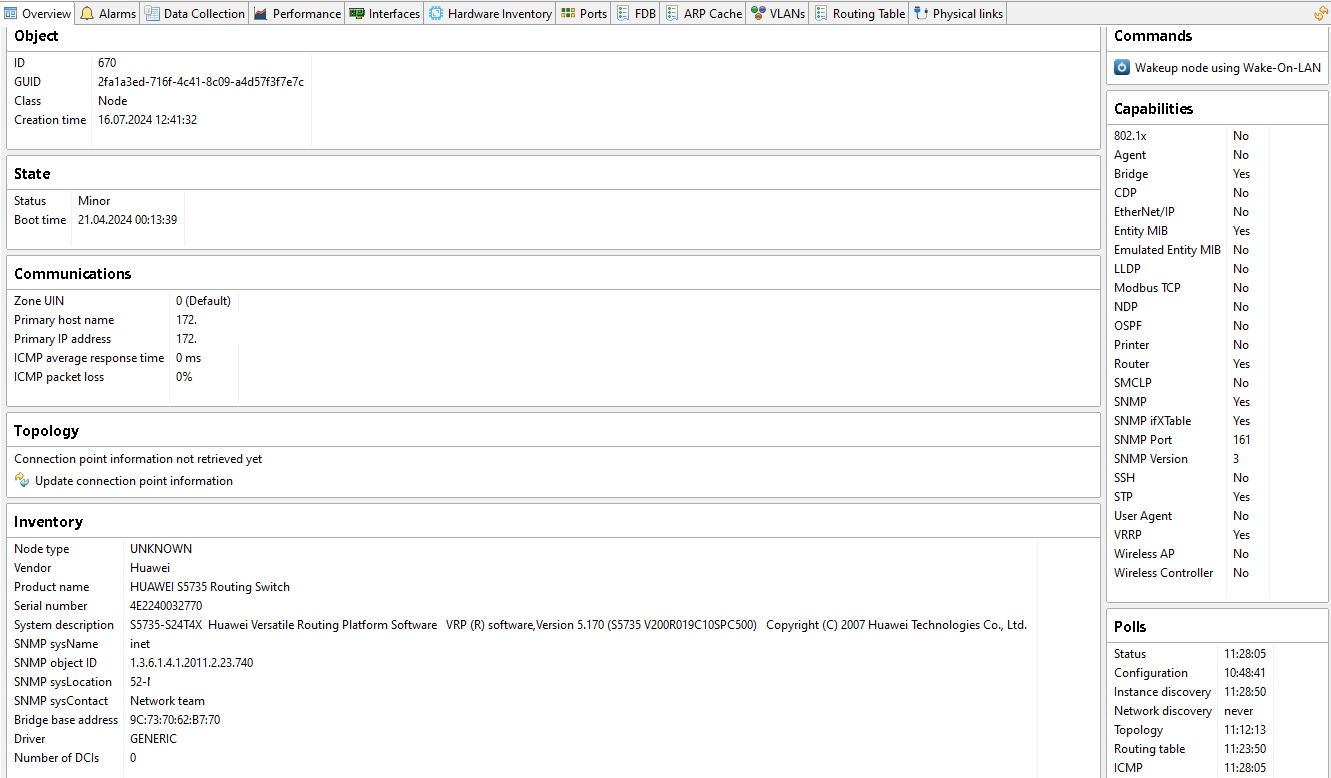
    We have some Huawei switches ( S5735-XXXX). They are discovered by NetXMS using GENERIC driver.
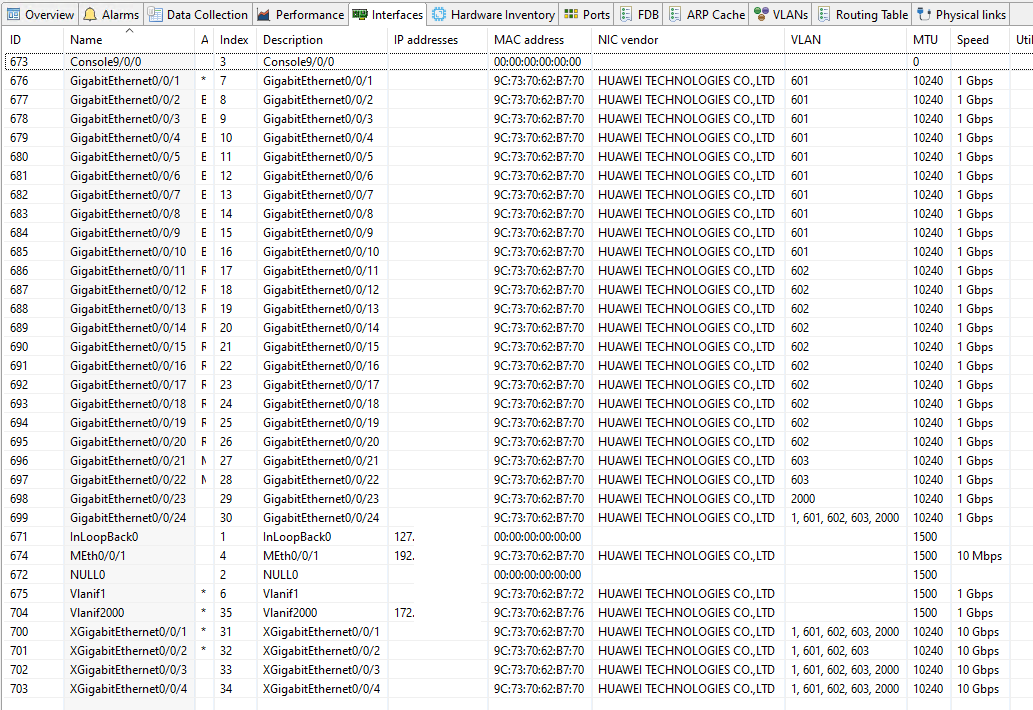
    Interfaces tab looks good, but :

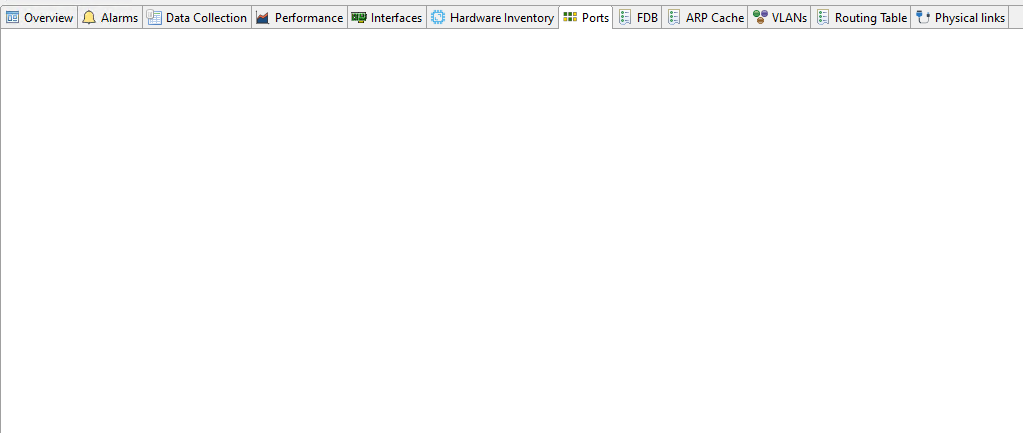
    • Ports tab is empty;
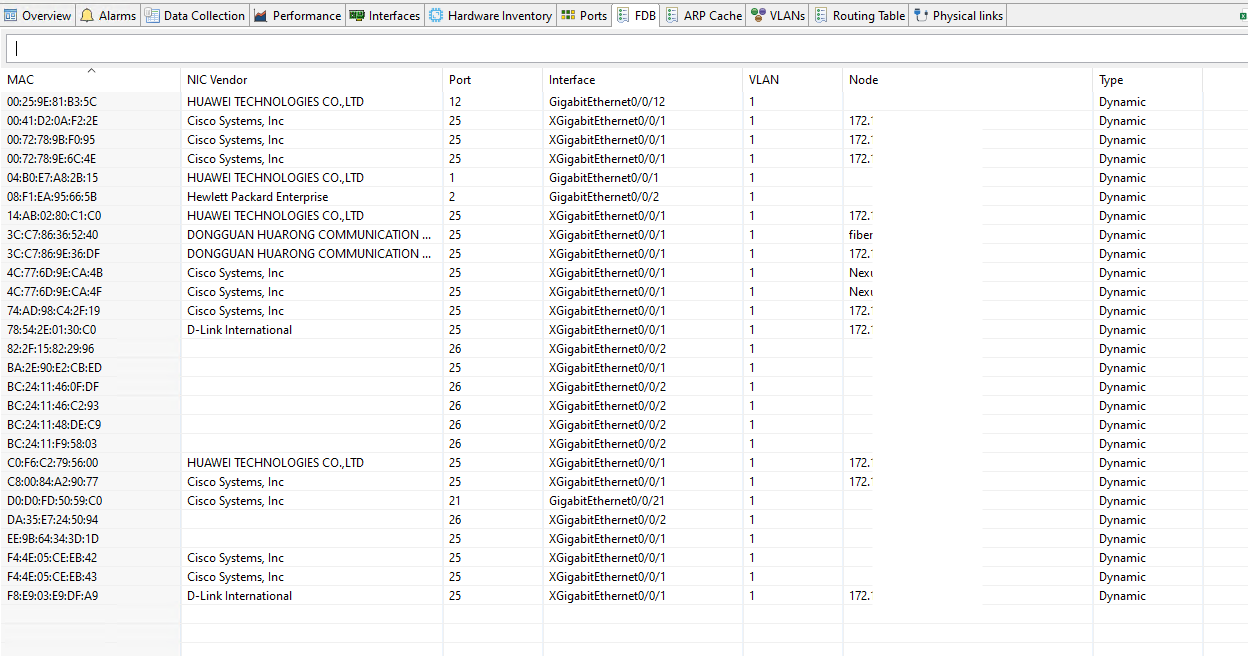
    • FDB tab shows MAC addresses for VLAN 1 only;
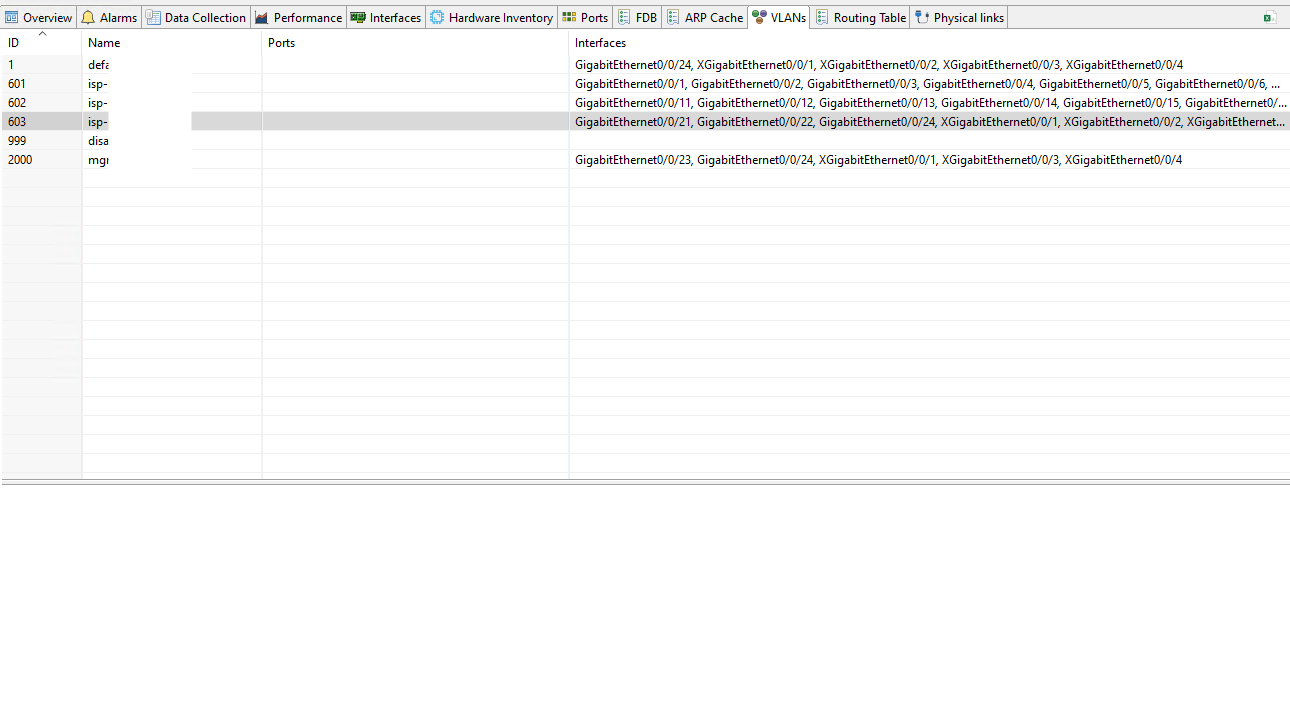
    • there is no port picture on VLANs tab.

    Is there any solution or workaround for this problem ?

    240718_113154_mstsc.png

    240718_113337_mstsc.png

    240718_113356_mstsc.png

    240718_113418_mstsc.png

    240718_113443_mstsc.png

    1 Reply Last reply
    0
    • Z
      Z
      Tatjana Dubrovica
      wrote on last edited by
      #2

      Hi,
      Looks like it is required to create driver for this type of devices. I wander if it possible to get remote access to this device (this way it is much faster to create and debug new driver)?

      1 Reply Last reply
      0
      • G
        G
        gorsvetto
        wrote on last edited by
        #3

        Hi,
        What kind of remote access do you need - SNMP, CLI ?

        1 Reply Last reply
        0
        • V
          V
          Victor Kirhenshtein
          wrote on last edited by
          #4

          SNMP is enough for testing the driver.

          1 Reply Last reply
          0
          • L
            L
            lhpaladin
            wrote on last edited by
            #5

            +1 upvote for this vendor driver

            1 Reply Last reply
            0
            • S
              S
              Spheron
              wrote on last edited by
              #6

              Hello @all,

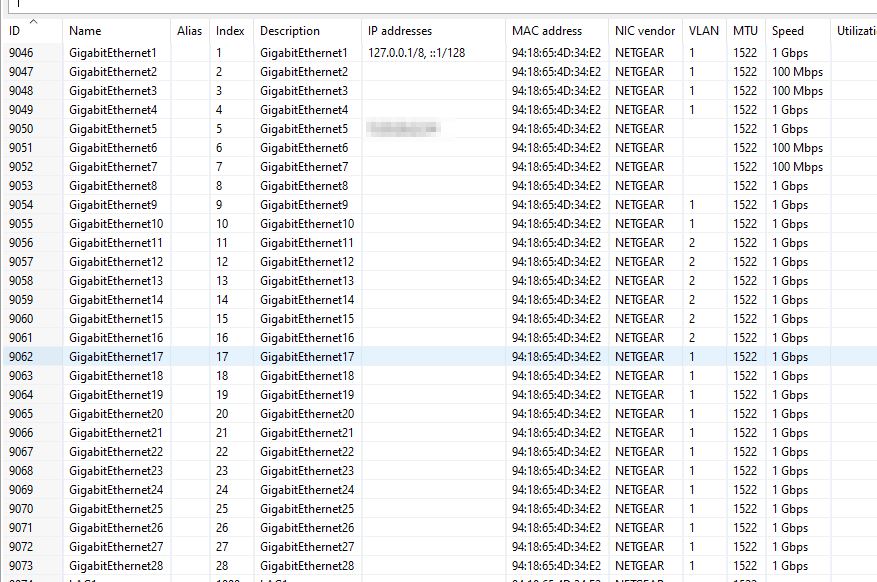
              having here a similar problem with a Netgear GS728TPv3.

              Ports Tab ist empty, Interface List shows VLANs at wrong interface or VLAN fields are empty in interface List...

              The correct values are:
              VLAN1 is on port 1-18
              VLAN2 is on port 19-24

              NetXMS is using the GENRIC Driver.

              Using here NetXMS V5.0.6 (Linux Debian / PostgreSQL)

              Must i use a vendor driver for this switch type too?

              Greetings
              Marco 


              interface.jpg

              1 Reply Last reply
              0
              • F
                F
                Filipp Sudanov
                wrote on last edited by
                #7

                @spheron said in Huawei switch - emty ports:

                having here a similar problem with a Netgear GS728TPv3.

                Any chances we can get remote access to your device for a few days? SNMP-only access is enough, it can be some test device not connected to real network

                1 Reply Last reply
                0
                • S
                  S
                  Spheron
                  wrote on last edited by
                  #8

                  @filipp-sudanov said in Huawei switch - emty ports:

                  @spheron said in Huawei switch - emty ports:

                  having here a similar problem with a Netgear GS728TPv3.

                  Any chances we can get remote access to your device for a few days? SNMP-only access is enough, it can be some test device not connected to real network

                  Hi Filipp,

                  sorry for the - very - late reply. Meanwhile Netgear released a new firmware with a vlan/snmp bugfix. After upgrade to newest switch firmware the VLAN infos in NetXMS are correct...

                  Greetings
                  Marco

                  1 Reply Last reply
                  0
                  • F
                    F
                    Filipp Sudanov
                    wrote on last edited by
                    #9

                    Great, thanks for the update

                    1 Reply Last reply
                    0

                    Hello! It looks like you're interested in this conversation, but you don't have an account yet.

                    Getting fed up of having to scroll through the same posts each visit? When you register for an account, you'll always come back to exactly where you were before, and choose to be notified of new replies (either via email, or push notification). You'll also be able to save bookmarks and upvote posts to show your appreciation to other community members.

                    With your input, this post could be even better 💗

                    Register Login
                    Reply
                    • Reply as topic
                    Log in to reply
                    • Oldest to Newest
                    • Newest to Oldest
                    • Most Votes


                    • Login

                    • Don't have an account? Register

                    • Login or register to search.
                    Powered by NodeBB Contributors
                    • First post
                      Last post
                    0
                    • Categories
                    • Recent
                    • Tags
                    • Popular
                    • Users
                    • Groups