
Total disk space in use of all servers
-
We are planning a move to cloud based servers and I need to gather information about how much disk space is used in total on all disks on all of my servers.
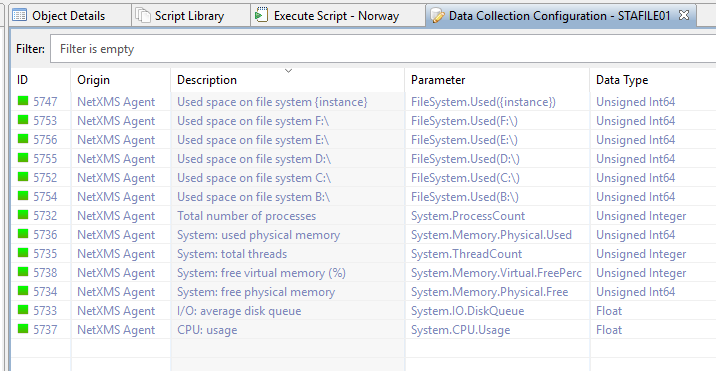
I have been able to add a DCI as a template that uses FileSystem.Used({instance}) as the parameter and queries the FileSystem.MountPoints Agent list to add a DCI to every server that enumerates the filesystems and produces the used space in bytes.
My ultimate goal is to run this as a DCI summary table on all servers at once, but I have two issues:
- The DCI I built and applied only works on Windows servers, it doesn't show up for the Linux servers, although the Linux servers do show the system-generated DCIs of "File system: used space on /", etc.
- The DCI Summary table won't take {instance} as you can with the DCI.
Even if it's just something like this, I can work with that and just total everything up in Excel, but it would be nice if I could do this all at once.
Server 1 drive
 xxx bytes
Server 1 drive d: xxx bytes
Server 2 drive / xxx bytes
Server 2 drive /etc xxx bytesWhat is the best way to accomplish what I need?
Thanks for a great product!
-
Hi!
If you need just one number for total disk space then best approach would be script DCI that will enumerate all servers and add up used disk space. Possible script implementation is following:
// Find "Entire Network" object and start enumeration from it
global TOTAL = 0;
EnumerateNodes(FindObject(1));
return TOTAL;

// This function walks object tree recursively starting from given root
sub EnumerateNodes(rootObject)
{
	// Walk all child objects
	foreach(o : GetObjectChildren(rootObject))
	{
		if (classof(o) == "Node")
		{
			// Process node object
            for(d : FindAllDCIs(o, "FileSystem.Used(*)"))
            {
                v = GetDCIValue(o, d->id);
                if (v != null)
                {
                    TOTAL += v;
                }
            }
		}
		else
		{
			// For all other objects, go down the tree
			EnumerateNodes(o);
		}
	}
}
You should select right top level object for enumeration. Also this script does not check if same node encountered multiple times - so you either have to pass such rot object under which each node bound exactly once, ar add additional check to avoid duplicates.
Best regards,
Victor -
-
Yes, you create script in library and then create script DCI specifying this script as parameter name. For testing you can select any container, right click and select "execute server script". You can also add print or trace calls to provide diagnostic. You have to use * as wildcard in FindAllDCIs call.
Best regards,
Victor -
Thanks Victor.
When I try to run it against a node, I get this:
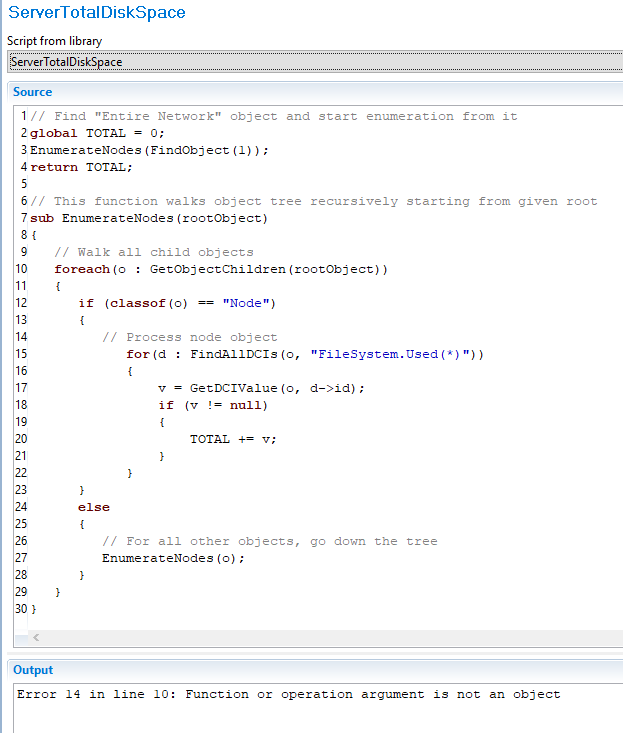
Error 14 in line 10: Function or operation argument is not an objectThe server in question has the DCI FileSystem.Used on it and shows all the drives.
Also, how do I create a script DCI? Where do I create that?
Thanks
-
Script works fine on my system. Did you copy&paste or type it?
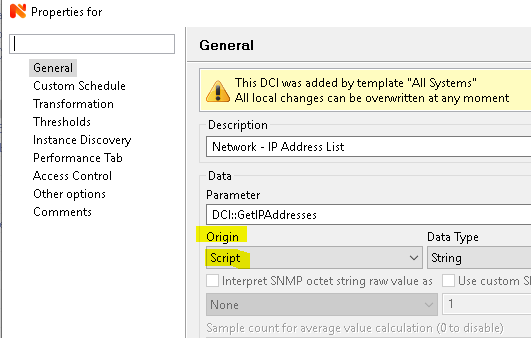
The reason the script uses FileSystem.Used(*) is because the * in the script is a wildcard, so it catches all such DCIs. It is not the same as an actual DCI on a node.To create a script DCI, create a new DCI and select Script under Origin. As Parameter you use the name of the script in your Script Library (see attached example for a script called "DCI::GetIPAddresses", obviously yours will be called something else).
-
-
As you are using a script DCI that goes through every single node in your installation, you can put that DCI on any node, really.
You could create a dummy node, e.g. "AWS" and create the DCI on there.Based on your error, it doesn't like something (the rootObject?) in line
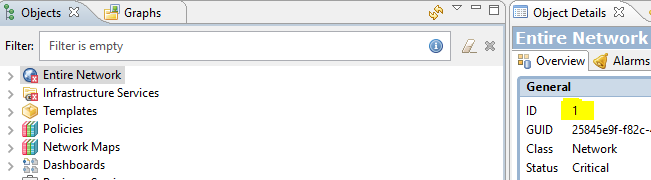
foreach(o : GetObjectChildren(rootObject))As per the script, initially that'd get the object children of object 1 (which is "Entire Network") and then move down the tree.
I wouldn't think this could break unless there is a typo in the script (direct copy&paste without a single change worked without any issues for me on two different installs) or some kind of database corruption. But Victor might have an idea. -
-
-
-
Check server configuration variable CheckTrustedNodes - it should be set to 0 (false).
Best regards,
Victor -
Hello! It looks like you're interested in this conversation, but you don't have an account yet.
Getting fed up of having to scroll through the same posts each visit? When you register for an account, you'll always come back to exactly where you were before, and choose to be notified of new replies (either via email, or push notification). You'll also be able to save bookmarks and upvote posts to show your appreciation to other community members.
With your input, this post could be even better 💗
Register Login