Skip to content
  • Categories
  • Recent
  • Tags
  • Popular
  • Users
  • Groups
Skins
  • Light
  • Brite
  • Cerulean
  • Cosmo
  • Flatly
  • Journal
  • Litera
  • Lumen
  • Lux
  • Materia
  • Minty
  • Morph
  • Pulse
  • Sandstone
  • Simplex
  • Sketchy
  • Spacelab
  • United
  • Yeti
  • Zephyr
  • Dark
  • Cyborg
  • Darkly
  • Quartz
  • Slate
  • Solar
  • Superhero
  • Vapor

  • Default (Flatly)
  • No Skin
Collapse
Brand Logo

NetXMS Forum

F

Felipe

@Felipe
Unfollow Follow
About
Posts
5
Topics
2
Shares
0
Groups
0
Followers
0
Following
0

Posts

Recent Best Controversial

  • Object query dashboard component
    F Felipe
    Support

    Good morning guys!

    How do you exactly display that table on a dashboard? 
    I wrote a similar script, tested it, and it's working fine. It returns the table, as the above example.
    I created a new DCI on the NetXMS server, with its origin being this script. When I go to the Last Values tab, the value of this DCI is show, e.g. Table@00000142F14623E0. 

    On the script, I can use println associated with table->rows, row->values etc. to print the table,
    but how do I display this table on the dashboard? I tried the Table Value element, but i didin't work.

    Thank you in advance.

  • Dashboard Layout Doubt
    F Felipe
    Support

    OK. Thanks.


  • Dashboard Layout Doubt
    F Felipe
    Support

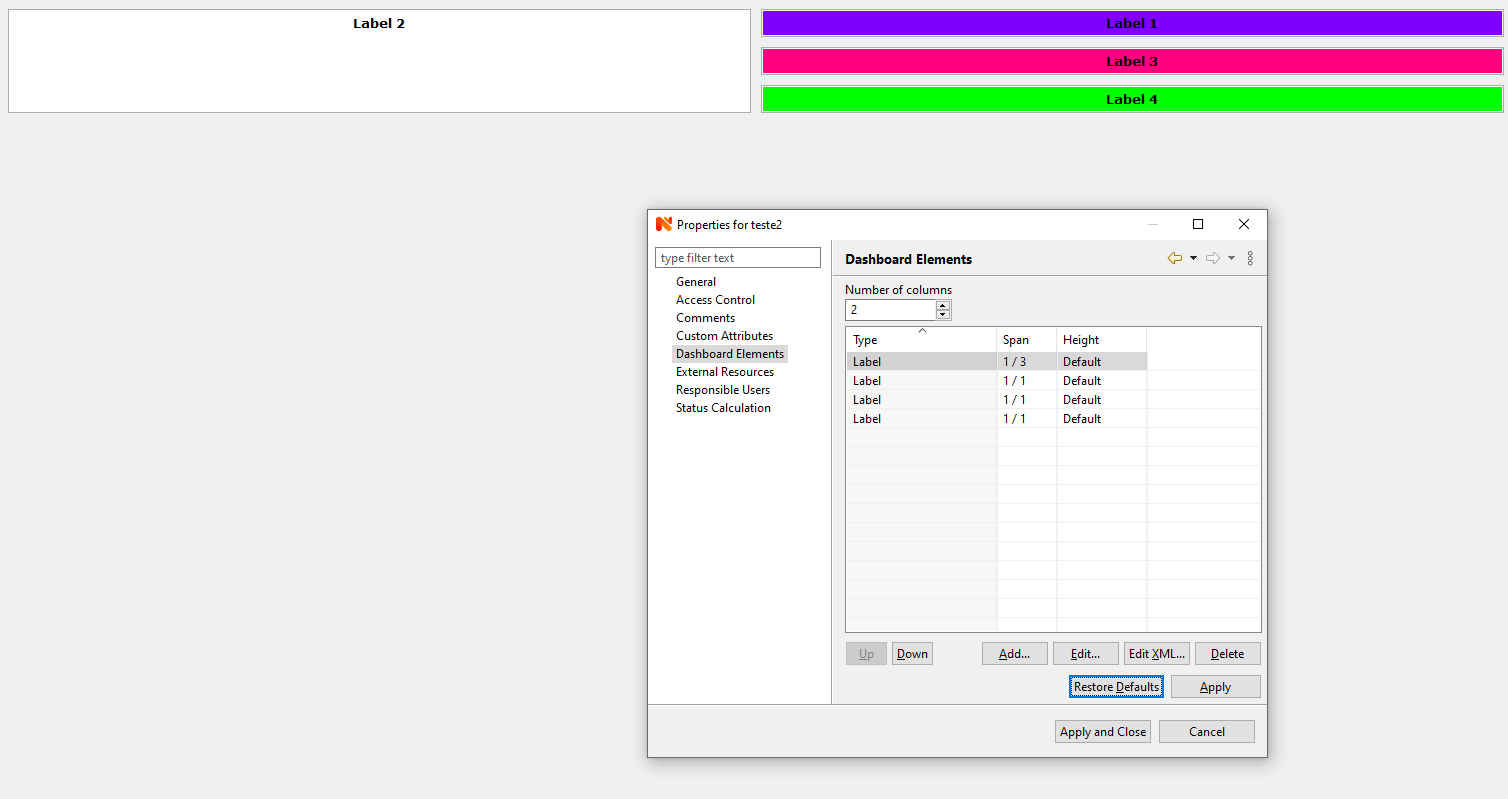
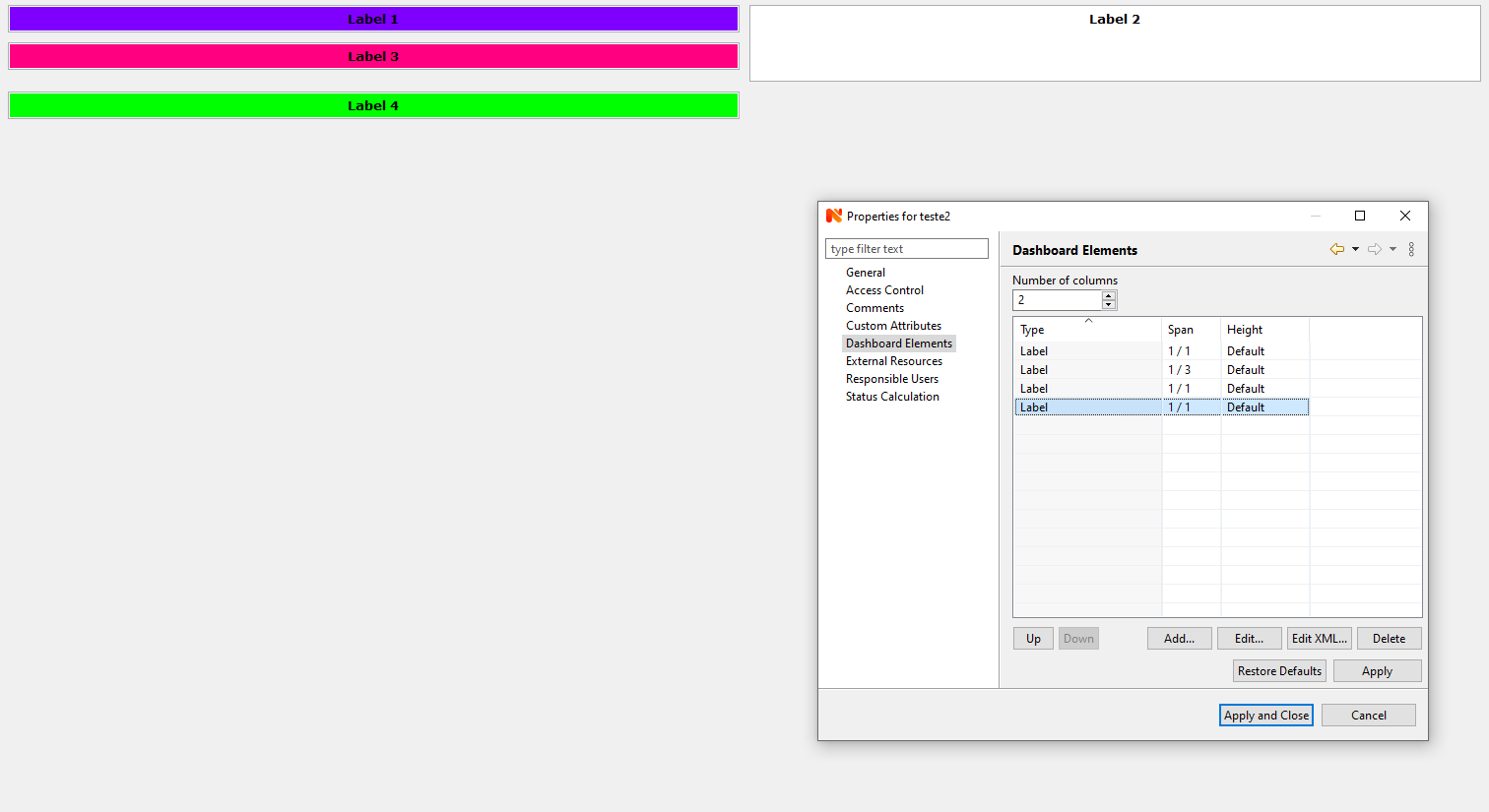
    Hey guys. I'm trying to make the bottom of Label 4 match the bottom of Label 2. If Label 2 is the first element specified in Dashboard elements, it works. But I want Labels 1, 3 and 4 stay in the first column, and label 4 stay in the second column. In fact this is an example. My real dashboard has many more elements.
    Am I doing something wrong?

    Thank you.


    Unexpected Dashboard Layout.PNG

    This way it works. The bottom matches.PNG


  • Configure NetXMS to use a local SMTP Relay
    F Felipe
    Feature Requests

    The problem was solved!

    Guess what: I just needed to restart NetXMS Server and the email notification worked (and also some personalized alarms I created. They were not working before, but after the server was restarted, everything was ok...)!


  • Configure NetXMS to use a local SMTP Relay
    F Felipe
    Feature Requests

    Hello Guys

    I'm testing NetXMS features and I want to receive an email when the Usage of System Memory is higher than 80%. I've already configured the Event Procesing Policy, Actions Configuration and I'm already receiving alerts on Console. I configured Windows SMTP Server (running on the same server where NetXMS is configured) to work as a relay, testesd using telnet and it's working, but the emails from NetXMS don't arrive, so I think the problem is about the configuration of Server Variables.

    Does anyone know the variables I have to set in order to make NetXMS to sent the emails to the local relay?

    So far I configured these ones:

    SMTPFromAddr        [email]@[domain].com
    SMTPFromName      NetXMS Server                 
    SMTPPort              25
    SMTPRetyCount      1                   
    SMTPServer            127.0.0.1

    Thanks

  • Login

  • Don't have an account? Register

  • Login or register to search.
Powered by NodeBB Contributors
  • First post
    Last post
0
  • Categories
  • Recent
  • Tags
  • Popular
  • Users
  • Groups