Where do we specify them so we can choose them in the dropdown?
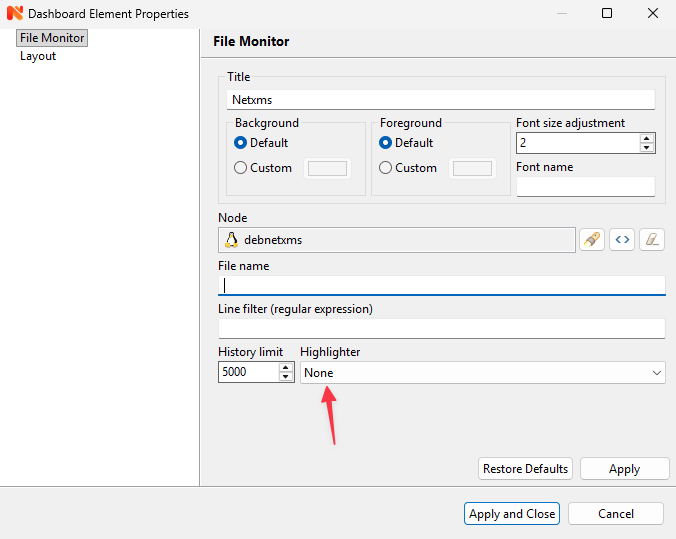
Where do we specify them so we can choose them in the dropdown?
The easiest way that i found when you are on debian is to install the web frontend / api in docker. Check the official documentation to install docker on debian first.
services:
  tomcat:
    image: tomcat:9.0
    container_name: tomcat9
    ports:
      - "8080:8080"
    volumes:
      - ./webapps:/usr/local/tomcat/webapps
      - ./logs:/usr/local/tomcat/logs
    environment:
      - TZ=Europe/Stockholm
      - CATALINA_OPTS=-Xms512m -Xmx1024m
      - NXMC_SERVER=x.x.x.x #WEB
      - NX_SERVER=x.x.x.x #API
    restart: unless-stopped
Download war files from netxms and drop them here with the same names as in the picture:
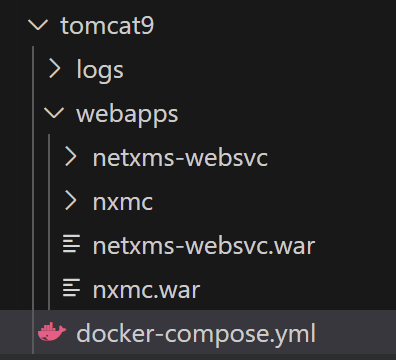
Its quite nice to manage docker with visual code or else you can just start the docker from shell.
http://localhost:8080 is the server running on.
Now you can install another docker like nginx-proxy-manager and let it point to this server.
Good luck.
I have tried Swedish and English keyboard from windows and mac trying to control a windows server set to Swedish and English. No capital letters at login prompt whatever i try. If i use another vnc viewer instead of the built in Netxms console it works.
Im using tightvnc server.
I tried the latest netxms console in windows as well and it seems to have the same problem. At least for me.
Im using the jar file packaged as a mac client:
Here is the translation to English:
Install JRE2App
JRE2App is a tool used to convert Java programs into macOS applications.
To install JRE2App, run the following command in the terminal:
brew install python
git clone https://github.com/Jorl17/jar2app
cd jar2app
Next, you need to fetch some specific commits from the JRE2App project:
git pull origin dcda6681c86b22a5dbe2f8ea82f5e02081a78f0f
git pull origin c10df88b3cd94d2d0e83002be2d2f22db80eb88a
git pull origin 58307b345a4a374fe02f053f0c81d382c952994c
Now you have installed and updated the JRE2App tool.
Create a NetXMS App
NetXMS is a network monitoring system.
To create a macOS app for NetXMS, run the following command:
python3 jar2app.py -j "-XstartOnFirstThread" ../NetXMS/nxmc-5.1.1-standalone.jar -r /Users/user/Downloads/jdk-23.0.1.jdk -i ../NetXMS/nxmc.icns
Explanation
• python3 jar2app.py: Runs the JRE2App tool.
• -j “-XstartOnFirstThread”: Adds a JVM parameter to start the program on the main thread.
• ../NetXMS/nxmc-5.1.1-standalone.jar: The path to the standalone JAR file containing the NetXMS program.
• -r /Users/user/Downloads/jdk-23.0.1.jdk: The path to the Java Runtime Environment (JRE) to be used for building the app.
• -i ../NetXMS/nxmc.icns: The path to an ICNS file containing the app icon.
By running these commands, you create a macOS app from the NetXMS program using the JRE2App tool. The result is a standalone macOS application that you can distribute and run on your computer.
I actually forgot to upgrade the agent on the server when i tested this before now it works like a charm 
The only problem i have in the vnc session is that cannot type capital letters so i cannot get the password right.
2025.01.18 14:03:55] Cannot connect to SSH
[2025.01.18 14:03:55] Checking direct VNC connectivity...
[2025.01.18 14:03:55] Cannot connect to VNC
[2025.01.18 14:03:55] Checking VNC connectivity via local agent...
[2025.01.18 14:03:55] VNC connection via local agent is available
Yes ill try and upgrade i have enabled the proxy, and i also have enabled the loopback connection on tightvnc server ill get back to you
Is there any more documentation about the vnc remote control or how to debug it?
I did everything that it explain but when i do a configuration poll i get:
[2025.01.17 18:51:25] Checking direct VNC connectivity...
[2025.01.17 18:51:25] Cannot connect to VNC
[2025.01.17 18:51:25] Checking VNC connectivity via local agent...
[2025.01.17 18:51:25] Cannot connect to VNC
I have enabled loopback on tightvnc server and tried with and without firewall, enabled proxy tcp and such.. This is a windows server.
We have this in the documentation:
Remote control option will appear for nodes where VNC install is detected. In order to take advantage of this feature, one should add EnableTCPProxy = yes in agent configuration on remote node followed by agent restart. Run Configuration Poll on the node you want to VNC to. Target VNC may require loopback connection to be enabled as well as firewall settings adjusted. In cases when there is no agent installed on remote node, but VNC is present, we can use agent on NetXMS server or agent serving as zone proxy. In this scenario, one would need to add EnableTCPProxy = yes in agent configuration on server or on agent that acts like proxy for zone. Your NetXMS user should have “Initiate TCP proxy sessions” system access right. In addition, in object tree user should have “Control” access rights to that node.
I might have been overthinking this issue.
I think its enough to have this in the event template:
Nginx certificate will expire in 14 days for: %<instance> on server %n
%<instance> is the certificate name in my case
and %n is the node or object name in netxms.
Thank you so much for the input though.
Is there any possibility to get a value to event template other than the instance one.
It returns the row but you cannot use this in the event template like %column:ColumName or %row:ColumName??
@alk said in Run jar console on mac:
I'm working on proper .app launcher, plan to release in next couple of days.
Sounds great thank you.
Wow thanks it works perfectly. 
Does anyone know how you can get the standalone jar package to run under mac? nxmc-5.1.1-standalone.jar
Thanks i can confirm that this works.
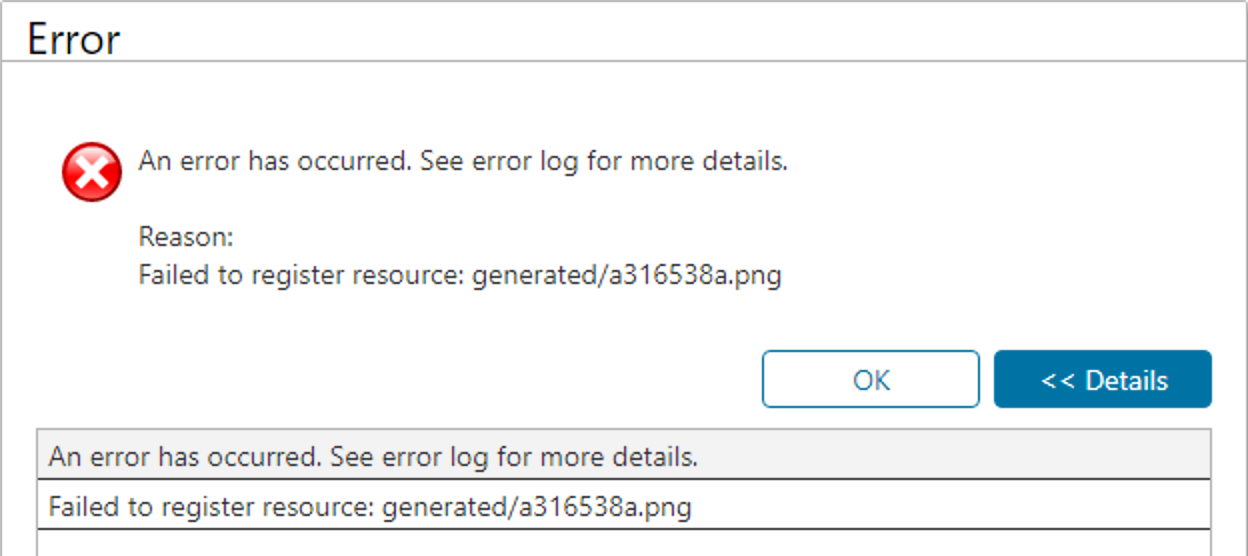
Is this a known problem, when this is triggered it seems that the website slowly starts to throw more and more error
Hi it would be nice if we could set the font size under DCI Container General properties under network maps.
Thanks a lot I can confirm this is working.
In agent config add:
ExternalCommandTimeout = 30000
Timeout is in milliseconds..
Hi there trying it the object tools command output setting like this
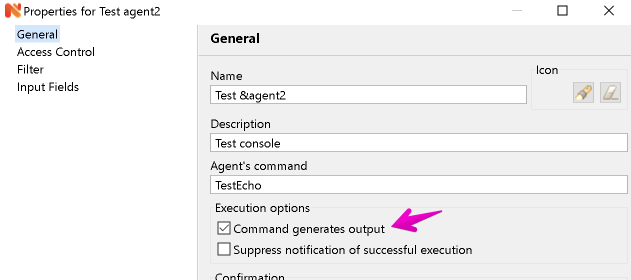
When running the command it will return som data and then terminate (after 4 seconds)? it should return 30 rows. Tried to change Agent.CommandTimeOut in server configuration but that didn't change anything.
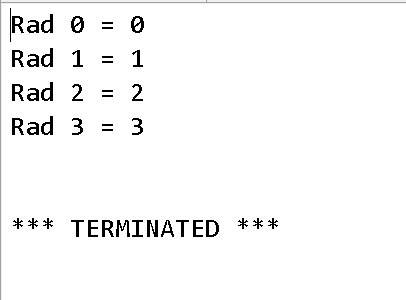
Here is the content of my test script:
For ($i=0; $i -le 30; $i++) {
                Start-Sleep -Seconds 1
               "Rad $i = " + (1 * $i)
               }
And the config in agent config on the node that object tools is calling.
ActionShellExec = TestEcho:Powershell -executionpolicy bypass -c "C:\NetXMS\script\Pilot.ps1"

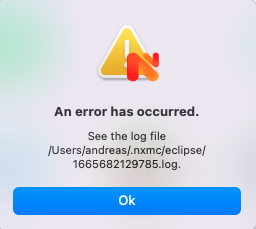
Thanks for the link about the error i got it was resolved by deleting the eclipse folder inside .nxmc
I actually got this error trying that file, installed https://download.oracle.com/java/19/latest/jdk-19_macos-aarch64_bin.dmg but that didnt made any difference...