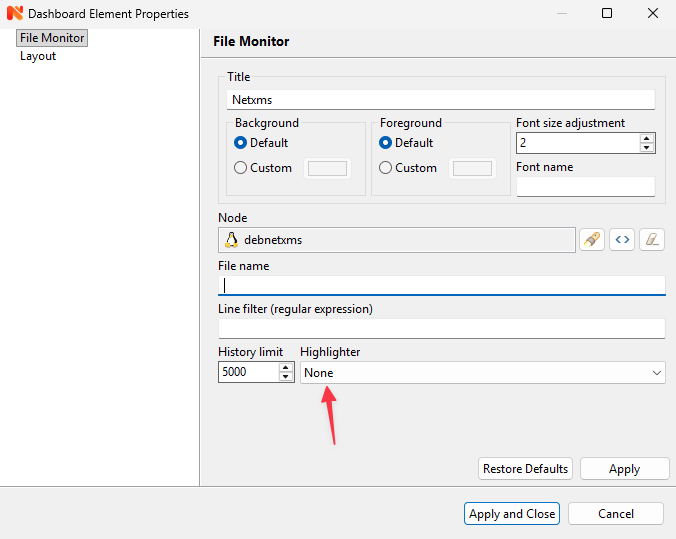
Highlighters need to be implemented in code to be present in this list. Currently not a single one is present.
What's you file format that you'd want to highlight, how complicated it is?
I have tried Swedish and English keyboard from windows and mac trying to control a windows server set to Swedish and English. No capital letters at login prompt whatever i try. If i use another vnc viewer instead of the built in Netxms console it works.
Im using tightvnc server.
I made a workaround instead created a script called RunAction:
AgentExecuteAction($node, $1);
This one takes a parameter so in Scheduled Task you should select Execute.Script instead and in parameters put
RunAction(NameOfActionInAgentConf)
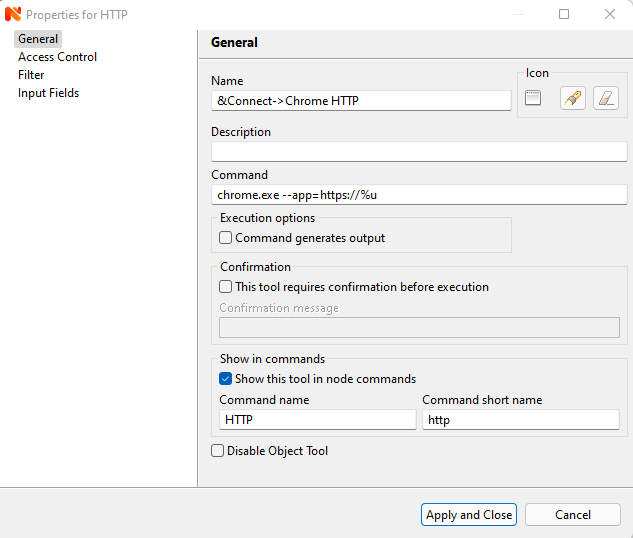
Go to: Configuration -> Object Tools
Add a new local command.
Name: &Connect->Chrome HTTP
Command: chrome.exe --app=http://%u
Name: &Connect->Chrome HTTPS
Command: chrome.exe --app=https://%u
[image: chrome1.png]
Thank you so much for the answer this is not an issue for me just wanted to get more info in the mail but i can always go and check for the information i netxms afterwards.
Sorry i cannot test to see if this works as i uninstalled this test server and moved it to a production one. Will test next time though if i get this error again.
Put the content from this snippet in a file called: nxmc.exe.manifest in the samde directory as your nxmc.exe.
<?xml version="1.0" encoding="UTF-8" standalone="yes"?>
<assembly xmlns="urn:schemas-microsoft-com:asm.v1" manifestVersion="1.0">
<application xmlns="urn:schemas-microsoft-com:asm.v3">
<windowsSettings>
<dpiAware xmlns="http://schemas.microsoft.com/SMI/2005/WindowsSettings">False</dpiAware>
</windowsSettings>
</application>
</assembly>
Then add a registry to your computer called:
HKEY_LOCAL_MACHINE > SOFTWARE > Microsoft > Windows > CurrentVersion > SideBySide
DWORD (32 bit) Value: PreferExternalManifest
Value: 1
Source: http://winaero.com/blog/how-to-fix-apps-that-look-small-on-high-dpi-and-high-resolution-displays/