
Atleast I've got:
SubAgent = portcheck.nsm
in the nxagentd.conf
I have no other way of checking if it's ok.
It had the value from start so I haven't added anything in the conf-file, just verified that the entry was there.
Atleast I've got:
SubAgent = portcheck.nsm
in the nxagentd.conf
I have no other way of checking if it's ok.
It had the value from start so I haven't added anything in the conf-file, just verified that the entry was there.
Hi again!
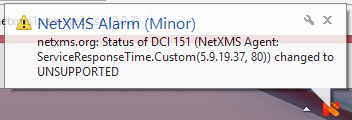
After creating the template DCI and assigning it to the netxms.org-node I get this "UNSUPPORTED" message.
See enclosed image
Also, the "last values" page on the node is empty.
Thank you very much for your wiki!!
Very serious!
I have a few comments:
That really confused at first but now when I got it confirmed that it's a bug I'm satisfied:-) Thanks for the confirmation.
Why not use "ServiceResponseTime.HTTP(*)"?
Is this a redundant post?
I mean, we don't need to create two DCIs, do we?
Thanks again for your serious respons!
I didn't expect that:-)
I'm a newbie too. I agree with the thread owner.
Also, "apply" maybe should be changed to "assign node" or similar.
While talking about templates...
When I have a node under a template and (while looking for how to remove the node from it) I was a second from clicking "delete" on the node under the template.
My initial thought would be that it's just a reference to the object and that the reference is being removed.
But it seems that you remove the whole node.
Thanks for your time
I'm really sorry. I must be slow...
I have tried everything you describe and what was described above too.
Unsupported DCI, error with timestamp 1970-01-01 etc etc comes up.
So, I shouldn't use poller node?
Is it source node on the DCI that should be used for this purpose?
I created a template, netxms agent origin, selected "ServiceCheck.HTTP(*)".
Set source node as netxms1 (my netxms server).
Applied it to the netxms.org-node.
The status of the DCI under netxms.org is "Not supported".
Anyone?
Hello dear friends!
I still don't get it right...
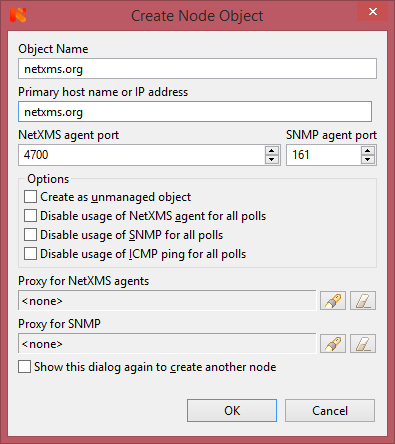
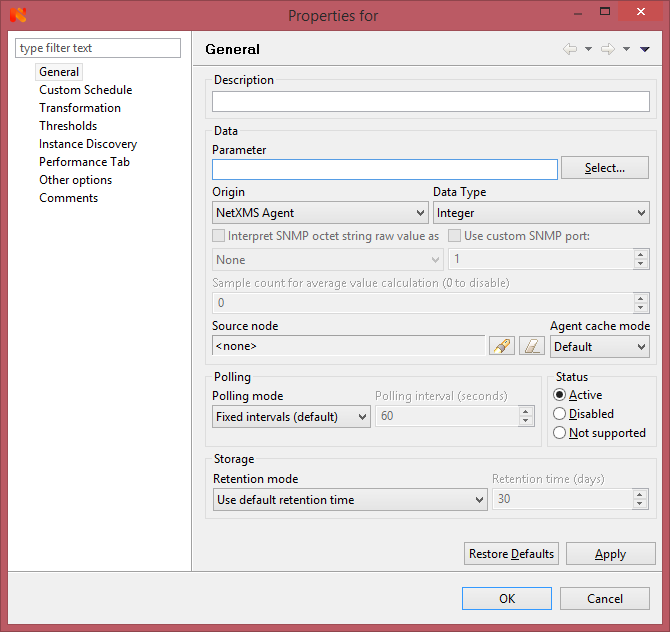
Attached are some screenshots of what I see.
I created a new netxms.org-node
_new_node shows just what I see when I create the new node.
_polling shows the polling settings <server> is there as default, I also tried changing that to the server "netxms"
_new_dci shows the new DCI-form you all know
_parameters_empty shows what I see when I click [select]. On a node with netxmsagent installed this list is full of goodies, but not now.
For appearent reasons I can't install the agent on all websites and gear I want to monitor with TCP.
Thanks for your patience
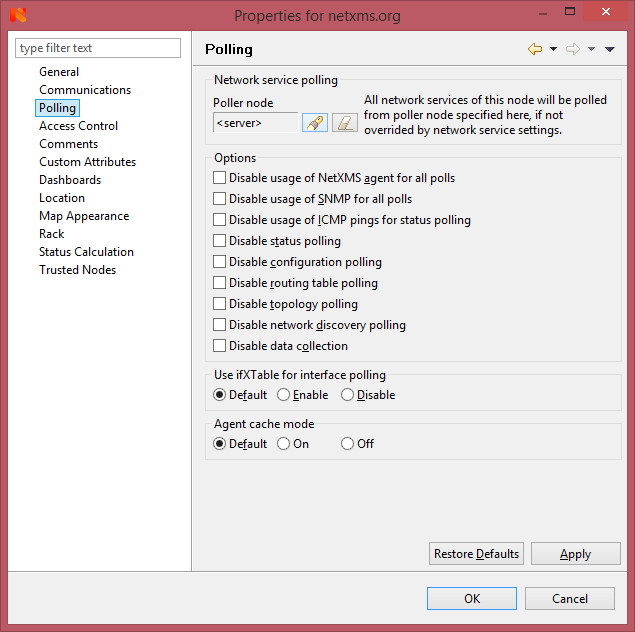
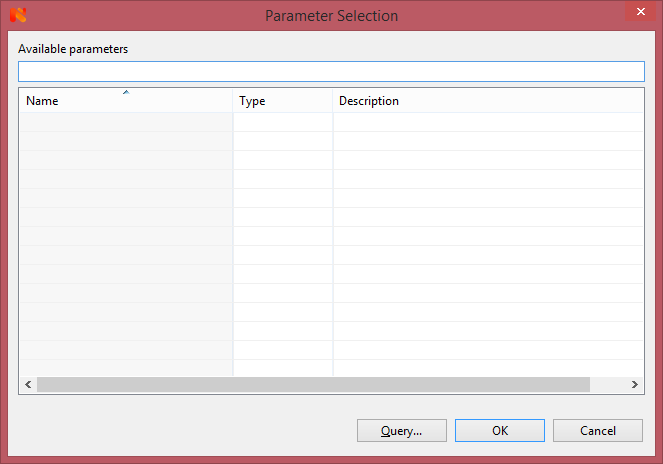
Sorry, I found poller node on the netxms.org-node.
thanks I'll give it a shot.
Update:
After changing to netxms-server as poller node on "netxms.org"-node I created a DCI and selected "Netxms agent".
This still gives me an empty parameters list when I hit [Select].
Any ideas?
thanks
Thanks for your reply!
If you mean "source node" as poller node on the DCI i created on the netxms.org-node i tried that.
The problem I get is that the parameter list I expected to see when I clicked [Select] is empty.
Hi!
I know that this is such a newbie question but I've tried to accomplish this for many days.
My colleagues have looked into it as well without result.
Let's say I want to monitor www.netxms.org and make sure it responds to TCP on port 80
As I understand there are some options:
DCIs
This is perfect when you can use templates but since the new 'www.netxms.org'-node get SYS_DCI_UNSUPPORTED I guess it can't handle netxmsagent-DCIs.
I mean, www.netxms.org does not have the Netxms agent installed.
According to a forum post this should maybe be handled by adding DCIs under the netxms-server.
It feels wrong but maybe this is the way to do it?
I like number 1 best because you can see in the tree what's being monitored, the network services are added below the node and the whole supportteam can see it all clear.
So... what do you pros think the best way is?
Thanks in advance
@zshnet said in alarm_events table still holds an alert of removed node:
Hi there,
Not sure if this is helpful to your issue, but alt-shift-a opens the alarm page for whatever node you've selected while F8 opens the alarm browser for all alarms. My suspicion is you were opening Alt-Shift-A while selecting a container for all items in your network, which would of course not contain the deleted node. Thus, when you click F8, an extra alarm appeared because it shows all alarms, regardless of the node. Also, in my experience, deleting or unmanaging a node does not remove all alarms relating to that node, so before/after deleting it you need to delete all alarms relating to that node.
Hope that helps!
Thanks,
Zach
I wish it was that simple...
No, I was on the top level Entire Network, right click, Alarms.
By accident I went into F8 (Alarm browser) and found ID 1526 (which I recognized from the alarm_events table).
We have a dashboard where I publish active alerts from alarm_events and we wondered why a deleted node still was active.
You need to create your own.
What I have is a template called APC-PDU and to that I assign (called apply in the meny) all new PDUs so that DCIs are created for each new PDU.
Talking about "apply" I would consider changing that to "assign"...
New information:
In Alarms [F8] I have one entry more than in [ALT]-[Shift]-[A].
That entry is referring to the source/node that previously was removed.
The extra entry in Alarms [F8] looks like this:
[Critical] [1526] Node down
It only references to 1526 instead the source name.
When I click on terminate it goes away.
A thought F8 and Alt-Shift-A would show the same things.
@biker9009 said in Controlling PDU:
Hello,
Is it possible to control a PDU using NetXMS?
I'm working with that right now. We're using APC PDUs but the MIBs from APC seem to contain some error or something because when browsing the MIB using the built in MIB Browser I can't drill down to certain OIDs other than using walks and picking the OID manually.
But yes, it works fine to monitor the PDUs.
I recommend you to use a template.
Hi!
We had a node with an active critical alert and the alert was listed in the table alarm_events and also shown in the "alarms entire network" tab in the Console.
When I removed the node from the inventory the alert in "alarms entire network" was removed and all was fine.
However, the entry in the alarm_events table still holds the record as if it would be active.
My impression was that alarm_events used to contain only active alerts.
Can anyone shed some light on this?
Thanks in advance
Hi!
First I omitted -o on the compiler, thinking that it defaulted to the right place.
That was my first mistake. I redirected to c:\netxms\var\netxms.mib so that part was ok after that.
Still it didn't work so I found out that the MIB-files-chain was broken from Equallogic.
I did some troubleshooting among all references in every file and found the problem.
So, the problem was twofolded...
Thanks for your quick response and getting me on track.
I compiled it into c:\netxms\mibs\netxms.mib
It popped up there after the comilation was made.
And yes, I have re-logged in.
How do I know where the console client looks for the MIB?
Is the path above default?
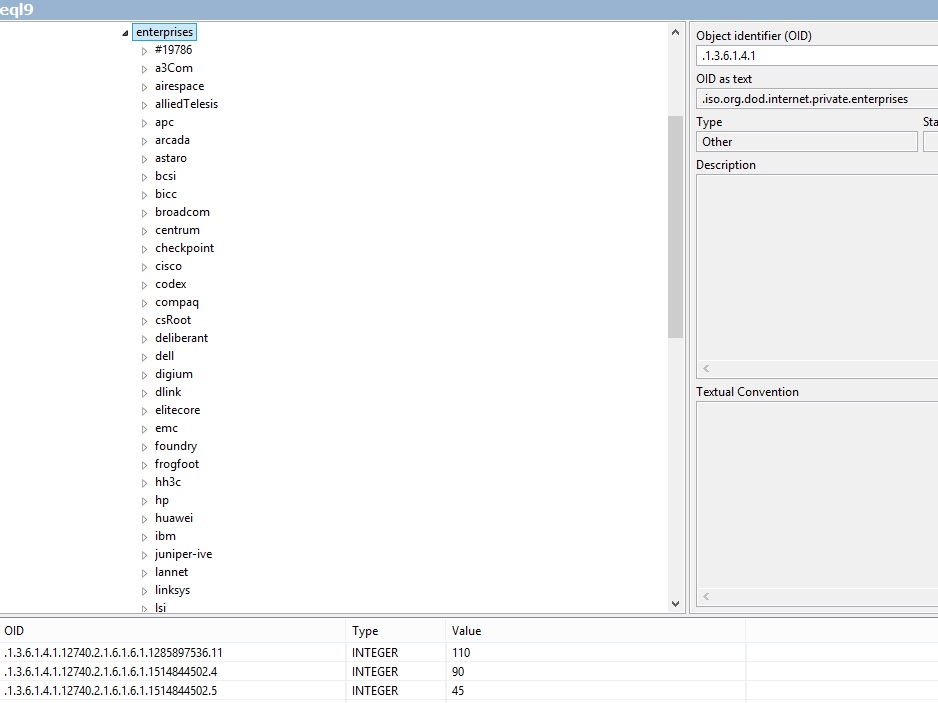
Please see attached screenshot.
OID .1.3.6.1.4.1 is defined (ofcourse)
.12740.x.x.x.x is found through snmp walk but not defined in the navigation tree as you can see.
I sense I'm missing something obvious but I don't know what...
Hi!
I'm fairly new to netxms so I might miss something very obvious here.
I have compiled mibs through nxmibc on the Windows machine that we have netxms installed on.
Compilation went fine.
With the management console I selected [MIB Browser], for the device I want to work with, but I can't see the named OIDs that I expect.
If I do an SNMP walk the the OIDs are sure found by the MIB browser but only the numbers.
The browser tree is not poplulated with the new information from the compiled MIBs.
I have hit the refresh button several times, restarted console, run the import twice etc but I'm out of ideas now.
What am I missing?
Thanks in advance