Hi Victor,
When are you available for online session and do we use team viewer or any other preference?
Regards
Ramesh
Hi Victor,
When are you available for online session and do we use team viewer or any other preference?
Regards
Ramesh
Hi Victor/Team,
Could anybody in the forum reply to my previous query as i face difficult in network discovery
Regards
Ramesh
Hi Victor,
Could you please reply to my last post
Regards
Ramesh
Hi Victor,
As shared before the LLDP is enabled on all the switches and attached the same
Regards
Ramesh
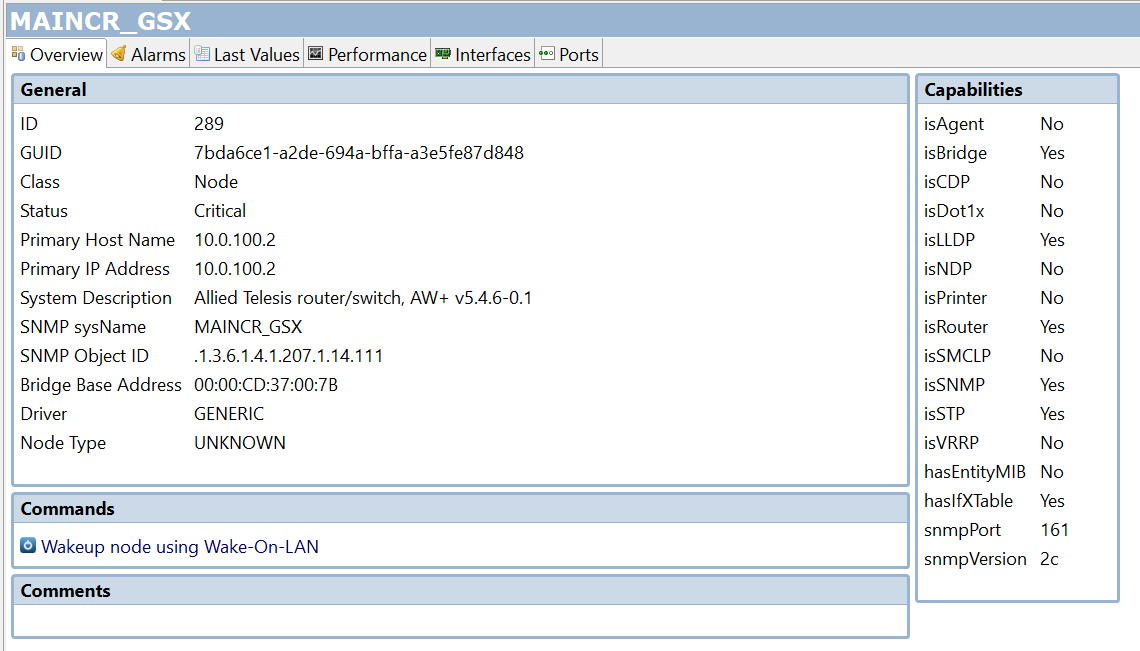
Hi Victor,
please find the attached
Regards
Ramesh
Hi Victor,
Thank you for help for MIBs
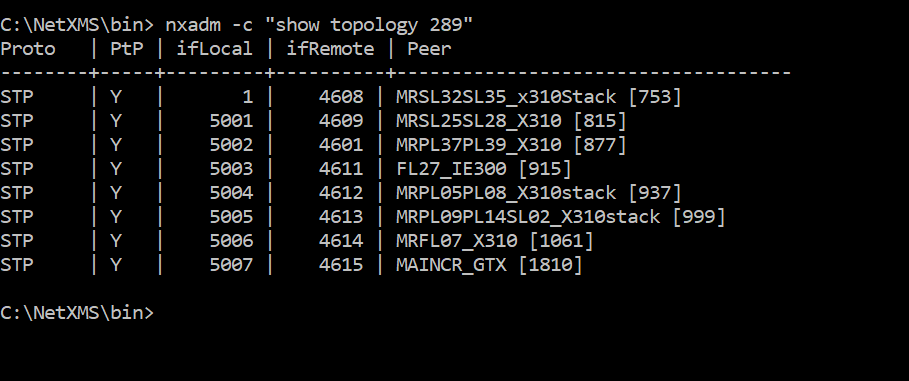
i have found a problem with Layer 2 topology in Network maps
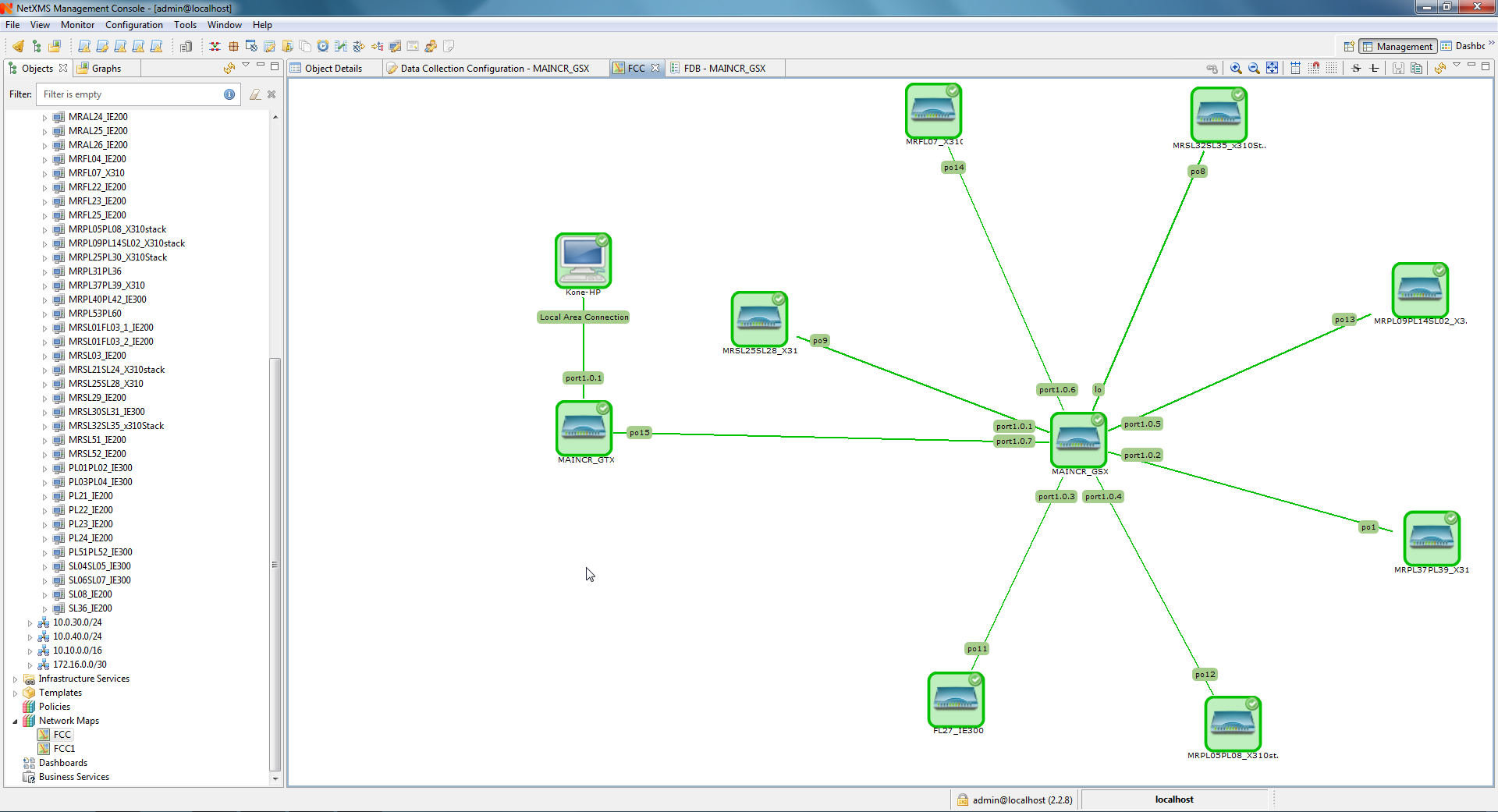
From the below attachment you can find my main switch is MAINCR_GSX to which all the 59 other switches are connected.
But when i select the MAINCR_GSX as seed node i can see only 7 switches connected to it. I tried with/without include end nodes, given the discovery radius , LLDP is enabled but the result is same.
I need to view, how all the 59 switches are interconnected to which port in Layer 2 topology
Any help?
Regards
Ramesh
Hi Victor,
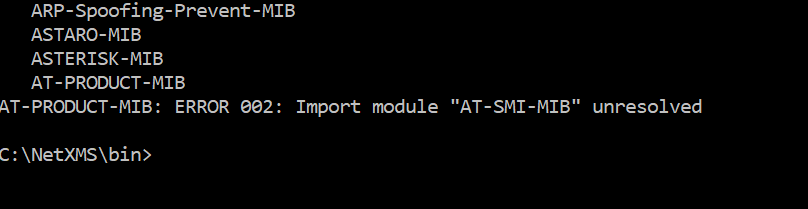
I'm trying to add the below attached MIB file to the MIB browser and followed the steps mentioned in "Adding MIBs -support"
Compiling MIBs
Change suffix of your new MIB file to .txt
Copy your MIB file to /usr/share/netxms/mibs
C:\NetXMS\bin\nxmibc.exe -z -d C:\NetXMS\share\mibs -o C:\NetXMS\var\netxms.mib
when i execute the above i received the below attached error, any help??
Hi Tursiops
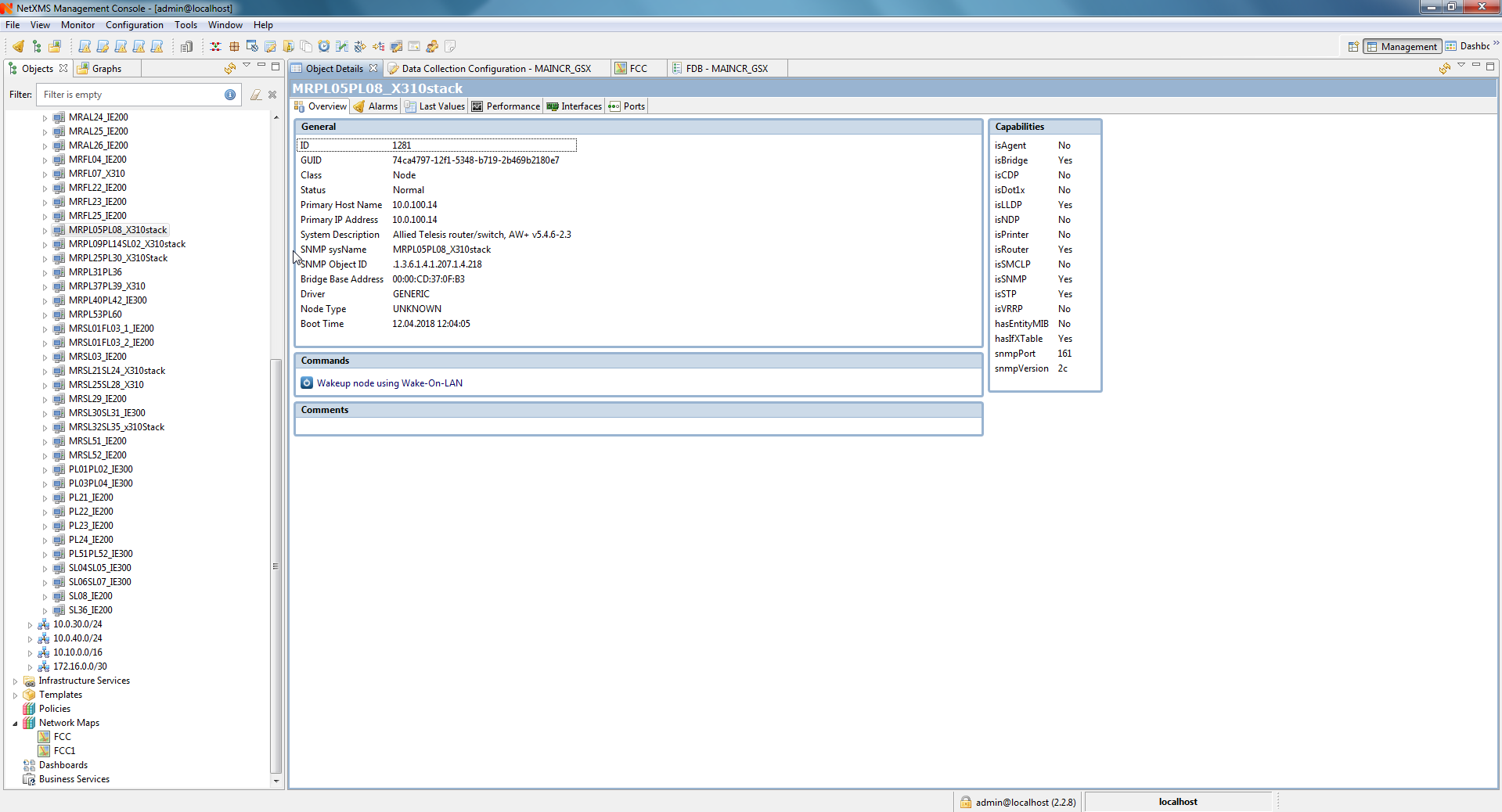
I'm using Allied Telesis switches in my project and looking for the MIB for below mentioned switches
SNMP Object ID=.1.3.6.1.4.1.207.1.14.109
SNMP Object ID=.1.3.6.1.4.1.207.1.14.111
SNMP Object ID=.1.3.6.1.4.1.207.1.24.1
SNMP Object ID=.1.3.6.1.4.1.207.1.24.8
SNMP Object ID=.1.3.6.1.4.1.207.1.4.218
But NetXMS -MIB browser currently supports only the below attached MIBs. Could you please help me with updated /correct MIB file
Also the Allied Telesis switches has a proprietary ring called as EPSRing, does NetXMS forms the ring in Network Maps under IP topology for the EPSRing switches?
Regards
Ramesh
Hi ,
fyr
Hi Tursiops,
Thank you,
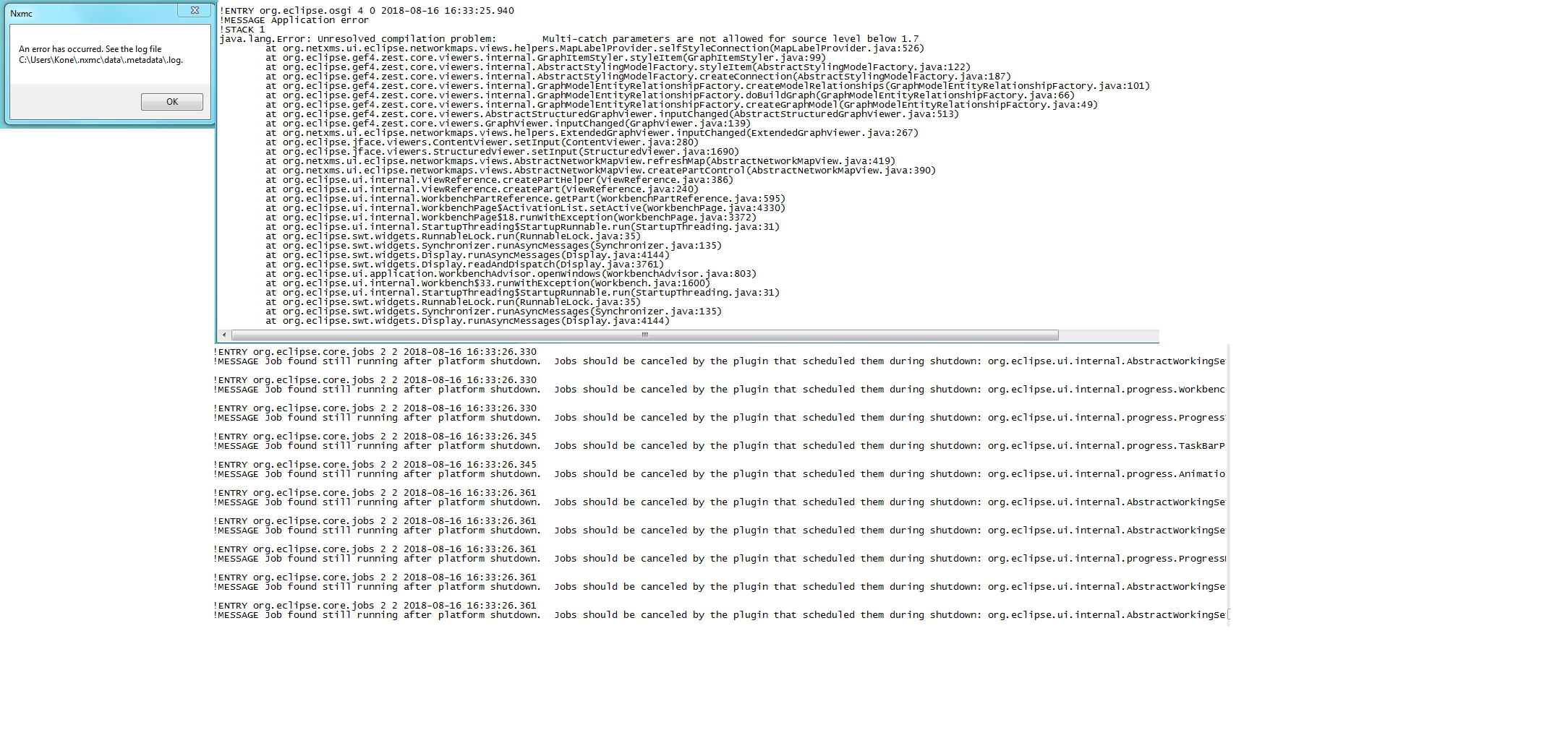
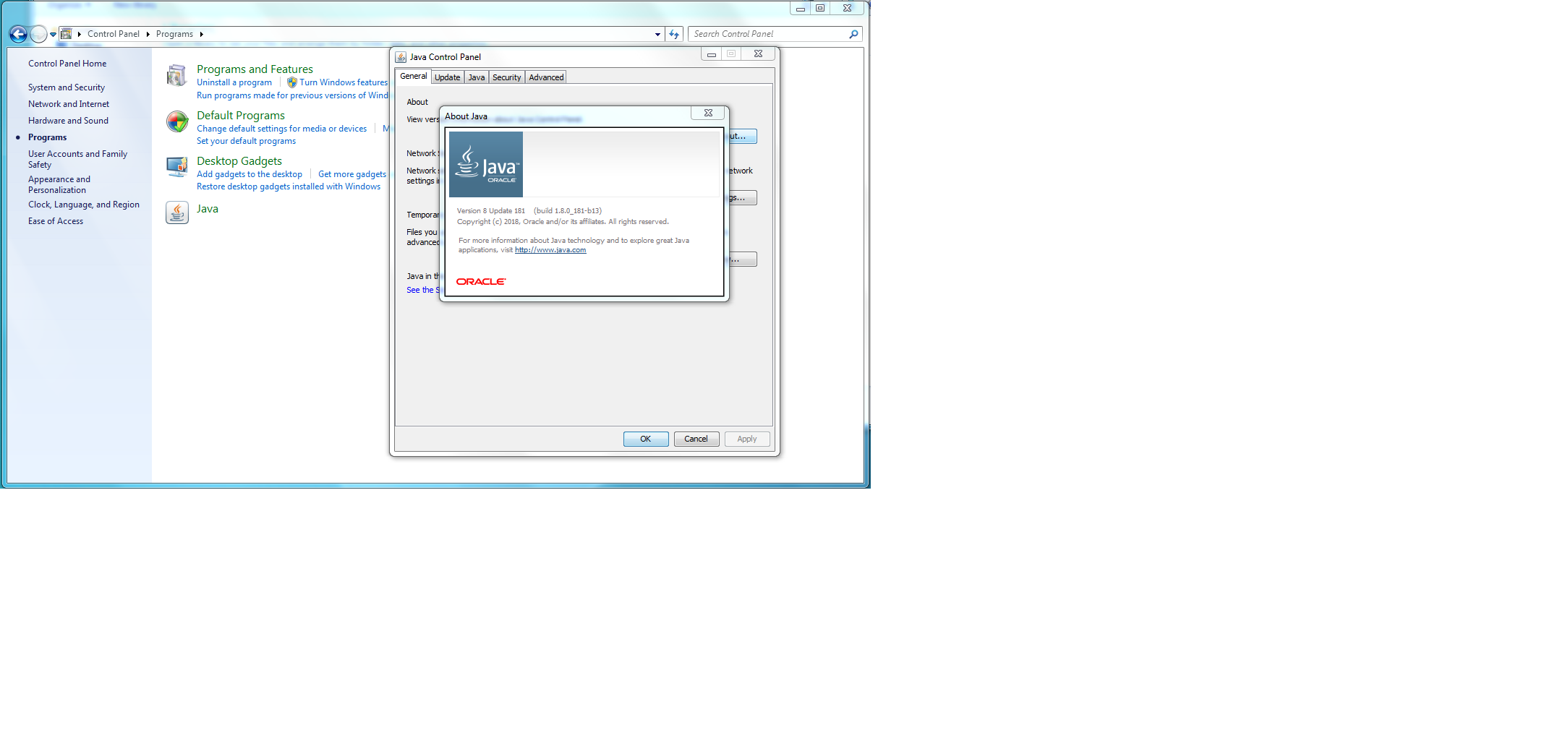
However i face the problem with connecting the server itself as attached and also as per Victors suggestion I have upgraded the Java 8 but still couldn't connect the server and also Victor mentioned this problem will be fixed in 2.2.8.
Hence i would require your help to suggest me more stable version with your experience to use in my project as i need to handover project to the customer.
Your prompt reply would be highly appreciated.
Cheers
Ramesh
Hi,
Switches are Allied Telesis, have to check on enabling the LLDP.
Can you help me with most reliable version NetXMS to use in my project
Regards
Ramesh
Hi Victor,
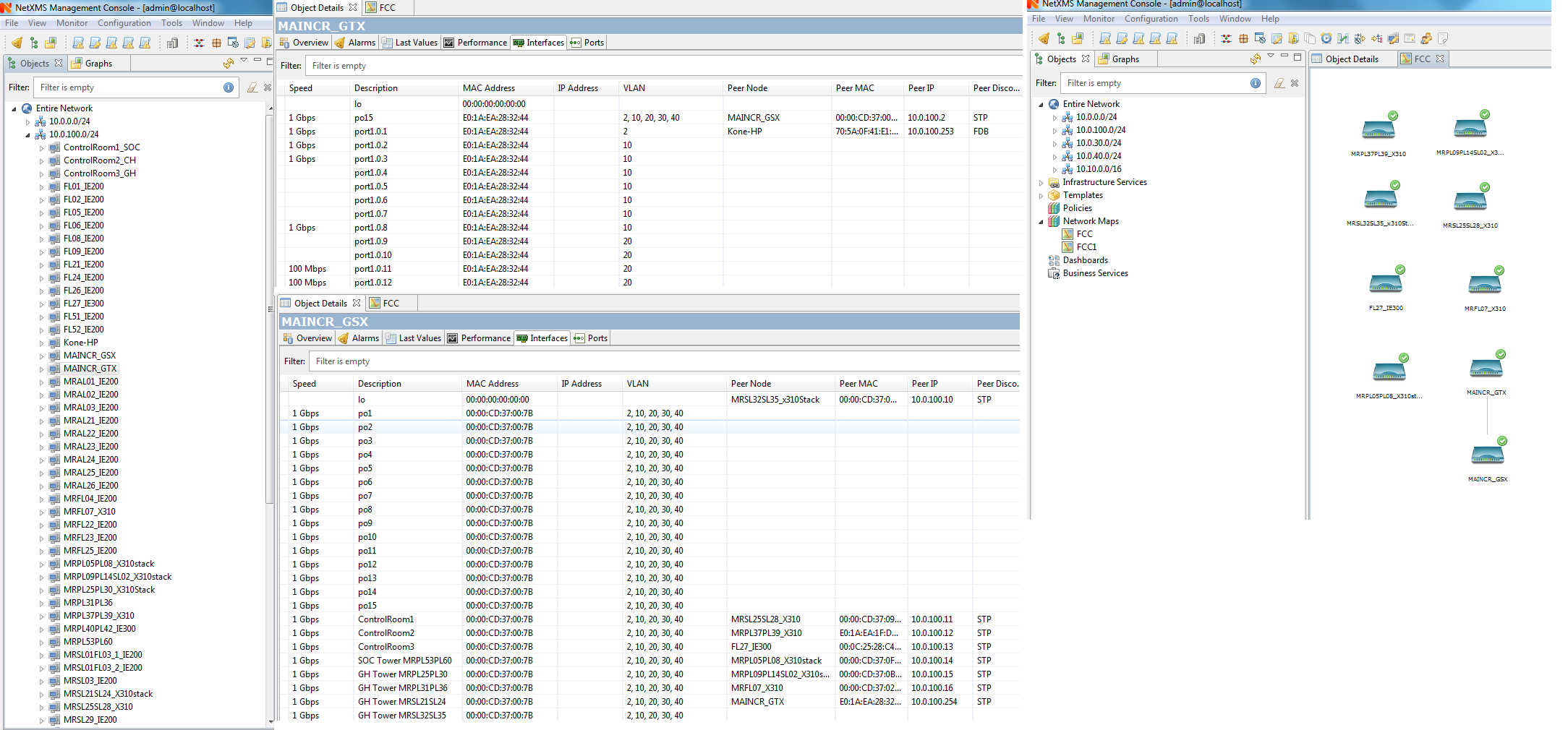
I have installed the new version 2.2.7 and when i tried to create the Network maps in Layer 2 Topology i selected the root node and i could able to see only a few switches from total of 59 switches and all scattered and not linked as shown in the attached image
and also when i created with IP topology maps i couldn't open the map itself
Need your help on how to create a map which will link all the 59 switches in the network
Regards
Ramesh
installed
Hi Victor,
I have installed NETXMS on SQLserver 2014 and noticed NETXMS is not stable and could not scan the complete network and some times the switches are missing under discovery.
I'm using NETXMS 2.2.6 version , what is your suggestion on SQL server to be used
Regards
Ramesh
in the walk result window im unable to right click
Hi Team,
I would like to know the possibility of dashboards on creating a master dashboard on which if we select the particular element it should route to the next window where the data is collected
for ex ; if i have a status indicator on master dashboard and if the status is changed i should click on the indicator which should take me to the next window where i will have a collection of data showing the reason for the error
Regards
Ramesh
Hi Team,
I always face this problem " Connection to the NETXMS server is lost close the application and i have to login with credentials every time
need your help
Hi Tursiops,
Thank you for your help, its working
Regards
Ramesh
Hi Team,
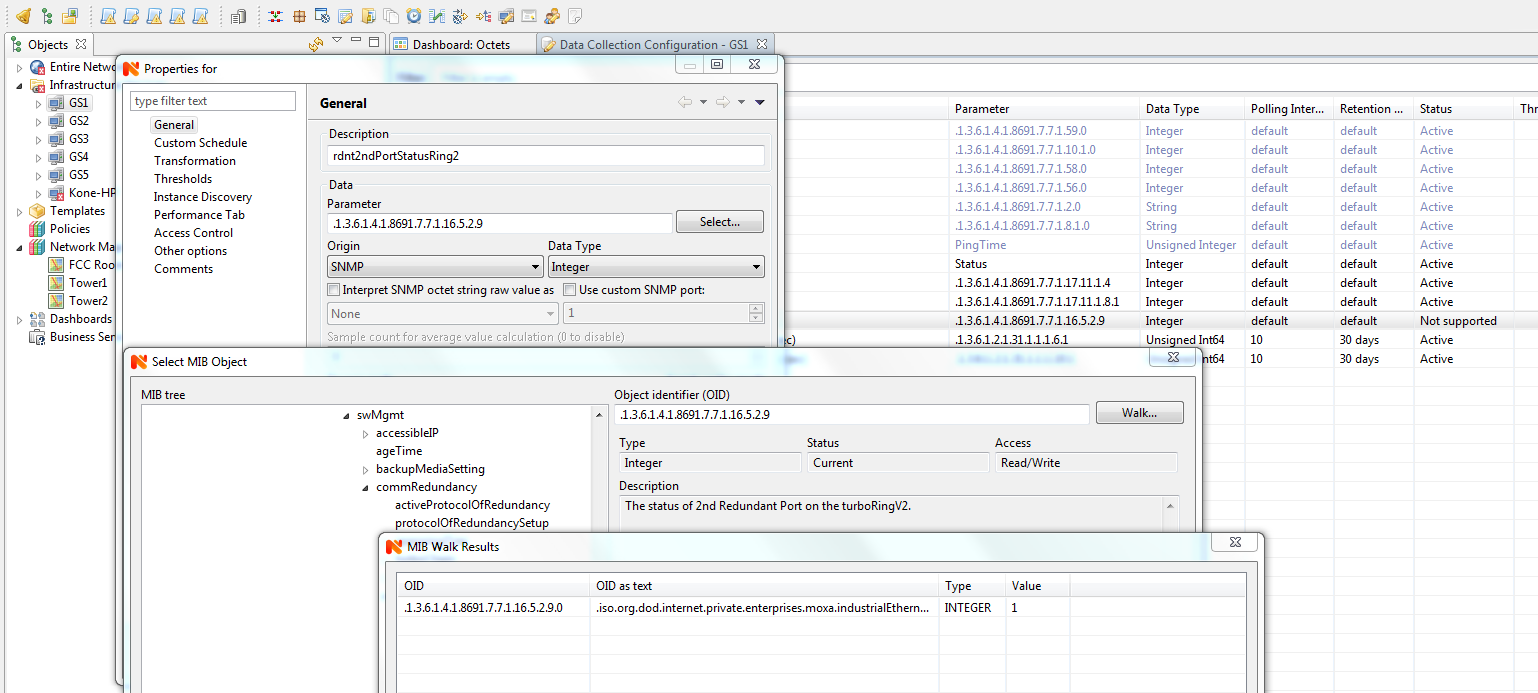
In an installation im using MOXA branded switches, as a default NetXMS MIB browser doesn't have the OIDs for the mentioned brand. So I followed the steps mentioned in the 'Add MIBs' in the discussion forum and compiled the MIB file and now I could able to select the OIDs for the particular switch.
However I face the difficulty while adding the OID's to the DCI. When I select some OID's I could able to see the value in 'Walk" but when I add it to the DCI the NetXMS popup an error as "UNSUPPORTED"
I'm using MOXA- IKS 6726 A and EDS-408A switches and I have attached the screen shot
Regards
Ramesh
Hi Tursiops,
Thank you ,its working
Regards
Ramesh