Hello,
Any ideas when the NetXMS agent 3.0 will be released? I believe I was told it would be around mid-july?
Hello,
Any ideas when the NetXMS agent 3.0 will be released? I believe I was told it would be around mid-july?
Hi all,
Does anyone know when version 3 of NetXMS Agent for Windows will be released?
Hi could someone help/advise me with my questions raised on here. I don't appear to be getting a response back?
https://track.radensolutions.com/issue/NX-1636
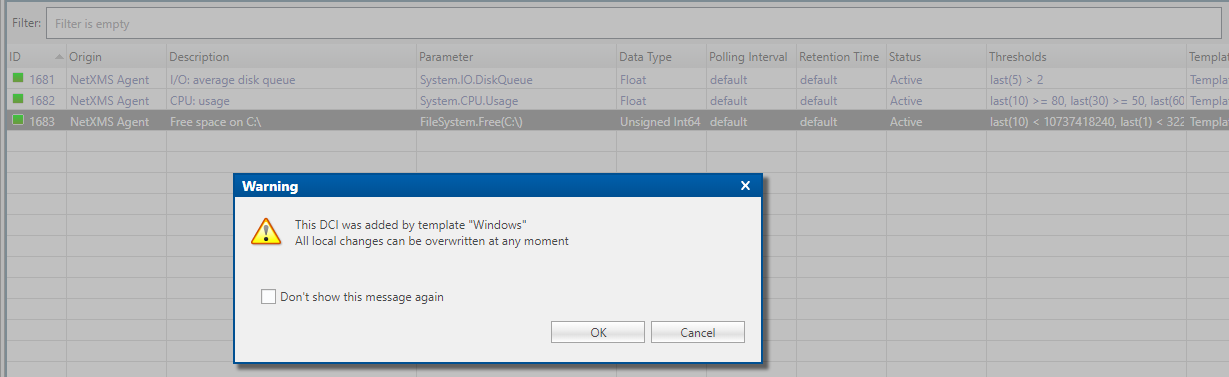
Hi there, I have a specific windows template setup with a free space threshold of 10gb. I wanted to change it for a node, but I get this message. How to I remove it from the Template, but keep the parameters that you can see in the screenshot.
Thanks!
Managed to resolve this by upgrading to the latest Server and Web UI version.
I was looking at the wrong DB - The issue is still not fixed. Could you mark as unresolved - https://track.radensolutions.com/issue/NX-1636
Thanks Victor. That would be really handy.
Any ideas of an ETA.
We are using the log watch feature to monitor the logs of our Interfaces in different file paths etc.
Do within the nxagentd.conf file we are doing;
[LOGWATCH]
Parser = C:\NetXMS\etc\interface1.xml
Parser = C:\NetXMS\etc\interface2.xml
Then within Interface1.xml we are doing;
<parser>
  <file>C:\inetpub\Interface1\logs\Log_%Y_%m_%d.txt</file>
  <rules>
    <rule>
      <match>Error(.*)</match>
      <event>100050</event>
    </rule>
  </rules>
</parser>
The trouble we are having is both Interface 1, 2 etc use the same event to fire on in NetXMS. Ideally we'd like to stick to the one event but be able to identify which interface/log directory has fired it.
Is it possible to add something to the XMLS for us to be able to tell which Interface has fired the error? I.e. Interface 1 or Interface 2 using the same event? Or do we need to setup separate events for each one?
Thanks Victor. I have raised it on the bug tracker; https://track.radensolutions.com/issue/NX-1636
Hello?
I didn't have it set as a 64 bit integer, so I've now changed it to this. But doesn't appear to have made any difference. The current state is till 1.

Hello,
I am using the FileSize param in order to calculate the size of a file within a directory.
File.Size(S:\ftp\blah\,*,0)
A threshold has been setup.
Last Polled Values
Samples: 1
< : Less then 64000000000
Activation Event SVC_File_Size_Alert
Deactivation Event Sys_threshold_Rearmed
The file size is 65000000000+ but yet the current state is still 1 when this should be 0.
Any ideas?
Thanks Victor. I've added this to my polling; File.Size(S:\ftp\folder1\,*,1)
Which yes does work, however there are other folders within S:\ftp\folder1\ so it's the file sizes from these folders up as well. I can't point it at a file name because that changes name every day due to the date and time parameters.
How can I only make it look in the directory S:\ftp\folder1\ for files within that and not the sub folders?
BUMP Anyone got any ideas?
Hello,
I currently use FileCount within NetXMS to check a backup file has been placed within the dir. The only thing is it can take a while to transfer across so I want to check the file size is greater than 60gb for example.
Is this possible, if so how?
Thank you. That's worked a treat.
Hi,
I was looking at trying to monitor an FTP. Basically I want to be able to create a poll on a node that'll connect to an external FTP server with credentials and then basically give a value of 1 or 0 depending if it can connect or not.
Anyone set anything like this up?
Hello,
I'm just spent several days setting up NetXMS exactly how we want it. I got locked out of NetXMS so decided to restart the NetXMS Core service. Upon restarting this, it appears the Windows Template has changed back to the default....! This has then updated all of the nodes with the standard/default template. Surely the templates are stored in the database so these shouldn't change when the service is restarted?!?!
Could someone shed some light on this please and how we can go about backing this up....
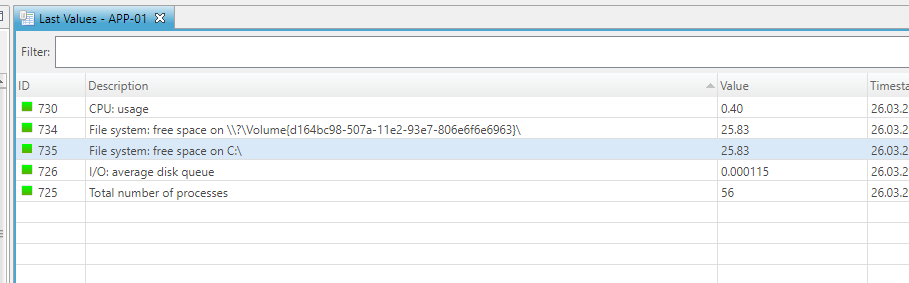
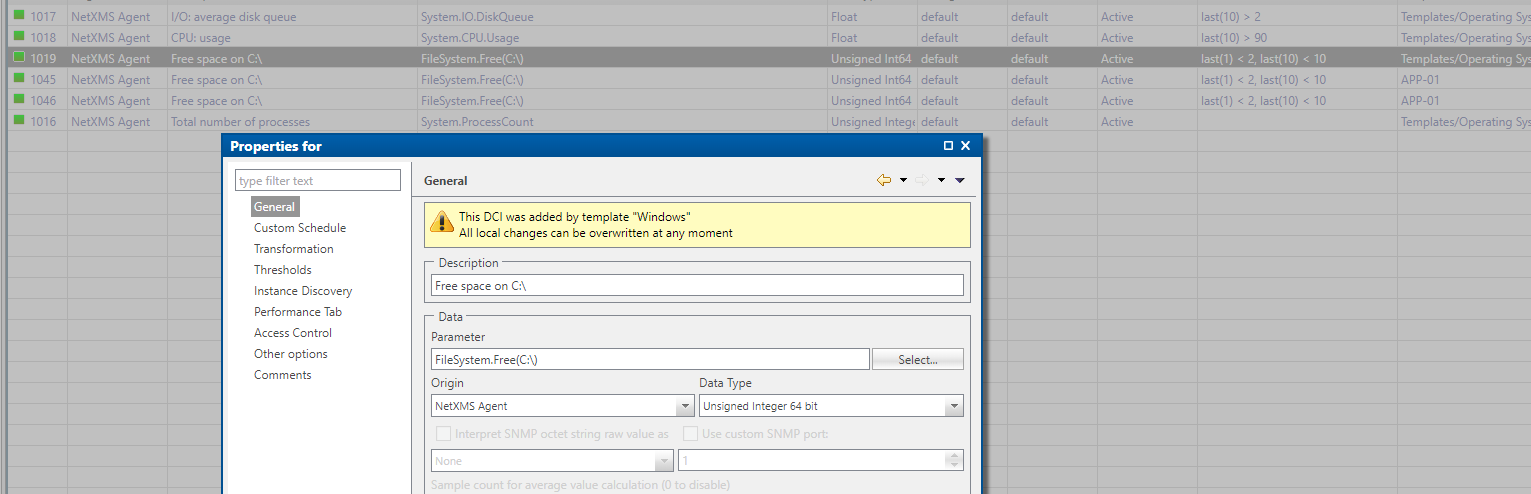
So I've added Disk Space to the windows template and only monitoring C:\ But im getting duping for some reasons this appears twice on the last values page and 3 times in data config.
Hello,
I am using the agent to monitor disk space on a few windows boxes. It's pulling in a drive called Volume. I'm not sure what this is I only want 'NORMAL' windows drives such as C:\ D:\ E:\ G:\ to be pulled in. Is there anyway to exclude the volume drives from the Windows Template?
See screenshot attached.
Also I've setup a generic email for LOW and NO DISK SPACE is it possible to have the node name in this email? If so what shortcode do I use to include this? It would just save creating multiple emails/actions for each node?